



Straight to the point: people want to know if its worth the upgrade going from a possible GTX 980 Ti or a GTX 1080, is the new GeForce RTX 2080 worth it? In this ultimate graphics card guide, we’ll show you a preview of what to expect from the new graphics cards from NVIDIA. We’re calling it a preview because there is much to explore when RTX becomes common place and with only Shadow of the Tomb Raider currently the only launch title that supports the platform, there’s not much to go with to demonstrate the full capabilities of the GeForce RTX cards.
That said, we’ll be focusing on raw performance in this preview. We’ll check out how the card performs in our current benchmark suite as we adjust to a world where adoption of the new technology will most likely play a key in game development.
With that in mind, let’s proceed. We’ll be skipping the presentation segment for this article and present them in the full review.
We’d like to give a special thanks to ZOTAC for the special midnight request of sending the card just 2 days before embargo so we can work with the card earlier.
Performance Testing
Test Setup
Processor: Intel Core i7 8700K 4.5Ghz
Motherboard: GIGABYTE Z370 AORUS GAMING 7
Memory: Corsair Vengeance RGB DDR4-3600 16GB (8GBx2)
Storage: WD Blue 1TB SSD
PSU: Seasonic Platinum 1000
Cooling: Fractal Design Celsius S36
Monitor: Viewsonic VX2475Smhl-4K
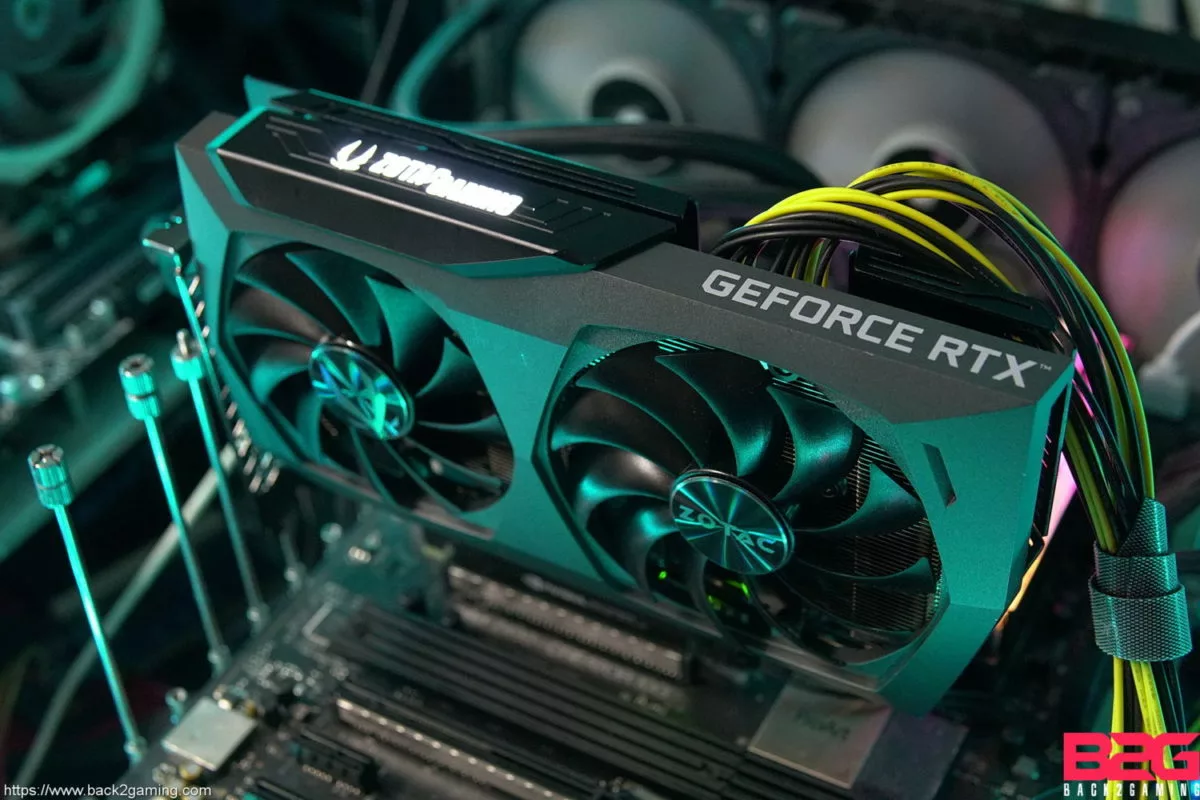
VGA: ZOTAC GeForce RTX 2080 AMP Edition
Again, special thanks to ZOTAC for the support they’ve given us for this review.
For benchmarking methodology please see our game benchmark method guide.
Frame rates and frame times of a 60-second game play were recorded using FRAPS v3.5.99. The test results are the average of 3 benchmark runs. Since this is a GPU review, we benchmarked the area of the games that put heavy load on the GPU.
All our test runs are repeatable, click the links below for area and details. Read our benchmarking methodology.
- Grand Theft Auto V – Palomino Highlands
- The Witcher 3 – Woesong Bridge
- Rise of the Tomb Raider – Geothermal Valley
- DOTA2 – Kiev Major Finals, Game 5, OG vs Virtus.Pro (54:05 – 55:05)
See our Youtube playlist for benchmark sequences.
The games and corresponding image quality settings used are shown in their respective tabs.
Note: Some proprietary technologies of NVIDIA like PCSS, HBAO+, and HairWorks work on AMD GPU’s BUT to maintain uniformity amongst GPUs, these have been turned OFF.
Rise of the Tomb Raider
 The reboot of the gaming phenomenon Tomb Raider puts players in Lara Croft’s hiking boots as we pick-up from the last game. Featuring upgraded graphics, DX12 support and new image quality improvements, this game challenges new hardware with its graphical offering.
DirectX11
Anti-aliasing: FXAA
Very High settings
Ambient Occlusion: On
Pure Hair: On
Vignette Blur: Off
Motion Blur: Off
Bloom: On
Tessellation: On
Screen Space Reflections: On
Lens Flares: On
Film Grain: Off
1920×1080


2560×1440


3840×2160


The Witcher 3
 CD Projekt Red’s latest installment in the Witcher saga features one of the most graphically intense offering the company has to date. As Geralt of Rivia, slay monsters, beasts and men as you unravel the mysteries of your past. Vast worlds and lush sceneries make this game a visual feast and promises to make any system crawl at its highest settings.
Frame Rate: Unlimited
Nvidia HairWorks: Off
Ultra Settings
Motion Blur: Off
Blur: Off
Anti-aliasing: On
Bloom: On
Sharpening: High
Ambient Occlusion: SSAO
Depth of Field: On
Chromatic Aberration: Off
Vignetting: On
Light Shafts: On
1920×1080


2560×1440

 3840×2160


DOTA2
 The most popular game on Steam and the biggest competition in eSports; DOTA 2 is powered by the Source 2 engine. The game is fairly light on low to medium settings but maxed out with heavy action on screen especially during clashes can really stress most systems especially with Reborn update. This is a game where frame times matter as responsiveness is very important in high-stakes competition.
DirectX9 (default)
Best-Looking slider setting (Ultra)
FPS_MAX 240
Vsync OFF
1920×1080

 2560×1440

3840×2160

 Grand Theft Auto V
 The fifth and most successful installment to date in the highly controversial Grand Theft Auto series brings a graphical overhaul to the PC version of GTA V which many have lauded as a superior approach in porting a console game to PC. Featuring large areas and detailing, GTA V is a highly challenging application in terms of scene complexity.
FXAA Off
MSAA 4x
TXAA Off
Very High settings
Anisotropic Filtering: 16x
Motion Blur disabled
Advanced Graphics enabled
1920×1080


2560×1440


3840×2160

 First Impressions
As it stands, NVIDIA is utilizing technology way ahead of its time. This is how they see their RTX platform and their Turing GPUs. Without games that actually utilize the full capabilities of this card, its still to early to see what they’re really made of. Therein lies to challenge for NVIDIA: to convince game developers to adopt their technology, regardless if its partial or as a whole, and that would be the deciding factor whether the new GeForce RTX cards fly off the shelves.
Going back to our target for this article, we wanted to see the raw performance the RTX graphics card, particularly the RTX 2080. We held off on the power draw, temp readings until we have another card to compare to just in case you were wondering where that part of this preview was. In any case, basing on the tests we did, the GeForce RTX 2080 can really go further but its realm of true benefit lies on the 4K60 range where it sits comfortable side-by-side if not higher than the GTX 1080 Ti. Do note that the RTX 2080 Ti is yet to be added here so its going to be fun to see how that card scales against its predecessor. Focusing more on the difference between the GTX 1080 and RTX 2080, the difference isn’t stellar if you’re looking at 1080p and even at 1440p. As mentioned, 4K is where NVIDIA’s new offering shines and this may be the beginning of the standardization of 4K as an acceptable gaming resolution. Although panel development on the monitor side may still be a challenge, knowing that these new graphics card can deliver more acceptable performance compared to its predecessor is quite promising.
The ultimate question will be that of price. While we wait for stores to finally announce their prices, its safe to say if you’re still focused on a 1080p 144hz experience or a 1440p 144hz, the GTX 1080 and GTX 1080 Ti may still have some life to it. For those looking for 4K90, it’s still not here. But with developments on RTX and DLSS still looming, only time will tell how much the RTX cards will benefit from a complimenting lineup of games.
So should you buy the RTX 2080? Eventually, yes. Right now though, its totally a luxury but as they say, preparedness for opportunity yields good things. In this case, if you can afford it.




Better way for next gen