



Proton, the new feature of the Steam Play, enables Windows games without Linux version to be played within the Linux Steam client. This is a big step forward in making Linux a great platform for gaming. However, not all Windows games are confirmed yet by Valve to work with Proton. Some may not even work at all due to intrusive DRM and anti-cheat software. To increase the awareness of the PC gaming community about the viability of Linux as a gaming platform, we made a list of Windows games that we have confirmed to be playable on Linux through Steam Play 2.0.
Related readings:
Newbie Friendly Guide to Using Linux for Gaming
Milestones of Linux as a Gaming Platform
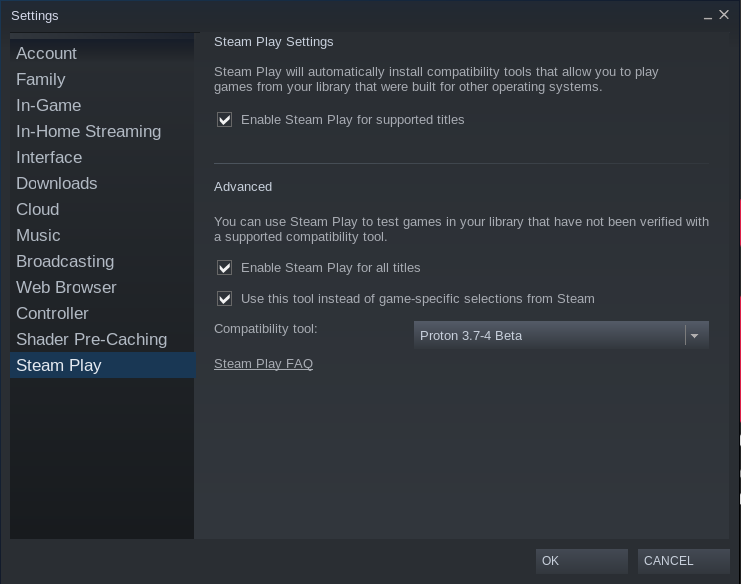
This is a work in progress and would be updated as we test more games and other PC configurations. Click the game titles for proof that it really works on Linux.
Result Summary:
- 36 games tested
- 16 out of 36 games work perfectly
- 7 out of 36 games need a Steam Launch Option
| Title | CPU + GPU Tested | Linux Distro + GPU Driver + Proton Version | Remarks |
| Ancestors Legacy | Core i7 7700 + Radeon RX 580 8GB | Ubuntu MATE 18.04 LTS + Mesa 18.2.4 + Proton 3.16-4 beta | Runs only in safe mode which can be launched by right-clicking on the Steam Library |
| Astebreed | Core i7 7700 + Radeon RX 580 8GB | Ubuntu MATE 18.04 LTS + Mesa 18.1.7 + Proton 3.7-5 beta | Works perfectly |
| The Awesome Adventures of Captain Spirit | Core i7 7700 + Radeon RX 580 8GB | Ubuntu MATE 18.04 LTS + Mesa 18.2.3 + Proton 3.16-4 beta | Works perfectly |
| Batman: Arkham Origins | Core i7 7700 + Radeon RX 580 8GB | Ubuntu MATE 18.04 LTS + Mesa 18.1.6 + Proton 3.7-3 | There is brief stuttering when entering new areas |
| The Binding of Isaac | Core i7 7700 + Radeon RX 580 8GB | Ubuntu MATE 18.04 LTS + Mesa 18.2.2 + Proton 3.16-3 beta | Use 1280 x 800 resolution if you want to play in fullscreen mode. Otherwise, game crashes. |
| BloodRayne: Betrayal | Core i7 7700 + Radeon RX 580 8GB | Ubuntu MATE 18.04 LTS + Mesa 18.1.7 + Proton 3.7-6 | Works perfectly |
| Burnout Paradise: The Ultimate Box | Core i7 7700 + Radeon RX 580 8GB | Ubuntu MATE 18.04 LTS + Mesa 18.2.4 + Proton 3.16-4 beta | XBox 360 controller is not automatically detected. Controller mapping must be manually configured. |
| Car Mechanic Simulator 2015 | Core i7 7700 + Radeon RX 580 8GB | Ubuntu MATE 18.04 LTS + Mesa 18.1.7 + Proton 3.7-6 | Put “PROTON_USE_WINED3D11=1 %command%” in Steam Launch Option to make the game run. |
| Darksiders Warmastered Edition | Core i7 7700 + Radeon RX 580 8GB | Ubuntu MATE 18.04 LTS + Mesa 18.2.4 + Proton 3.16-4 beta | Put “PROTON_USE_WINED3D11=1 %command%” in Steam Launch Option to make the game run. |
| Darksiders II Deathinitive Edition | Core i7 7700 + Radeon RX 580 8GB | Ubuntu MATE 18.04 LTS + Mesa 18.2.4 + Proton 3.16-4 beta | Works perfectly |
| Dead or Alive 5 | Core i7 7700 + Radeon RX 580 8GB | Ubuntu MATE 18.04 LTS + Mesa 18.1.7 + Proton 3.7-6 beta | Put “PROTON_NO_ESYNC=1 %command%” in Steam Launch Option to make the game run. Press Enter or M at the black screen to proceed to the main menu. |
| Death’s Gambit | Core i7 7700 + Radeon RX 580 8GB | Ubuntu MATE 18.04 LTS + Mesa 18.2.4 + Proton 3.16-4 beta | Put “PROTON_USE_WINED3D11=1 %command%” in Steam Launch Option to make the game run. |
| Defense Grid: The Awakening | Core i7 7700 + Radeon RX 580 8GB | Ubuntu MATE 18.04 LTS + Mesa 18.1.7 + Proton 3.7-4 beta | Works perfectly |
| Dishonored | Core i7 7700 + Radeon RX 580 8GB | Ubuntu MATE 18.04 LTS + Mesa 18.1.6 + Proton 3.7-4 beta | Works perfectly |
| Doom (2016) | Core i7 7700 + Radeon RX 580 8GB | Ubuntu MATE 18.04 LTS + Mesa 18.1.6 + Proton 3.7-3 | Put “+r_renderapi 1” in Steam Launch Option |
| Doom 3 BFG Edition | Core i7 7700 + Radeon RX 580 8GB | Ubuntu MATE 18.04 LTS + Mesa 18.2.4 + Proton 3.16-4 beta | Put the command in Steam Launch Option: MESA_GL_VERSION_OVERRIDE=4.5COMPAT allow_glsl_builtin_variable_redeclaration=true force_glsl_extensions_warn=true PROTON_NO_ESYNC=1 %command% If sound cracking occurs, just restart the game. |
| The Elder Scrolls V: Skyrim | Core i7 7700 + Radeon RX 580 8GB | Ubuntu MATE 18.04 LTS + Mesa 18.1.6 + Proton 3.7-3 | Game hangs when exiting the game |
| The Elder Scrolls V: Skyrim | Core i7 7700 + HD 630 | Ubuntu MATE 18.04 LTS + Mesa 18.2.4 + Proton 3.16-4 beta | Game hangs when exiting the game |
| Gas Guzzlers Extreme | Core i7 7700 + Radeon RX 580 8GB | Ubuntu MATE 18.04 LTS + Mesa 18.2.1 + Proton 3.7-7 beta | Launch the 64-bit executable by right-clicking on the Steam Library |
| Halo: Spartan Assault | Core i7 7700 + Radeon RX 580 8GB | Ubuntu MATE 18.04 LTS + Mesa 18.2.1 + Proton 3.7-7 beta | Put “PROTON_USE_WINED3D11=1 %command%” in Steam Launch Option to make the game run. |
| Hellblade: Senua’s Sacrifice | Core i7 7700 + Radeon RX 580 8GB | Ubuntu MATE 18.04 LTS + Mesa 18.1.7 + Proton 3.7-6 beta | There is brief stuttering when entering new areas |
| The Incredible Adventures of Van Helsing II | Core i7 7700 + Radeon RX 580 8GB | Ubuntu MATE 18.04 LTS + Mesa 18.2.2 + Proton 3.16-3 beta | Works perfectly |
| Kingdom Come: Deliverance | Core i7 7700 + Radeon RX 580 8GB | Ubuntu MATE 18.04 LTS + Mesa 18.2.3 + Proton 3.16-3 beta | To make the game run, copy all the contents of Win64Shared folder to Win64 folder. The mentioned folders can be found at “/steamapps/common/KingdomComeDeliverance/Bin“. There is brief stuttering when entering new areas of a level. |
| Kingdoms of Amalur: Reckoning | Core i7 7700 + Radeon RX 580 8GB | Ubuntu MATE 18.04 LTS + Mesa 18.1.6 + Proton 3.7-3 | Works perfectly |
| LEGO Marvel’s Avengers | Core i7 7700 + Radeon RX 580 8GB | Ubuntu MATE 18.04 LTS + Mesa 18.2.2 + Proton 3.7-8 beta | Works perfectly |
| LEGO Marvel’s Avengers | Core i7 7700 + HD 630 | Ubuntu MATE 18.04 LTS + Mesa 18.2.4 + Proton 3.16-4 beta | Works perfectly |
| Metro 2033 | Core i7 7700 + Radeon RX 580 8GB | Ubuntu MATE 18.04 LTS + Mesa 18.1.6 + Proton 3.7-4 beta | Intro videos don’t display correctly |
| Mitsurugi Kamui Hikae | Core i7 7700 + Radeon RX 580 8GB | Ubuntu MATE 18.04 LTS + Mesa 18.1.7 + Proton 3.7-4 beta | Works perfectly |
| MOTHERGUNSHIP | Core i7 7700 + Radeon RX 580 8GB | Ubuntu MATE 18.04 LTS + Mesa 18.2.2 + Proton 3.16-3 beta | Works perfectly |
| NieR: Automata | Core i7 7700 + Radeon RX 580 8GB | Ubuntu MATE 18.04 LTS + Mesa 18.2.1 + Proton 3.7-7 beta | Works perfectly |
| Prey | Core i7 7700 + Radeon RX 580 8GB | Ubuntu MATE 18.04 LTS + Mesa 18.2.4 + Proton 3.16-4 beta | Changing graphics settings must be done in the main menu, doing it while in-game causes the game to hang. There is brief stuttering when entering new areas. |
| Project CARS: Pagani Edition | Core i7 7700 + Radeon RX 580 8GB | Ubuntu MATE 18.04 LTS + Mesa 18.2.2 + Proton 3.7-8 beta | Cannot save settings |
| Shadow of the Tomb Raider | Core i7 7700 + Radeon RX 580 8GB | Ubuntu MATE 18.04 LTS + Mesa 18.2.1 + Proton 3.7-7 beta | There is brief stuttering when entering new areas |
| Shadow Warrior 2 | Core i7 7700 + Radeon RX 580 8GB | Ubuntu MATE 18.04 LTS + Mesa 18.2.4 + Proton 3.16-4 beta | Works perfectly |
| Torchlight | Core i7 7700 + Radeon RX 580 8GB | Ubuntu MATE 18.04 LTS + Mesa 18.1.7 + Proton 3.7-5 beta | Works perfectly |
| The Witcher | Core i7 7700 + Radeon RX 580 8GB | Ubuntu MATE 18.04 LTS + Mesa 18.1.6 + Proton 3.7-4 beta | Cut-scenes are static |
| The Witcher 3: Wild Hunt | Core i7 7700 + Radeon RX 580 8GB | Ubuntu MATE 18.04 LTS + Mesa 18.2.3 + Proton 3.16-4 beta | Works perfectly |
| Ultra Street Fighter IV | Core i7 7700 + Radeon RX 580 8GB | Ubuntu MATE 18.04 LTS + Mesa 18.1.7 + Proton 3.7-5 beta | Works perfectly |


Astebreed: Definitive Edition also works without any problem.
Next time use DE like kubuntu or just plain ubuntu. please don’t use mint for testing/playing games.
Hi A**n, would be nice if you say why not to use Linux Mint for testing games.
Making a statement with any further explanation is never a good way, or are you a troll?
I really would like to know why not Mint. Explanation please! :)
Hans
Who’s using mint? And Why not Ubuntu Mate?
No Man’s sky works. I have played 3 hours straight at most. No problems. Played on Deepin Linux