


Close Menu
  • PC Hardware
    • Graphics Cards
    • Laptops
    • Storage
    • CPU & Motherboards
    • Memory
    • Cases
    • Cooling
  • Games
    • PC
    • Playstation
    • Nintendo Switch
    • Mobile
  • Guides
    • PC Build Guides
  • Tech
    • Smartphones
  • Hobby & Entertainment
    • Anime & Manga
    • Toys & Collectibles
    • Lifestyle
    • Gaming
      • Esports
    • Movies & Series
  • About Back2Gaming
  • Advertise on B2G
  • Contact Us
Facebook X (Twitter) Instagram
  • Contact Us
  • Advertise on B2G
  • About B2G
    • Privacy Policy
  • More
    • Review Directory
    • News
Facebook X (Twitter) Instagram
Wednesday, November 12th, 2025
Back2GamingBack2Gaming
  • PC Hardware
    1. Graphics Cards
    2. Laptops
    3. Storage
    4. CPU & Motherboards
    5. Memory
    6. Cases
    7. Cooling
    8. View All

    ASUS PRIME RX 9060 XT 16GB OC Graphics Card Review

    September 30, 2025

    COLORFUL Shows Off iGame DUO SSD Graphics Card Featuring Two M.2 Slots

    July 12, 2025

    GeForce RTX 5060 Launches with DLSS 4, Neural Rendering, and Blackwell Architecture at $299

    May 27, 2025

    GeForce RTX 50 Graphics for Laptops Aims to Improve Battery-only Gaming With These Features

    April 29, 2025

    Lenovo Legion Pro 5i (2025) Gaming Laptop Review

    November 11, 2025

    GeForce RTX 50 Graphics for Laptops Aims to Improve Battery-only Gaming With These Features

    April 29, 2025

    ASUS Zenbook S14 (UX5406SA) 14″ Laptop Review

    November 28, 2024

    Intel Core (14th-gen) Mobile Processor Review

    July 18, 2024

    ADATA XPG MARS 980 Blade M.2 NVMe SSD Review

    October 3, 2025

    TEAMGROUP T-FORCE GA PRO PCIe Gen5 NVMe M.2 SSD Review

    September 27, 2025

    Kingston FURY Renegade G5 M.2 NVMe SSD Review

    August 12, 2025

    Transcend MTE255S M.2 PCIe Gen4 SSD Review

    July 30, 2025

    GIGABYTE B850M FORCE WIFI6E AM5 Motherboard Review

    October 30, 2025

    COLORFUL CVN X870 ARK FROZEN V14 AM5 Motherboard Review

    May 12, 2025

    Intel Expands Arrow Lake-S Line-Up with Non-K SKUs, Debuts Arrow Lake-H/HX Processors at CES 2025

    January 9, 2025

    ASUS ROG CROSSHAIR X870E HERO AM5 Motherboard Review

    December 23, 2024

    COLORFUL iGame Shadow II DDR5 Memory Kit Review

    October 31, 2025

    ADATA XPG LANCER RGB DDR5-6400 CL32 Memory Kit Review

    October 3, 2025

    AGI UD858 TURBOJET RGB DDR5 Memory Kit Review

    May 30, 2025

    G.SKILL Trident Z5 CK DDR5 CUDIMM Memory Kit Review

    December 31, 2024

    Corsair FRAME 4000D Modular Mid-Tower Chassis Review

    March 6, 2025

    Corsair 6500X Dual Chamber Mid-Tower Case Review

    November 3, 2024

    APNX C1 Mid-Tower Case Review

    September 2, 2024

    Corsair 2500X microATX Case Review

    May 1, 2024

    Corsair iCUE LINK LX120-R RGB Reverse PWM Fans Review

    March 6, 2025

    Corsair NAUTILUS RS ARGB AIO Liquid CPU Cooler Review

    January 21, 2025

    Corsair iCUE LINK TITAN RX 240 AIO Liquid CPU Cooler Review

    October 18, 2024

    Arctic Liquid Freezer III 360 A-RGB AIO Liquid CPU Cooler Review

    September 2, 2024

    Lenovo Legion Pro 5i (2025) Gaming Laptop Review

    November 11, 2025

    FSP VITA GM 1000W ATX3.1 Power Supply Review

    October 31, 2025

    COLORFUL iGame Shadow II DDR5 Memory Kit Review

    October 31, 2025

    GIGABYTE B850M FORCE WIFI6E AM5 Motherboard Review

    October 30, 2025
  • Games
    • PC
    • Playstation
    • Nintendo Switch
    • Mobile
  • Guides
    • PC Build Guides
  • Tech
    • Smartphones
  • Hobby & Entertainment
    • Anime & Manga
    • Toys & Collectibles
    • Lifestyle
    • Gaming
      • Esports
    • Movies & Series
Back2GamingBack2Gaming
Home » Guides » Gaming Setup Essentials – Things You Must Need
Guides

Gaming Setup Essentials – Things You Must Need

BossMac SubaBy BossMac SubaFebruary 22, 2023No Comments5 Mins Read
Share Facebook Twitter Reddit Pinterest WhatsApp LinkedIn Copy Link Email
Gaming Setup Essentials – Things You Must Need

Playing a game after a long and tiring day is the best way to relieve stress and calm you, but playing your favorite games on PC is fun and overhauls your experience to the next level. Especially if you play online multiplayer games, you can communicate with your online friends and have a fun chat.

But for this, you will need to build a great gaming setup. In this article, we will guide you about the best gaming setup that you will need in this heavenly gaming setup.

Are Gaming Setup Essentials Easy to Build?

Creating an imaginary gaming setup is pretty straightforward. Everything is smooth and steady, but it looks like you are building an empire when it comes to genuinely building a gaming setup.

Because many gamers forget the gaming setup essentials, and at the end of the day, they find themselves in a loophole creating a perfect gaming setup where they are just installing random items for the gaming setup that are not even required.

The hard truth is that a perfect gaming setup never exists because you must keep upgrading your setup according to the game requirements that constantly change every year.

But you can build a gaming setup that will last long until you need to change or upgrade. It is the best gaming setup in which you find maximum satisfaction and comfort. And we will guide how you can do that.

Essentials of Comfortable Gaming Setup

Here are a few things that will emphasize the significant impact on your gaming setup.

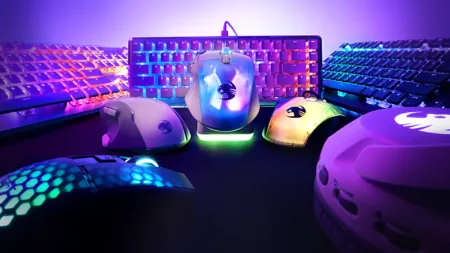
1. Mouse and Keyboard

Playing your favorite games with a traditional mouse and keyboard is not bad, but sucking hard and dying with the old fashion is not good. We will not recommend buying the gaming controller for playing the game if you are comfortable and love to play games with a mouse and keyboard, but we will force you to upgrade your mouse and keyboard to ones specific to gaming.

Because it will be easier for you to handle them, you don’t need to buy an ordinary new mouse or keyboard—this time, you have to buy a mouse and keyboard that connects to your PC via Bluetooth for wireless connectivity.

Because buying the wireless mouse and keyboard will make your desk free of wire, and you will not find yourself tangled in the wires. Plus, you can sit anywhere in your room in a comfortable place.

Gaming Setup Essentials – Things You Must Need

2. Gaming Headset and Speakers

Now it’s time to get some new gaming headsets with powerful sound output and a good base. You will need a wireless headset if you don’t want it to get stuck or tangled with your gaming chair.

A gaming headset is significant for gaming setup essentials if you play online multiplayer games because you must communicate with each other. Even if you have a good gaming headset, you still can’t wear it for long. Your ears might start to pain due to the high frequency of sound and base.

In that case, you should have gaming speakers don’t need to buy high-end gaming speakers just the fine quality with a good sound out will be enough for you.

Gaming Setup Essentials – Things You Must Need

3. A Comfortable Gaming Chair

Games are the only thing when we set down to play; time passes crazy fast. We can spend hours playing games without even noticing how much time has passed.

There is nothing wrong with it, but if you don’t have a comfortable place to sit while playing the game, you will get tired soon, and your back might start hurting.

So if you want to enjoy the games for as long as possible, you must get a comfortable gaming chair. There is no need to buy a high-end gaming chair. Just buy according to your budget. Make sure it’s comfortable enough to play games as long as you want.

Gaming Setup Essentials – Things You Must Need

4. Getting a Good Quality TV or Monitor

Playing new-gen games requires a good TV or monitor screen that supports HDMI 2.0 or HDR cable for playing high-quality games. You don’t need to buy a high-end TV or screen. Just go for the standard-size screen that can provide the maximum video resolution.

Before buying the screen, ensure how much HD resolution output your PC intends to provide you. If your PC only supports 1080p, then no need to go for big screens that provide 2k, 4K, or 8K resolution. It will be a waste of your money because your PC doesn’t support such max resolution.

Gaming Setup Essentials – Things You Must Need

5. Wireless Gaming Controller

If you are comfortable playing games with a wireless mouse and keyboard, stick with it, but if you play games with the regular gaming control, then you should upgrade it to the wireless gaming controller.

Getting a wireless gaming controller will eventually eliminate a cluster of wires, and you can play the game even lying on the bed or sofa. Plus, it will be easier to control your character. You don’t need to put one hand on the mouse and the other on the keyboard.

Gaming Setup Essentials – Things You Must Need

6. Customizable Smart Lighting

This customizable smart light is the perfect match if you want to turn your gaming setup into a fantasy world. This light can be adjusted with your monitor screen, providing a stunning effect. Turn off your room lights and enable the smart light. It will glow your room with its absolute lighting effect.

You can customize the light color through your iOS or Android smartphone and set your preferable light. As long as the light is on, it will give you a fantasy world feel, which is gaming setup essentials that you must have.

Gaming Setup Essentials – Things You Must Need

Conclusion

In this article, we have guided you on building a comfortable gaming setup under your budget, which will last until you want it. Gaming setup is not only about upgrading your PC ASUS graphics card or inserting M.2 slots. If you don’t have comfortable gaming setup essentials, then upgrading the gaming setup is useless.


feɑtures gaming gaming room gɑmes setup
Follow on Facebook Follow on X (Twitter)
Share. Facebook Twitter Reddit LinkedIn Pinterest WhatsApp Copy Link Email
Previous ArticlePlaying Bingo Makes You Think Faster
Next Article The Metaverse’s Impact on Online Casinos: How Virtual Reality is Changing the Game
BossMac Suba
  • Website
  • Facebook
  • X (Twitter)
  • Instagram

Boss Mac Suba is the driving force behind Back2Gaming.com, a leading authority in PC gaming hardware and video game reviews. With over a decade of experience in IT and more in doing reviews for things he love, he combines in-depth technical expertise with a no-nonsense approach to deliver data-driven, insightful content. If we've ever been in a media briefing together before, you know I'm the guy that asks the good questions. Favorite quote: My favorite animal is the scapegoat.

Related Posts

AI 7 Mins Read

How Nano Banana 2 on Gempix2.ai Could Transform Game Design and World-Building

November 12, 20250
Reviews 12 Mins Read

Lenovo Legion Pro 5i (2025) Gaming Laptop Review

November 11, 20251
Guides 7 Mins Read

How Online Chess Platforms Can Boost Your Skills Quickly

November 9, 20250
Leave A Reply Cancel Reply

Stay updated!
  • Facebook
  • Twitter
  • Instagram
  • YouTube
FSP VITA GM Power Supplies: The Force Comes With You! Learn more here.
Hubbyte Toy Store - The Largest Online Toy Store in th Philippines!
Latest Reviews

Lenovo Legion Pro 5i (2025) Gaming Laptop Review

8.7
1

FSP VITA GM 1000W ATX3.1 Power Supply Review

8.8
2

COLORFUL iGame Shadow II DDR5 Memory Kit Review

9
3

GIGABYTE B850M FORCE WIFI6E AM5 Motherboard Review

8.7
4

Battlefield 6 PC Performance Review

8.9
5
Today's Exchange Rate

Exchange Rate USD: Wed, 12 Nov.

Connect with us!
  • Facebook
  • Twitter
  • Instagram
  • YouTube
About B2G
About B2G

The only dedicated PC gaming hardware site in the Philippines. I cover PC gaming hardware news and reviews as well as report on games and technology adjacent to the field.

Back2Gaming is a B2G Marketing Services brand.

Email: [email protected]

Facebook X (Twitter) Instagram YouTube
Latest Reviews
8.7

Lenovo Legion Pro 5i (2025) Gaming Laptop Review

8.8

FSP VITA GM 1000W ATX3.1 Power Supply Review

9

COLORFUL iGame Shadow II DDR5 Memory Kit Review

8.7

GIGABYTE B850M FORCE WIFI6E AM5 Motherboard Review

Recent Comments
  • Abdur Rehman Afridi on Ookla Unveils Speedtest Pulse: Network Validation and Troubleshooting Tool
  • Back2Gaming on Ookla Unveils Speedtest Pulse: Network Validation and Troubleshooting Tool
  • Back2Gaming on Ookla Unveils Speedtest Pulse: Network Validation and Troubleshooting Tool
  • Seth Francis Capili on Ookla Unveils Speedtest Pulse: Network Validation and Troubleshooting Tool
  • Back2Gaming on Ookla Unveils Speedtest Pulse: Network Validation and Troubleshooting Tool
Reigning. Defending. Undisputed. Back2Gaming.com
© 2025 ThemeSphere. Designed by ThemeSphere.
  • Contact Us
  • Latest News
  • Reviews Directory
  • Advertise on B2G
  • About Back2Gaming

Type above and press Enter to search. Press Esc to cancel.