
Introduction & Specification
- Introduction & Specification
- Closer Look
- Power Draw, Temperature, and Clock Speed Analysis
- Performance Testing – Setup & Methodology
- Counter-Strike 2
- DOTA 2
- PUBG Battlegrounds
- Rainbow Six Siege
- Baldur’s Gate 3
- Black Myth Wukong
- Cyberpunk 2077
- F1 2024
- Ghost of Tsushima: DIRECTOR’S CUT
- Hogwarts Legacy
- Horizon Forbidden West
- The Last of Us Part 1 Remastered
- Marvel’s Spider-Man 2
- Microsoft Flight Simulator 2024
- Ratchet & Clank: Rift Apart
- Resident Evil 4
- Starfield
- Average Performance
- Relative Performance
- Ray Tracing
- DLSS4
- Conclusion
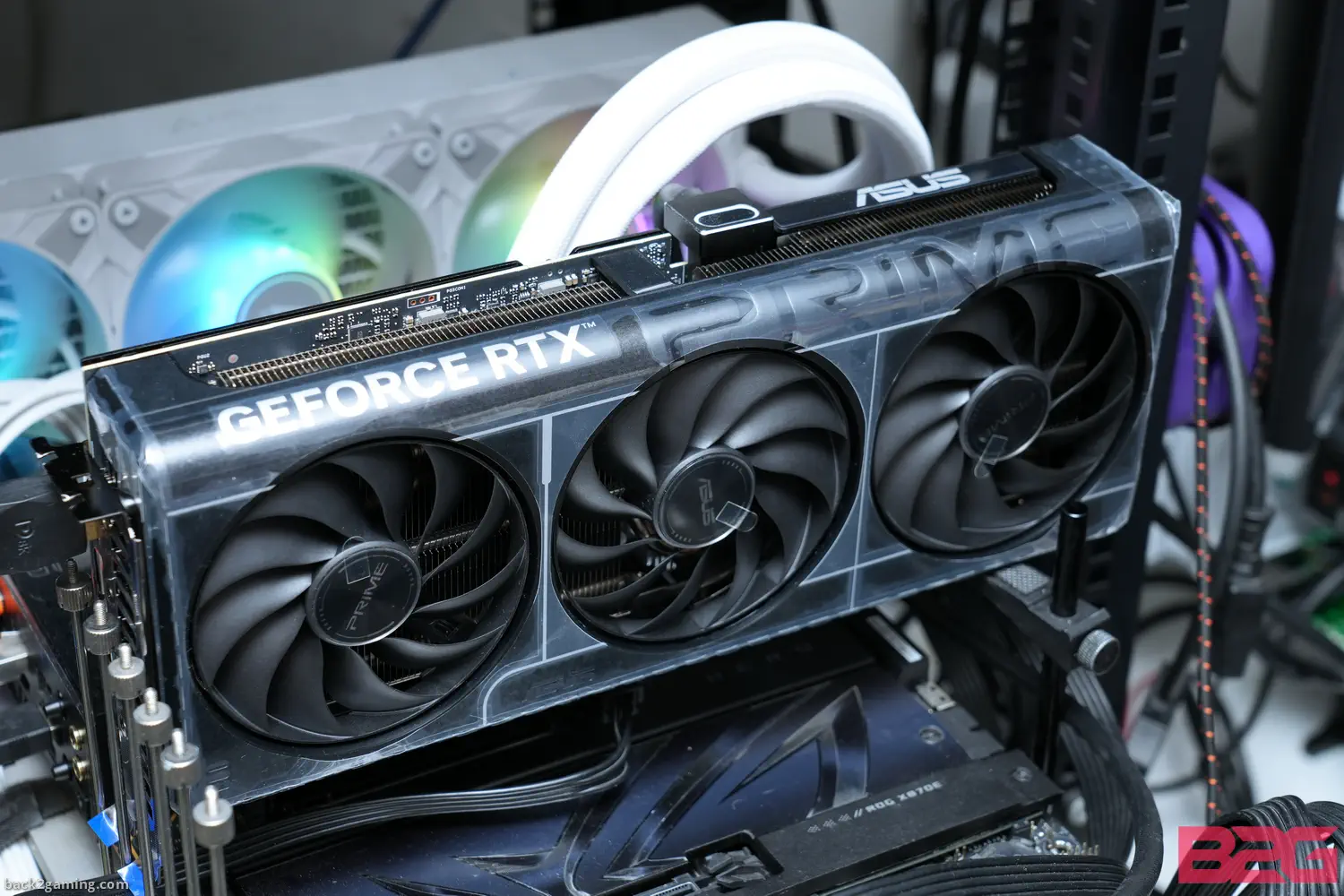
Joining our launch stack of RTX 5070 reviews is the ASUS PRIME RTX 5070 OC: ASUS’ entry family and is their most accessible card in terms of pricing. Still, with the recent supply situation of the RTX 50-series, ASUS’ most affordable already competes with larger custom cards in the market. With that said, ASUS scales their graphics card offering well across all series and the ASUS PRIME is no entry model in practice. In this review we’ll find out more about this card, see how it performs and share with you my thoughts. Read on!
Also a refresher about the RTX 5070:
NVIDIA is resuming its RTX 50 launch schedule today with the embargo lifting for reviews of the NVIDIA GeForce RTX 5070 today alongside MSRP versions of AIC cards from partners. The RTX 5070 marks the formal mainstream segment for NVIDIA’s product stack and is aimed at 1440p gamers primarily. Aimed at displacing the RTX 4070 SUPER and RTX 4070, the RTX 5070 boasts Blackwell’s tech stack to differentiate it from its predecessors.
While its already apparent that Jensen’s performance claims already means that the RTX 5070 will not go head-to-head with an RTX 4090 in pure raster performance, DLSS4 still sets the card apart from its class counterparts and does indeed show it can hang do what the CES slide showed. This is a very critical release for NVIDIA as AMD’s response is on the horizon but for the intended market, a large share of which probably just want the best bang for their cash and witht he RTX xx70 class always being the “IT” card for the mainstream gaming crowd, this is where NVIDIA needs to shine the most.
About the NVIDIA RTX 50 Blackwell Architecture
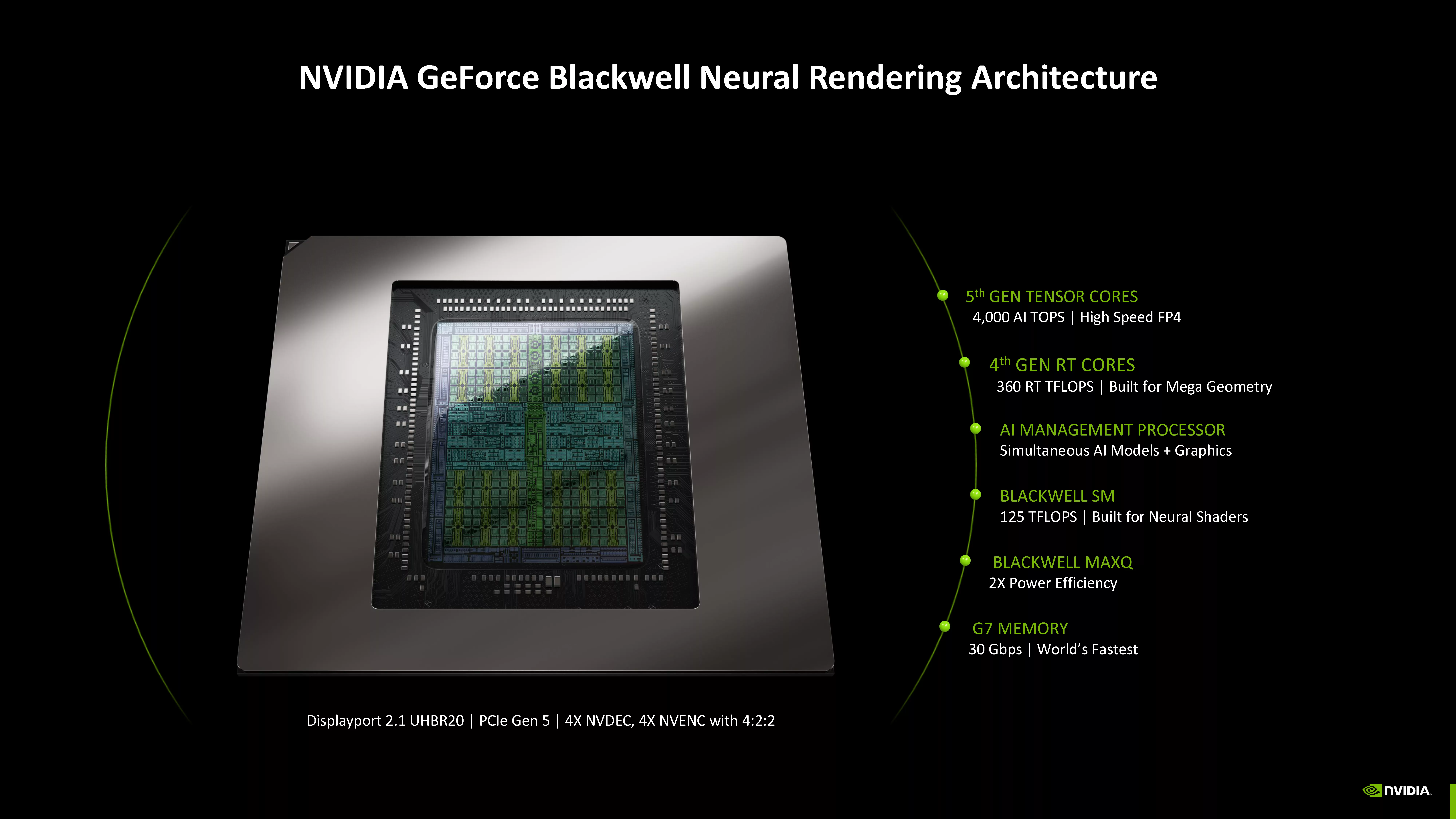
NVIDIA’s RTX 50-series launch was the worst-kept secret of 2024 and leading up to the first of 2025, the tech world was ready to see what NVIDIA has in-store in hopes of turning things around for the DIY PC space which has been seeing dwindling interest lately no thanks to both Intel and AMD, albeit the Ryzen 7 9800X3D was an expected exception.
Powered by Blackwell, NVIDIA’s domination over machine learning and deep learning has put ray tracing to the wayside focusing on improving the visual experience with the introduction of Neural Rendering.
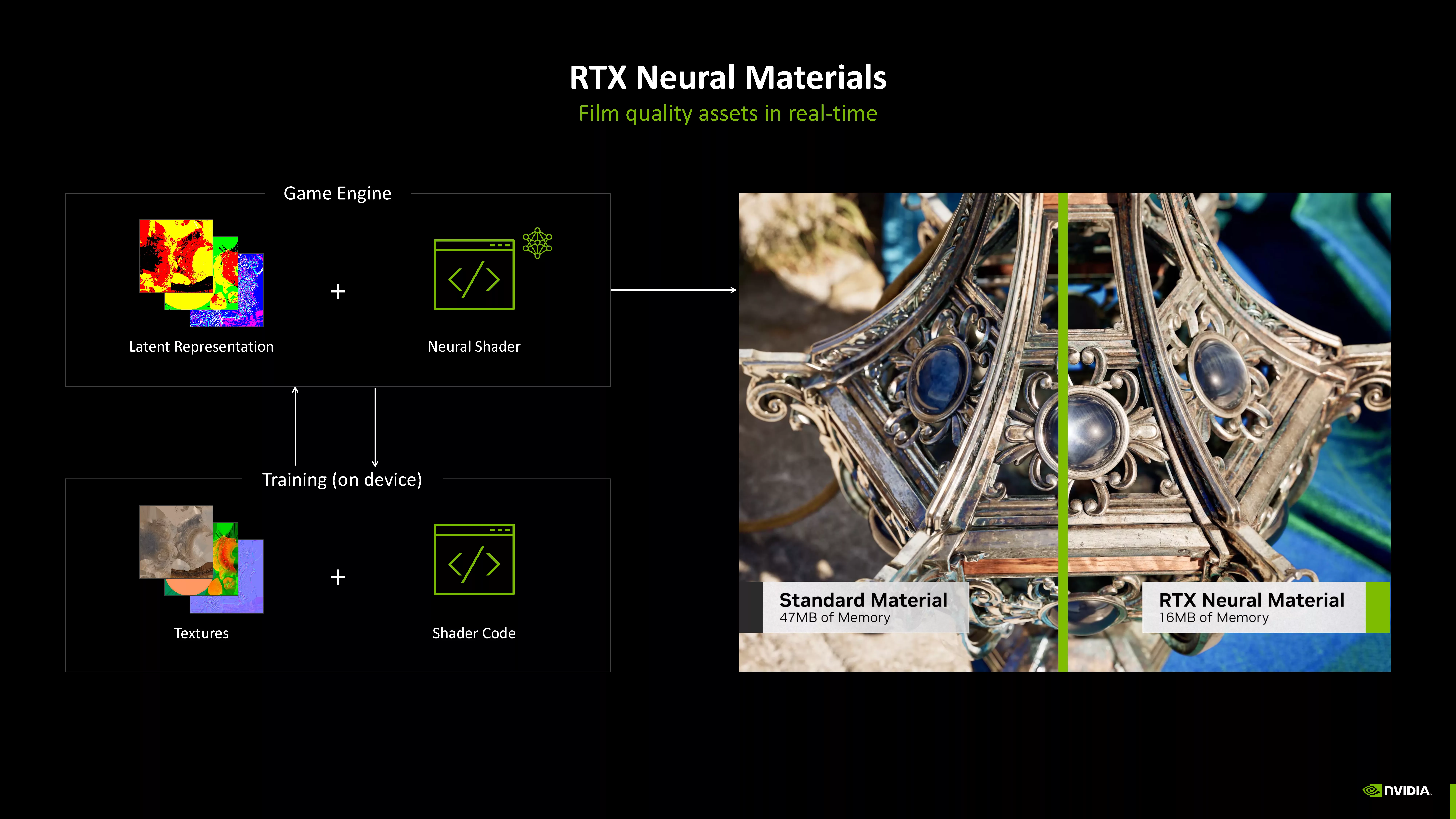
NVIDIA describes neural rendering as their direction for modern graphics integrating generative AI models to assist in scenes going further than just ray reconstruction. Blackwell introduces Mega Geometry but the most notable development here amongst all is the introduction of Multi-Frame Generation. The next stage of DLSS, DLSS4 brings Multi-Frame Generation enabled by the Blackwell architecture enabling up to 3 more frames to be generated following a single rendered frame, effectively a 4x multiplier. A newer Transformer-based model for DLSS bumps up all DLSS releases benefiting not just the RTX 50 but even previous RTX cards.
About the GeForce RTX 5070
The RTX 5070, built on GB205 silicon, sits just below the RTX 5070 Ti, offering a solid generational leap over the RTX 4070 series. It features 6144 CUDA cores, a step down from the 7168 cores on the RTX 4070 SUPER but still a decent upgrade from the 5888 cores found in the original RTX 4070. Supporting this is 12GB of GDDR7 memory, running on a 192-bit bus, delivering a 672GB/s bandwidth—a significant improvement over the RTX 4070’s 12GB GDDR6X, 192-bit bus, and 504GB/s bandwidth. The RTX 5070 runs at a base clock of 2325MHz, boosting up to 2510MHz, and is marketed as the choice for high-refresh-rate 1080p gaming, a primarily 1440p workhorse with improved efficiency, and a capable entry-level 4K experience.
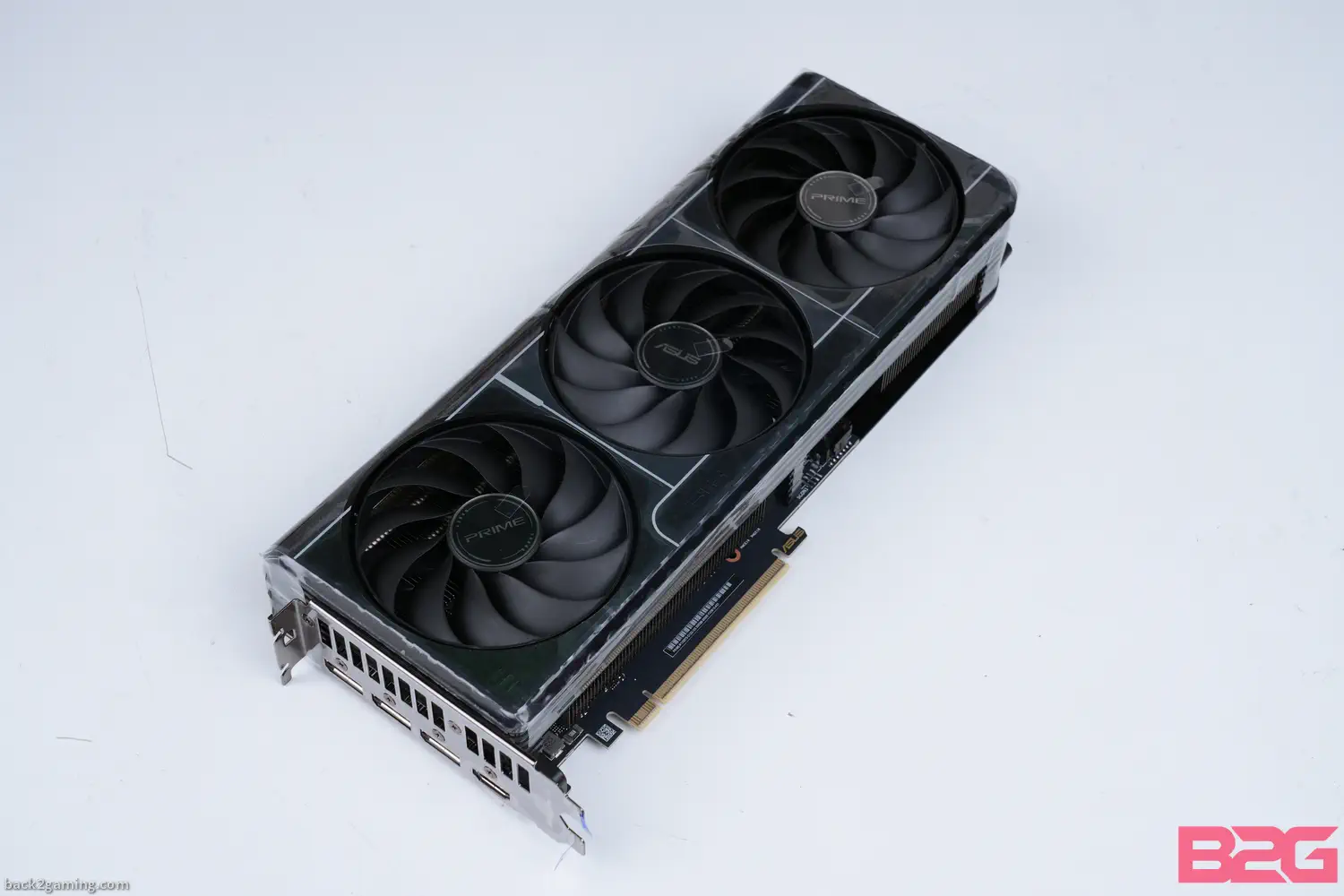
The ASUS PRIME RTX 5070 OC is ASUS’ starter model RTX 5070 and comes in both non-OC and OC models both targeted to meet NVIDIA’s MSRP range. It features a triple fan cooling solution underneath a plastic shroud and targets a 2.2x slot height to allow compact builds with this card.
| Specs | RTX 5070 | RTX 4070 SUPER | RTX 4070 | RTX 3070 | RTX 2070 | RX 7800 XT |
|---|---|---|---|---|---|---|
| Core Count | 6144 | 7168 | 5888 | 5888 | 2304 | 3840 |
| Shader Cores | Blackwell | Ada Lovelace | Ada Lovelace | Ampere | Turing | RDNA 3 |
| AI Cores | 5th Gen | 4th Gen | 4th Gen | 3rd Gen | 2nd Gen | AI Accelerators |
| RT Cores | 4th Gen | 3rd Gen | 3rd Gen | 2nd Gen | 1st Gen | 2nd Gen Ray Accelerators |
| Boost Clock (GHz) | 2.51 | 2.47 | 2.47 | 1.73 | 1.62 | 2.43 |
| Memory Config | 12GB GDDR7 | 12GB GDDR6X | 12GB GDDR6X | 8GB GDDR6 | 8GB GDDR6 | 16GB GDDR6 |
| Memory Interface | 192-bit | 192-bit | 192-bit | 256-bit | 256-bit | 256-bit |
| PCIe Version | Gen 5 | Gen 4 | Gen 4 | Gen 4 | Gen 3 | Gen 4 |
| NVENC | 9th Gen | 8th Gen | 8th Gen | 7th Gen | 6th Gen | VCN 4.0 |
| NVDEC | 6th Gen | 5th Gen | 5th Gen | 5th Gen | 4th Gen | AV1 Decode/Encode |
| Maximum Resolution | 4K 480Hz / 8K 165Hz | 4K 240Hz / 8K 60Hz | 4K 240Hz / 8K 60Hz | 7680×4320 | 7680×4320 | 7680×4320 |
| Power Consumption (W) | 250 | 220 | 200 | 220 | 175 | 263 |
| Recommended PSU (W) | 650 | 650 | 650 | 650 | 550 | 700 |
| Launch MSRP (USD) | $549 | $599 | $599 | $499 | $499 | $499 |
| Philippines Launch MSRP (PHP) | PHP 40,040 | PHP 41,550 | PHP 41,550 | PHP 37,000 | PHP 34,000~ | PHP 37,000~ |
ASUS PRIME RTX 5070 OC
| Specification | ASUS PRIME RTX 5070 OC |
|---|---|
| Marketing Name | ASUS PRIME GeForce RTX 5070 OC Edition |
| Model Name | PRIME-RTX5070-O12G |
| Graphics Processing Unit | NVIDIA GeForce RTX 5070 |
| Interface | PCI Express Gen 5.0 |
| Core Clocks | OC Mode: 2587 MHz, Default Mode (Boost): 2557 MHz |
| CUDA® CORES | 6144 Units |
| Memory Speed | 28 Gbps |
| Memory | 12GB GDDR7 |
| Memory Bus | 192-bit |
| Output | DisplayPort x 3 (v2.1b), HDMI x 1 (v2.1b, up to 4K 480Hz / 8K 165Hz with DSC, VRR, HDR) |
| HDCP Support | Yes (HDCP 2.3) |
| Power Consumption | 250W |
| Power Connectors | 1 x 16-pin |
| Recommended PSU | 750W |
| Card Dimension (mm) | 304 x 126 x 50 mm |
| Weight (Card / Package) | Not specified / Includes accessories (Velcro, adapter cable, etc.) |
| DirectX Version Support | 12 Ultimate |
| OpenGL Version Support | 4.6 |
| Maximum Displays | 4 |
| G-SYNC® Technology | Yes |
| Digital Maximum Resolution | 7680 x 4320 |
| Slot | 2.5 Slot |
| SFF Ready | Compatible |
| Included Accessories | Speedsetup Manual, ASUS Velcro, Thank You Card, Adapter Cable (1 to 2) |
| Software | ASUS GPU Tweak III, MuseTree, GeForce Game Ready & Studio Drivers (download from ASUS support) |
Official product page – ASUS PRIME RTX 5070 OC
Closer Look
Power Draw, Temperature, and Clock Speed Analysis
Given that most cards will boost all the way to their highest potential, the numbers we see here should be a good indicator of what to expect from these cards in general. Results are captured via inline power metering instruments primarily Powenetics v2 by Cybenetics/Hardware Busters for accurate card-only data capture.
Occasionally, we use PCAT v2 (or v1) for FrameView-related functionalities. Powenetics v2 is the modern iteration of our original Powenetics system licensed from Cybenetics Labs and allows more thorough read-outs for the entire system including the CPU power, GPU power (+PCIe slot), and the system power overall. This removes the guesswork from taking power readings from differing GPU APIs and provides consistent readings regardless of vendors. It integrates directly with CapFrameX hence all our capture data have inline power readings.
Power Draw and Temperature
Clock Speed Behavior Under Load
It is possible to push workloads to a GPU to attain a fixed power consumption but real-world games and graphics applications do not operate this way. Modern GPUs can boost way past their base clock and with adequate cooling, max out their TGP budgets. The chart below exposes how the GPU behaves in relation to power and temperature. It also shows us how well the cooling keeps up.
Despite its relatively smaller cooler versus its larger brothers, ASUS PRIME RTX 5070 manages to keep a relatively cool 62*C average while running at 2780Mhz boosting all the way up to 2800Mhz on occasion.
Power draw averages around 239W in gaming. The fans do rev up quick on the PRIME RTX 5070 as the smaller profile makes it break the 65*C threshold before the fans start cranking. The fans on the PRIME RTX 5070 OC tend to spin faster on higher settings on manual its on a much relaxed RPM speed below 70*C.
Performance Testing – Setup & Methodology
Processor: Ryzen 7 9800X3D
Memory: G.Skill Trident Z5 NEO RGB DDR5-6000 CL30-38-38-96
Storage: Kingston FURY Renegade 2TB SSD, 8TB iSCSI LUN over USB4 Thunderbolt
PSU: FSP Hydro G Pro 1000W
Cooling: Arctic Liquid Freezer III 360
Monitor: ROG PG27UQ 4K 144hz HDR1000
VGA: Listed
For a full hardware workout, visit https://benchmarks.ul.com for our system warm-up and stress test of choice. We have now switched to a full 20-minute run of Speed Way stress test to warm up our graphics cards as well as capture our clock speed chart.
For benchmarking methodology please see our game benchmarking method guide.
Test results are gathered and produced on CapFrameX. This makes it easier for use to get both line graph comparison and raw averages without extra tools. Simply the easiest tool for benchmarking and it’s available for everyone to use, free of charge. Check it out at capframex.com.
Since this is a GPU review, we benchmarked the area of the games that put a heavy load on the GPU.
All our test runs are repeatable, click the links below for area and details. Read our benchmarking methodology.
For Q1 2025 we’re using these sets of games:
- Counter-Strike 2: Mirage map custom scene
- DOTA2 – Dacha Dubai 2024: Xtreme Gaming vs. Team Liquid [56:25]
- PUBG Battlegrounds – Custom Scene
- Rainbow Six Siege: in-game benchmark
- Call of Duty Black Ops 6 – in-game benchmark
- Baldur’s Gate 3 – Lower City area custom loop
- Black Myth Wukong – Forest of Wolves loop (just past Wandering Wight, along the stream) [RT]
- Cyberpunk 2077 – in-game benchmark [RT]
- F1 2024 – Singapore, night time, wet (in-game benchmark) [RT]
- Ghost of Tsushima – Kushi Temple
- Hogwarts Legacy – Hogsmeade Square loop [RT]
- Horizon Forbidden West – Devil’s Grasp loop
- The Last of Us Part I – Game prologue, town panic area
- Marvel’s Spider-Man 2 Remastered – Financial District ground-level
- Microsoft Flight Simulator 2024 – Melbourne discovery
- Ratchet & Clank: Rift Apart – Nefarious City loop
- Resident Evil 4 [RT] – Custom scene
- Starfield – Wilderness outside of Jamison
- Warhammer 40K: Space Marines 2
- Alan Wake 2 [RT] – outside Ocean View Hotel (late game area)
To be added:
- God of War: Ragnarok
- Marvel Rivals
- Monster Hunter Wilds
- Stellar Blade
Delta Force
See our Youtube playlist for benchmark sequences.
Note: Proprietary technologies that favor one brand to the other are disabled unless specified and to maintain uniformity amongst GPUs, these have been turned OFF. Ray tracing has its own dedicated performance section. Upscaling technologies are covered in separate articles e.g. game review, performance, etc.
For this test, only the out-of-box normal mode will be tested. Cards that have dual BIOSes for Quiet and Performance will be tested in Performance mode.
Notes:
- All data are gathered from exactly the same system, with exactly the configuration we list here. No data is reused from another system or from any variations. We gather data from only one system as indicated here.
- Graphics cards are allowed to heat up prior to benchmarking. Cooler graphics cards may boost higher than normal.
- Following up on the above, we try to enjoy the game and play a bit before proceeding to the actual benchmark scenario. This allows us to detect any other problems like stuttering, frame skipping, or any other problems before recording data.
- Games that receive graphical updates that affect performance like DOTA2 moving from DX9 to DX11, Rainbow Six Siege changing its detail presets, or any big patch that affect performance in genera,l etc. will be retested completely.
Counter-Strike 2

Released: 2023 | DirectX 11 | Source 2
DOTA 2

Released: 2013 | DirectX 11 | Source 2
PUBG Battlegrounds

Released: 2017 | DirectX 11 | Unreal Engine 4
Rainbow Six Siege

Released: 2015 | DirectX 11 | AnvilNext 2.0
Baldur’s Gate 3
Released: 2023 | DirectX 11 | Divinity Engine 4.0
Black Myth Wukong
Released: 2024 | DirectX 12 | Unreal Engine 5
Cyberpunk 2077
Released: 2020 | DirectX 12 | REDengine 4
F1 2024
Released: 2024 | DirectX 12 | Ego Engine 4.0
Ghost of Tsushima: DIRECTOR’S CUT
Released: 2024 | DirectX 12 | Sucker Punch Studio In-house Engine
Hogwarts Legacy
Released: 2023 | DirectX 12 | Unreal Engine 4
Horizon Forbidden West
Released: 2023 | DirectX 12 | Decima Engine
The Last of Us Part 1 Remastered

Released: 2023 | DirectX 12 | In-house Engine
Marvel’s Spider-Man 2
Released: 2025 | DirectX 12 | Insomniac Engine 4.0
Microsoft Flight Simulator 2024
Released: 2024 | DirectX 12 | In-house Engine
Ratchet & Clank: Rift Apart
Released: 2023 | DirectX 12 | Insomniac Engine 4.0
Resident Evil 4
Released: 2023 | DirectX 12 | RE Engine
Starfield
Released: 2023 | DirectX 12 | Creation Engine 2
Average Performance
In this section, we take the geometric mean of all the values for our games and display both for each resolution of performance for traditional raster and ray traced performance. We switched from the arithmetic mean (average) due to the effect of esports games and their large FPS value on the overall average. The geometric mean shows us a more balanced view of overall performance across our tested games.
Relative Performance
The chart below shows the relative performance of our tested card against the general performance of other GPUs we’ve tested.
Ray Tracing
Aside from a pair of games, all of our games after our esports batch are tested with ray tracing enabled. The chart below shows the overall ray-tracing performance of the GPUs tested.
Ray Tracing Geomean Performance (7 Games)
Individual Results
DLSS4
DLSS 4 represents NVIDIA’s next major advancement in AI-assisted graphics, transitioning from convolutional neural networks to a Transformers-based model. This shift allows the technology to interpret and refine frame data more holistically, enhancing everything from resolution upscaling to texture detail and motion clarity.
Unlike previous iterations that merely supplemented rendering, DLSS 4 aligns seamlessly with the new “Multi Frame Generation” feature, letting the GPU extrapolate multiple future frames from a single rendered one—effectively multiplying framerates. Even in lower-quality modes, DLSS 4 demonstrates a marked improvement in image fidelity over earlier versions, highlighting its ability to preserve clarity in fast-paced scenes.
By integrating closely with the Blackwell architecture’s revised SM layout, neural shader objects, and Flip Metering display engine, DLSS 4 cements its role as a key component of the RTX 50-series’ AI-driven rendering approach. This synergy points to NVIDIA’s long-term ambition of pushing real-time graphics beyond conventional ray tracing and traditional upscaling solutions.
NVIDIA promises multiple DLSS4 title on launch day from this post on their website, but as of testing in late January after launch, many of these titles have yet to implement multi-frame generation.
Conclusion
My full sentiments about the positioning of the RTX 5070 can be seen in my full review of the NVIDIA RTX 5070 Founders Edition.
Focusing on the ASUS PRIME RTX 5070 OC, its evident that if you’re building a new system and the xx70 class is your pick, then the RTX 5070 is an easy choice at MSRP. Depending on the pricing situation in your country, it can be better or worse. In the Philippines the ASUS PRIME RTX 5070 OC is around $150 higher than NVIDIA’s PH MSRP but since we’re dealing with ASUS, you’re obviously getting a bunch of perks to go with that. Starting of with ASUS’ 4-year warranty for Philippine local stocks, this is just a year shy of 5-years which is the industry’s longest warranty for graphics cards. They’re also holding a couple promotions right now for full system and component buyers to sweeten the deal.
And I opened my value argument with those because as a hardware option, the ASUS PRIME RTX 5070 goes up against a very stacked marketplace and as simple as it is, its lack of anything meriting notable praise also puts it at a disadvantage. But its tighter footprint puts it in an exclusive league competing with only a few models that fit the distinction of “compact” with a triple fan solution. The fan itself is very capable and ASUS does downplay this card a bit by making it lose some style points despite its rather stylish PRIME design shroud which could use some highlight colors.
Other than that, the ASUS RTX 5070 OC is as vanilla as they get and while its not a lot of card for the price, its a decently cooled card that deliver what’s expected from the RTX 5070 GPU. If you can’t get your hand on an RTX 5070 FE and want a card that could squeak into a 2.2X slot for a compact build, the ASUS PRIME RTX 5070 OC is good alternative.
The ASUS PRIME RTX 5070 OC and standard RTX 5070 is available now. ASUS Philippines back the PRIME RTX 5070/OC with a 4-year warranty.


great review ty
in the UK rn it’s the cheapest 5070 with a solid warranty, and small enough to fit a compact ATX case. Unfortunately all the western sites are just hating on the 50 series cards over issues that don’t matter to me (my current machine is a decade old, going from an RX480 to any 2025 GPU is gonna feel good XD) so it’s reassuring to find a thorough test with power and temp stats etc
i’m sold, will probably run it at below full power tho, 10% more heat than an FE for 1% more frames doesn’t feel like a good trade off lol
Hating on NVIDIA has been the cool thing to do since Intel’s downfall in the tech space But agreed, if you got a case that can house this and has good airflow, this card’s definitely a good choice. FE’s a looker but if you’re planning to keep it for a while, warranty should give some peace of mind.
I like keeping the GPU Tweak app profiles configured with a 50% power for daily use, then crank up the fans and power to something tolerable (noise) for gaming and just switch between those 2 on the fly. Happy gaming ! :)
The ASUS PRIME RTX 5070 looks like a solid choice for power users! If you’re into presentations, pairing it with tools like PowerPoint, Productivity, ai tools, ai could really speed up your workflow. Great review—thanks for sharing the details!
Thanks for the review of the ASUS PRIME RTX 5070! I found the details about its compact size and DLSS4 advantage really helpful for my build plans. It’s interesting how it fits into mainstream setups despite the price concerns. If you always play games for a long time, you might want to choose a comfortable RS gaming chair for hours of gaming.