

Close Menu
  • PC Hardware
    • Graphics Cards
    • Laptops
    • Storage
    • CPU & Motherboards
    • Memory
    • Cases
    • Cooling
  • Games
    • PC
    • Playstation
    • Nintendo Switch
    • Mobile
  • Guides
    • PC Build Guides
  • Tech
    • Smartphones
  • Hobby & Entertainment
    • Anime & Manga
    • Toys & Collectibles
    • Lifestyle
    • Gaming
      • Esports
    • Movies & Series
  • About Back2Gaming
  • Advertise on B2G
  • Contact Us
Facebook X (Twitter) Instagram
  • Contact Us
  • Advertise on B2G
  • About B2G
    • Privacy Policy
  • More
    • Review Directory
    • News
Facebook X (Twitter) Instagram
Wednesday, November 12th, 2025
Back2GamingBack2Gaming
  • PC Hardware
    1. Graphics Cards
    2. Laptops
    3. Storage
    4. CPU & Motherboards
    5. Memory
    6. Cases
    7. Cooling
    8. View All

    ASUS PRIME RX 9060 XT 16GB OC Graphics Card Review

    September 30, 2025

    COLORFUL Shows Off iGame DUO SSD Graphics Card Featuring Two M.2 Slots

    July 12, 2025

    GeForce RTX 5060 Launches with DLSS 4, Neural Rendering, and Blackwell Architecture at $299

    May 27, 2025

    GeForce RTX 50 Graphics for Laptops Aims to Improve Battery-only Gaming With These Features

    April 29, 2025

    Lenovo Legion Pro 5i (2025) Gaming Laptop Review

    November 11, 2025

    GeForce RTX 50 Graphics for Laptops Aims to Improve Battery-only Gaming With These Features

    April 29, 2025

    ASUS Zenbook S14 (UX5406SA) 14″ Laptop Review

    November 28, 2024

    Intel Core (14th-gen) Mobile Processor Review

    July 18, 2024

    ADATA XPG MARS 980 Blade M.2 NVMe SSD Review

    October 3, 2025

    TEAMGROUP T-FORCE GA PRO PCIe Gen5 NVMe M.2 SSD Review

    September 27, 2025

    Kingston FURY Renegade G5 M.2 NVMe SSD Review

    August 12, 2025

    Transcend MTE255S M.2 PCIe Gen4 SSD Review

    July 30, 2025

    GIGABYTE B850M FORCE WIFI6E AM5 Motherboard Review

    October 30, 2025

    COLORFUL CVN X870 ARK FROZEN V14 AM5 Motherboard Review

    May 12, 2025

    Intel Expands Arrow Lake-S Line-Up with Non-K SKUs, Debuts Arrow Lake-H/HX Processors at CES 2025

    January 9, 2025

    ASUS ROG CROSSHAIR X870E HERO AM5 Motherboard Review

    December 23, 2024

    COLORFUL iGame Shadow II DDR5 Memory Kit Review

    October 31, 2025

    ADATA XPG LANCER RGB DDR5-6400 CL32 Memory Kit Review

    October 3, 2025

    AGI UD858 TURBOJET RGB DDR5 Memory Kit Review

    May 30, 2025

    G.SKILL Trident Z5 CK DDR5 CUDIMM Memory Kit Review

    December 31, 2024

    Corsair FRAME 4000D Modular Mid-Tower Chassis Review

    March 6, 2025

    Corsair 6500X Dual Chamber Mid-Tower Case Review

    November 3, 2024

    APNX C1 Mid-Tower Case Review

    September 2, 2024

    Corsair 2500X microATX Case Review

    May 1, 2024

    Corsair iCUE LINK LX120-R RGB Reverse PWM Fans Review

    March 6, 2025

    Corsair NAUTILUS RS ARGB AIO Liquid CPU Cooler Review

    January 21, 2025

    Corsair iCUE LINK TITAN RX 240 AIO Liquid CPU Cooler Review

    October 18, 2024

    Arctic Liquid Freezer III 360 A-RGB AIO Liquid CPU Cooler Review

    September 2, 2024

    Lenovo Legion Pro 5i (2025) Gaming Laptop Review

    November 11, 2025

    FSP VITA GM 1000W ATX3.1 Power Supply Review

    October 31, 2025

    COLORFUL iGame Shadow II DDR5 Memory Kit Review

    October 31, 2025

    GIGABYTE B850M FORCE WIFI6E AM5 Motherboard Review

    October 30, 2025
  • Games
    • PC
    • Playstation
    • Nintendo Switch
    • Mobile
  • Guides
    • PC Build Guides
  • Tech
    • Smartphones
  • Hobby & Entertainment
    • Anime & Manga
    • Toys & Collectibles
    • Lifestyle
    • Gaming
      • Esports
    • Movies & Series
Back2GamingBack2Gaming
Home » gaming » 5 Tips To Remember if You Use Your Card While Gaming Online
gaming

5 Tips To Remember if You Use Your Card While Gaming Online

BossMac SubaBy BossMac SubaFebruary 21, 2024No Comments4 Mins Read
Share Facebook Twitter Reddit Pinterest WhatsApp LinkedIn Copy Link Email
5 Tips To Remember If You Use Your Card While Gaming Online
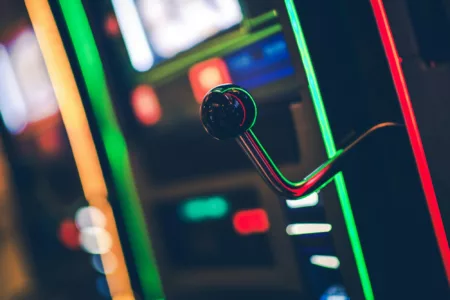
Photo by Anete Lusina

In the digital era, online gaming has become a favorite pastime for millions worldwide. With the convenience of in-game purchases and the thrill of online betting, using credit or debit cards for transactions is increasingly common. However, this convenience comes with risks.

5 Tips To Remember If You Use Your Card While Gaming Online
Be aware of these key tips when spending online.. Photo by Anete Lusina

Therefore, it’s crucial to be aware of the best practices for using your cards safely in the online gaming world. Here are five essential tips to help you enjoy gaming without compromising your financial security.

  1. Use Secure and Reputable Gaming Platforms

The first and foremost tip is to ensure that your gaming platform is secure and reputable. Look for websites with HTTPS in their URL, indicating an added layer of security. Check for reviews or ratings of the platform online, and see what other gamers have to say about their experience. A trustworthy platform is your first line of defence against potential online fraud.

⭐Pro Tip: Enable Two-Factor Authentication

Wherever possible, enable two-factor authentication (2FA) on your gaming accounts. This adds an additional layer of security beyond just a password, typically requiring a code sent to your phone or email. It significantly reduces the risk of unauthorized access to your account, even if someone manages to get hold of your password.

  1. Limit Your Spending

Smart financial management is crucial when online gaming.

  • Define Your Limits: Establish a fixed budget, which will help prevent overspending and keep your finances in check.
  • Utilize Spending Limits: Take advantage of the budgeting tools many gaming platforms offer to help you adhere to your predefined budget.
  • Track Your Expenditure: Keep a close eye on your gaming spending, so you’re aware of where your money is going.
  • Self-control is Key: Recognize the signs of addictive spending and be prepared to take a break if you find yourself exceeding your budget limits.
  • Balance Fun and Finance: Remember, the primary goal of gaming is enjoyment, ensuring financial responsibility enhances the gaming experience without stress.

⭐Pro Tip: Embrace Gaming Budget Apps

Use budgeting apps tailored for gamers. They help track in-game purchases and subscriptions, offering a clearer view of your gaming expenses and aiding in effective budget management.

  1. Use Prepaid or Dedicated Gaming Cards

Instead of using your primary credit or debit card, consider using a prepaid card or card dedicated solely to gaming. This way, you can better control your spending and protect your main bank accounts from any unauthorized transactions. Prepaid cards also limit the impact if your card details are compromised.

⭐Pro Tip: Regularly Refresh Your Prepaid Cards

Regularly update or change your prepaid card details. This practice minimizes risks if the card details are compromised. For dedicated gaming accounts, periodically changing passwords and monitoring transaction history can significantly enhance security. Additionally, if you’re looking to cash out on your winnings, be sure to check out a handy how to withdraw guide and pay attention to the best online casinos that accept Mastercard before rushing into any decisions.

  1. Keep a Close Eye on Your Card Statements

Regularly check your card statements for any unusual or unauthorized transactions. If you notice something suspicious, contact your card provider immediately. Early detection of fraud can prevent further damage and help quickly resolve any issues.

⭐Pro Tip: Utilize Account Aggregation Services

Use account aggregation services or financial management tools that consolidate information from all your bank and card accounts. This allows you to monitor transactions across different accounts in one place, making it easier to spot any irregularities or unauthorized charges quickly.

These services often come with additional features like spending analysis, which can further enhance your awareness and control over your finances.

  1. Be Wary of Phishing Scams

Phishing scams are prevalent in the online world, including gaming. Be cautious about emails or messages requesting your card details or personal information. Legitimate companies will never ask for sensitive information via email. If in doubt, contact the company directly through their official channels.

⭐Pro Tip: Use Email Filtering and Security Software

Mploy email filtering tools and security software to detect and block phishing attempts. These tools can often identify and quarantine suspicious emails, reducing the risk of accidentally clicking on a harmful link or providing information to a scammer. Regular updates of your security software also ensure you are protected against the latest phishing tactics.

Final Thoughts

Using your card for online gaming can be a smooth and enjoyable experience if done wisely. By following these tips, you can ensure you stay safe, within a budget, and free from unwanted stress.

Remember, the key is to be informed, vigilant, and responsible. Happy gaming, and stay secure!


feɑtures gɑmes safety
Follow on Facebook Follow on X (Twitter)
Share. Facebook Twitter Reddit LinkedIn Pinterest WhatsApp Copy Link Email
Previous ArticleASUS TUF GAMING RTX 4070 Ti SUPER 16GB Graphics Card Review
Next Article The Top Seven Games That Totally Revolutionized the Gaming Industry
BossMac Suba
  • Website
  • Facebook
  • X (Twitter)
  • Instagram

Boss Mac Suba is the driving force behind Back2Gaming.com, a leading authority in PC gaming hardware and video game reviews. With over a decade of experience in IT and more in doing reviews for things he love, he combines in-depth technical expertise with a no-nonsense approach to deliver data-driven, insightful content. If we've ever been in a media briefing together before, you know I'm the guy that asks the good questions. Favorite quote: My favorite animal is the scapegoat.

Related Posts

gaming 5 Mins Read

How Would Online Casino Legislation Impact Iowa’s Tax Revenue?

November 6, 20250
gaming 5 Mins Read

How Case Opening Platforms Influence the Skin Economy

October 23, 20250
Guides 7 Mins Read

Choosing a Casino? Here Is Why the Group Behind It Matters More Than Ever

October 17, 20250
Leave A Reply Cancel Reply

Stay updated!
  • Facebook
  • Twitter
  • Instagram
  • YouTube
FSP VITA GM Power Supplies: The Force Comes With You! Learn more here.
Hubbyte Toy Store - The Largest Online Toy Store in th Philippines!
Latest Reviews

Lenovo Legion Pro 5i (2025) Gaming Laptop Review

8.7
1

FSP VITA GM 1000W ATX3.1 Power Supply Review

8.8
2

COLORFUL iGame Shadow II DDR5 Memory Kit Review

9
3

GIGABYTE B850M FORCE WIFI6E AM5 Motherboard Review

8.7
4

Battlefield 6 PC Performance Review

8.9
5
Today's Exchange Rate

Exchange Rate USD: Wed, 12 Nov.

Connect with us!
  • Facebook
  • Twitter
  • Instagram
  • YouTube
About B2G
About B2G

The only dedicated PC gaming hardware site in the Philippines. I cover PC gaming hardware news and reviews as well as report on games and technology adjacent to the field.

Back2Gaming is a B2G Marketing Services brand.

Email: [email protected]

Facebook X (Twitter) Instagram YouTube
Latest Reviews
8.7

Lenovo Legion Pro 5i (2025) Gaming Laptop Review

8.8

FSP VITA GM 1000W ATX3.1 Power Supply Review

9

COLORFUL iGame Shadow II DDR5 Memory Kit Review

8.7

GIGABYTE B850M FORCE WIFI6E AM5 Motherboard Review

Recent Comments
  • Abdur Rehman Afridi on Ookla Unveils Speedtest Pulse: Network Validation and Troubleshooting Tool
  • Back2Gaming on Ookla Unveils Speedtest Pulse: Network Validation and Troubleshooting Tool
  • Back2Gaming on Ookla Unveils Speedtest Pulse: Network Validation and Troubleshooting Tool
  • Seth Francis Capili on Ookla Unveils Speedtest Pulse: Network Validation and Troubleshooting Tool
  • Back2Gaming on Ookla Unveils Speedtest Pulse: Network Validation and Troubleshooting Tool
Reigning. Defending. Undisputed. Back2Gaming.com
© 2025 ThemeSphere. Designed by ThemeSphere.
  • Contact Us
  • Latest News
  • Reviews Directory
  • Advertise on B2G
  • About Back2Gaming

Type above and press Enter to search. Press Esc to cancel.