



Guru3D has released their latest Beta build of the the RivaTuner based MSI Afterburner GPU utility. Amongst the many changes though is the inclusion of a chart display that shows the performance of selected information in a graph format allowing for a more visual representation of the performance on screen by GPUs. This is a great tool for those looking to showcase videos of graphics cards and games and want to include charts in their videos.
First off, download the MSI Afterburner 4.4.0 latest beta from Guru3D’s download page: http://www.guru3d.com/files-details/msi-afterburner-beta-download.html
There may be new releases but as of version 4.4.0 beta 11, the graph feature should be included. If you’re reading this in the future and the final build is available, use that instead of the beta.
Install the Afterburner software along with the Rivatuner statistics server. Restart if needed.
Open MSI Afterburner and click settings. After installation it will come in a different skin, the settings button is the gear icon just below the central controls.
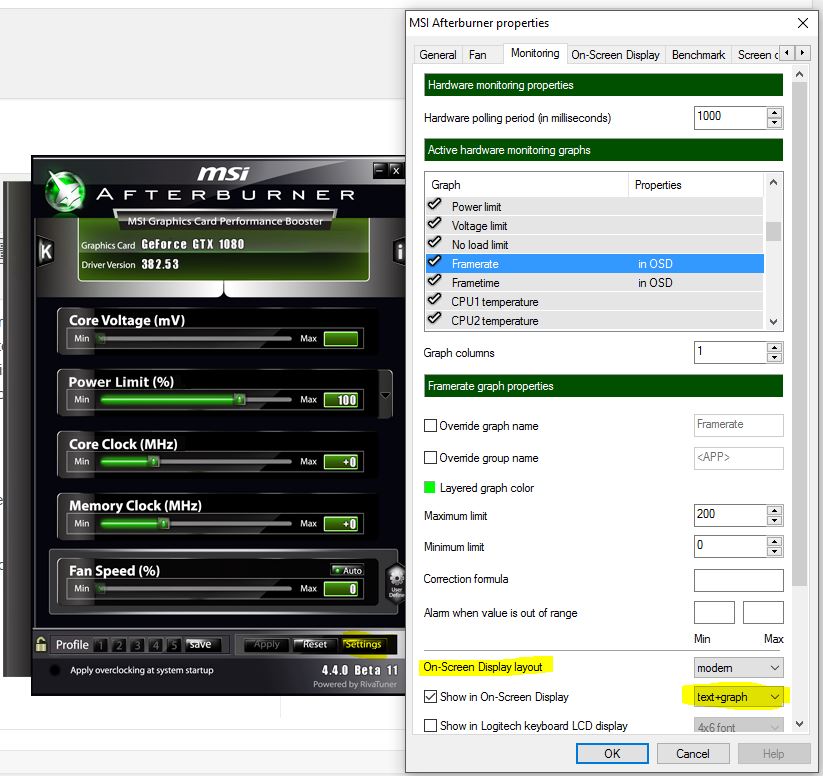
Select the information you would like to highlight and presented. The new option now appears on the On-Screen display option where you can have the option of showing text, graph or text+graph. Enable this to show the graph.
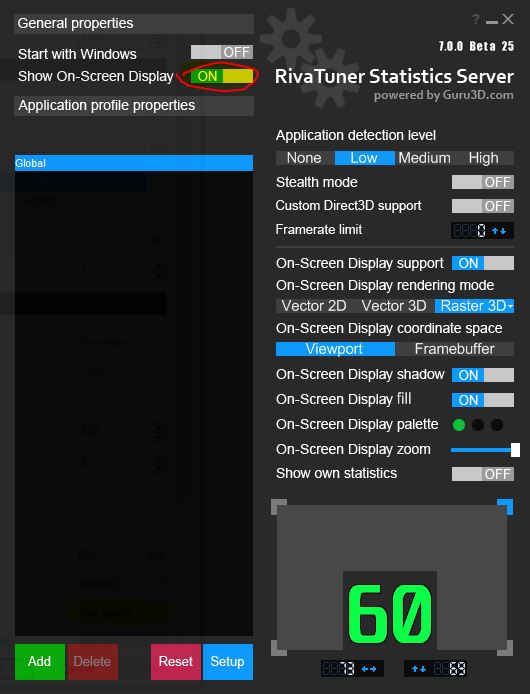
Run Rivatuner statistics server and enable On-Screen Display. Now run your game.
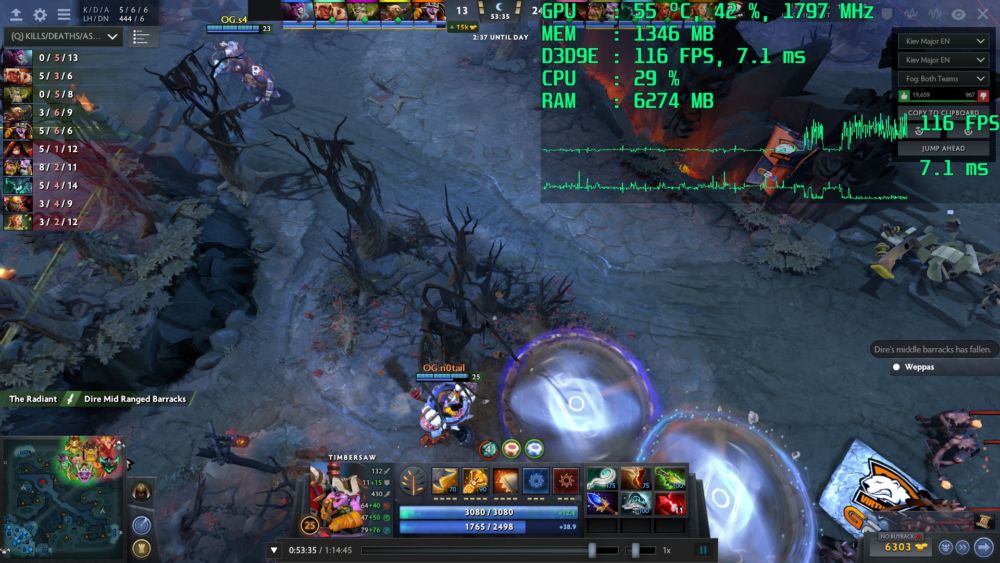
Now you’ll have access to the new feature where graphs are overlayed on your game. Afterburner allows capture of in-game screenshots and footage including the overlay which is helpful for those looking to show performance benchmark videos and similar.
