

ASUS has fully embraced its gaming brand and ROG as well as ROG STRIX have branched out into more product lines in recent years. What started out with headsets and mice have now included a large family of gaming peripherals. Truth be told ASUS has yet to create a product that would instill them in the hearts and minds of gamers when it comes to peripherals and as with any and all peripheral makers, this is a great undertaking.
Given the situation of the market right now, the gaming peripheral scene has never been so congested and with the presence of cheaper, no-name brands appearing everywhere that “just work”, it’s tough to compete when you’re a premium gaming brand. You get what you pay for though and when it comes premium quality, ASUS knows a thing or two about that. Enter the ASUS ROG STRIX FLARE mechanical. It’s ASUS’ latest stab at the mechanical keyboard market and boasts a more essentials-oriented feature set with a great touch of RGB.
Closer Look
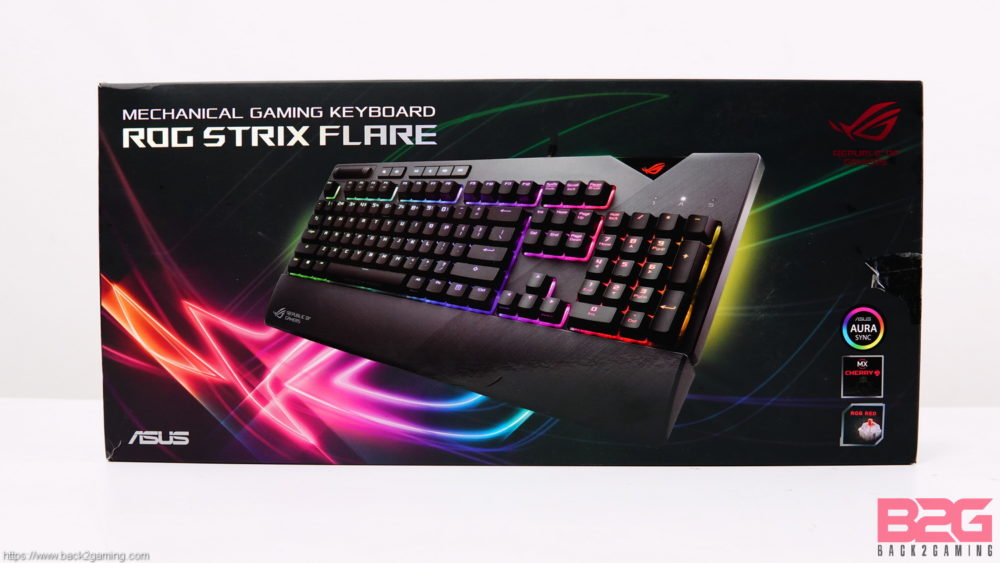
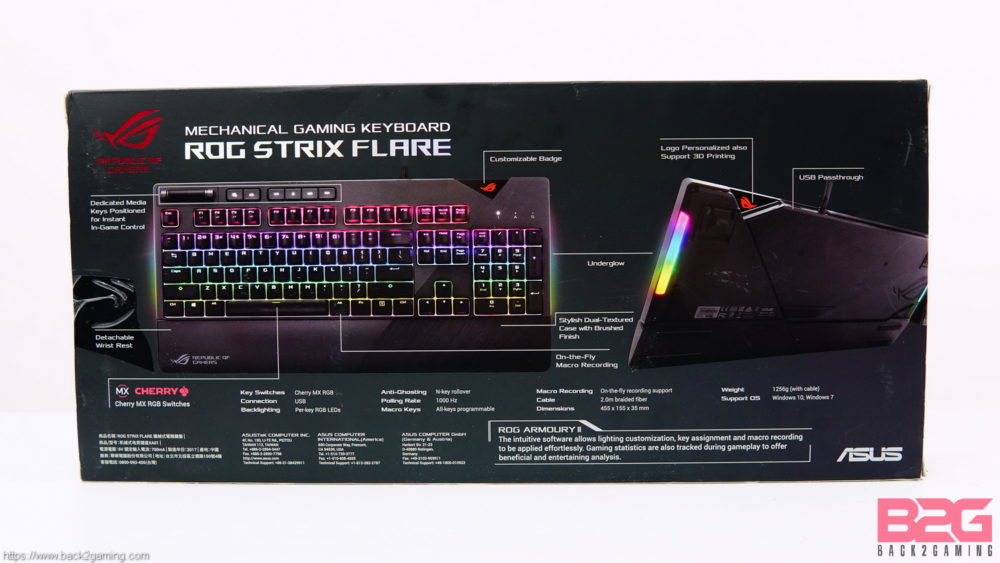
If there’s something I really like about ROG STRIX better than the mainline ROG, its their flashier packaging. The ROG STRIX logo with all that RGB styling makes for a really striking accent on its packaging. The front of the box features a glamour shot of the keyboard in all its RGB glory. There’s bullet icons of the AURA support feature as well as the Cherry MX badge and which switch model the keyboard has. At the back there’s a highlight of the features of the keyboard which we’ll go over in the next photos.
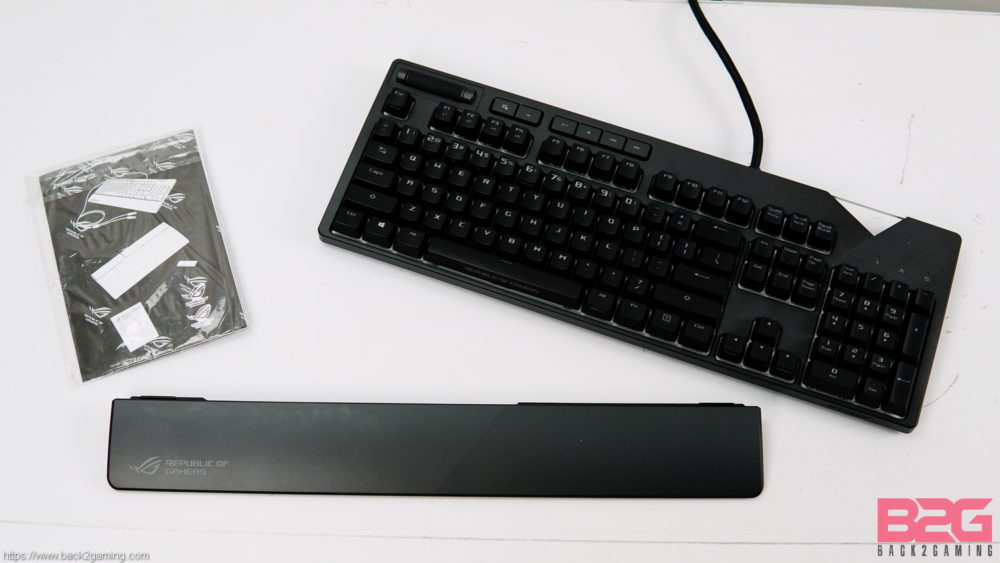
ASUS includes a slim bundle with the Flare with keyboard, user manual, wrist rest and extra light badge included in the package.
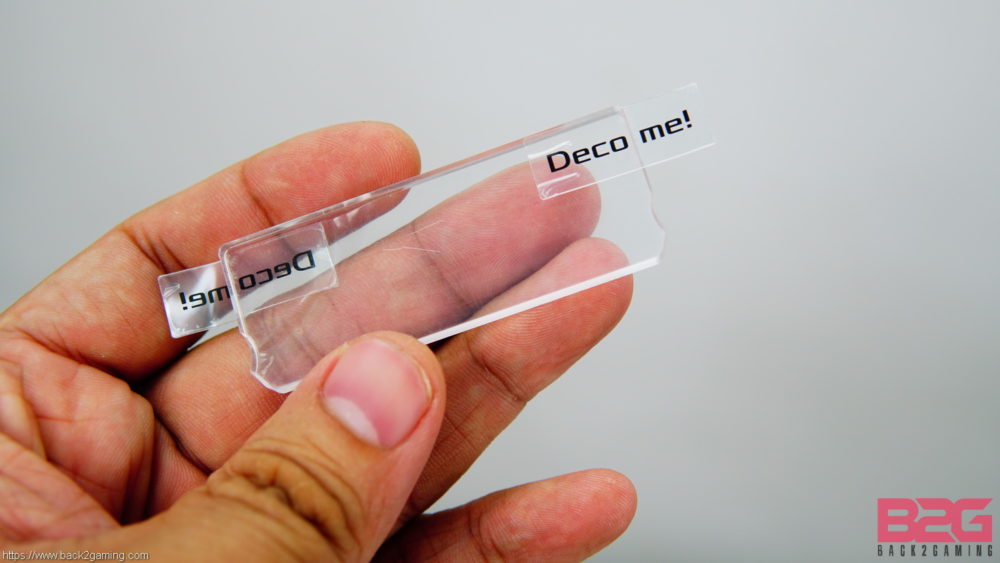
The extra light badge is blank and is best used with light or plain white paints. See the original one one the keyboard for best positioning when making your own. You can handbrush, stencil, paint or etch your personalization on this piece.
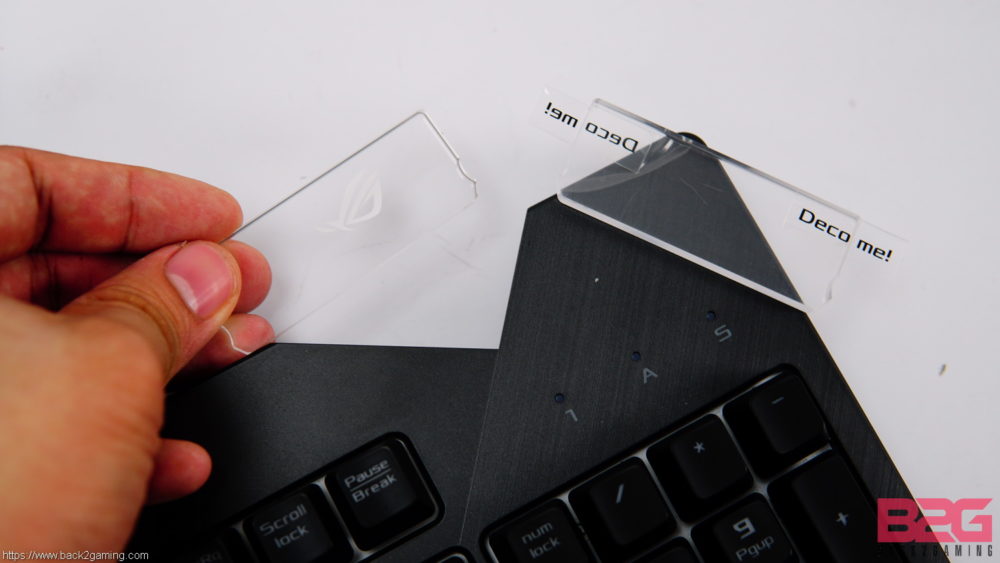
The default light badge with the ROG logo slots onto place on the upper-right of the keyboard. There is a slot with slim notches that friction lock the badge in place.
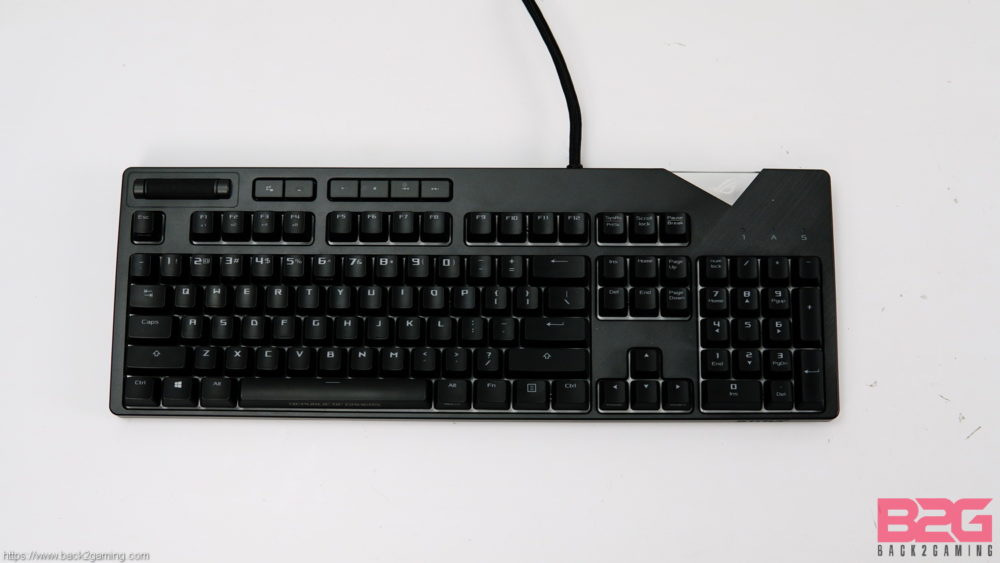
The layout is pretty standard with a bit extras on the top that we’ll touch on in a bit. Aside from those, the Flare features a traditional US layout. The overall design is tight around the bottom and side edges making it more friendly for desks designed for standard size keyboards.
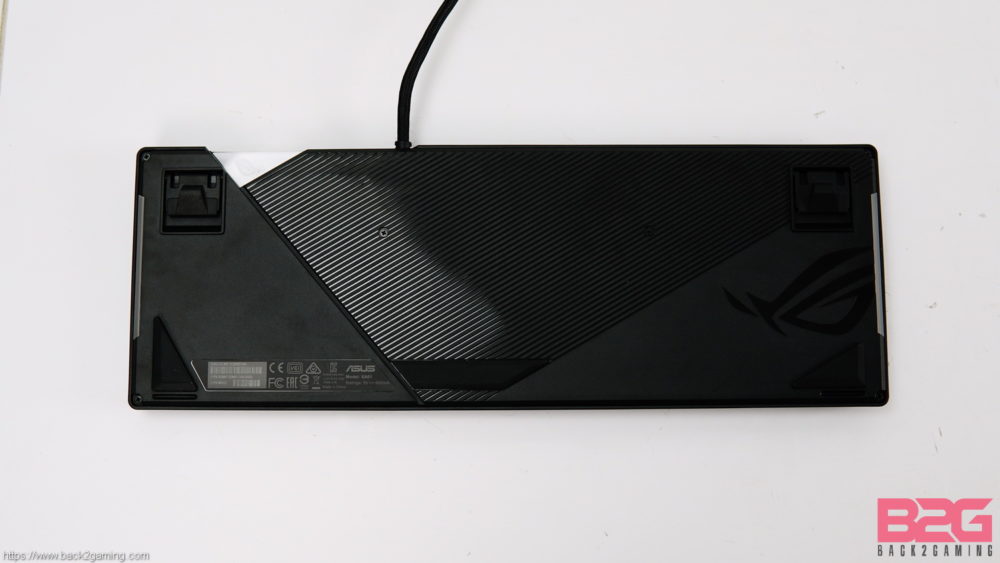
The base of the keyboard features some special tooling for design with grooves and the ROG logo molded into the plastic. Mostly for just aesthetic purposes. The kickstands have raised plastic nubs when flat that give it a bit of an elevation even when not pulled out. Rubber feets help in stability and I have to mention this is one heavy keyboard. At nearly 1.3kg, this is one hefty piece of gear and the weight distribution is pretty even so the keyboard stays put even in brisk typing situations.
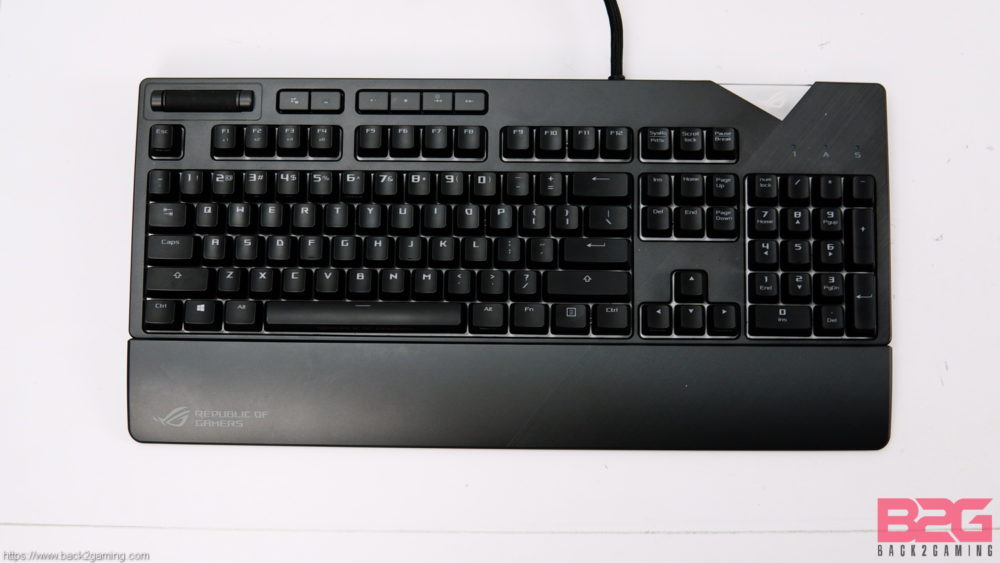
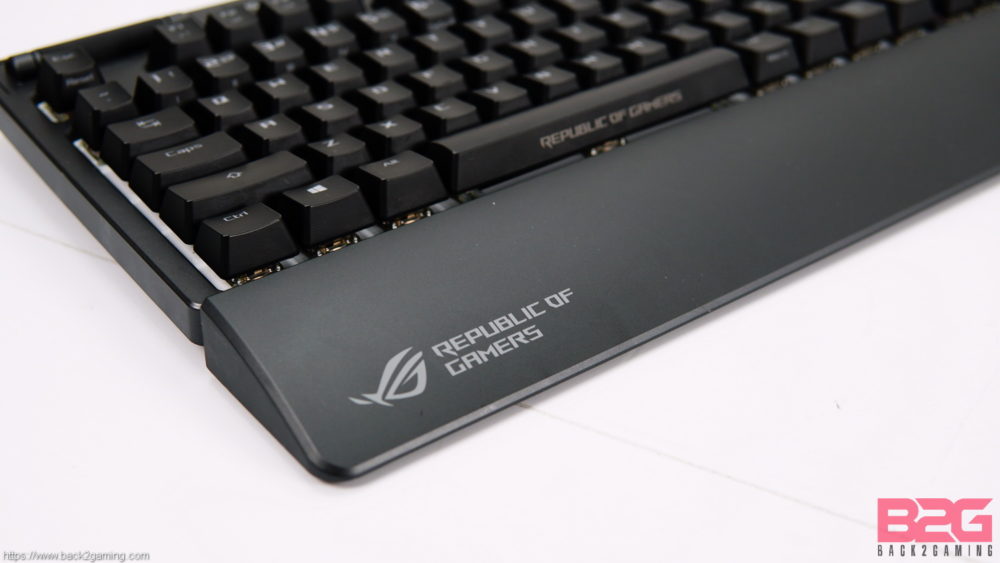
The included wrist rest attaches to the bottom edge of the keyboard to give it that extra comfort as well as size. At around 3″ tall, the wrist rest does a good job aiding in ergonomics but its subjective if its more comfortable than not having it. Personally, with the kickstand raised, I can do without the wrist rest. Gotta admit though, the wrist rest looks cool with the subtle ROG print and tooling.
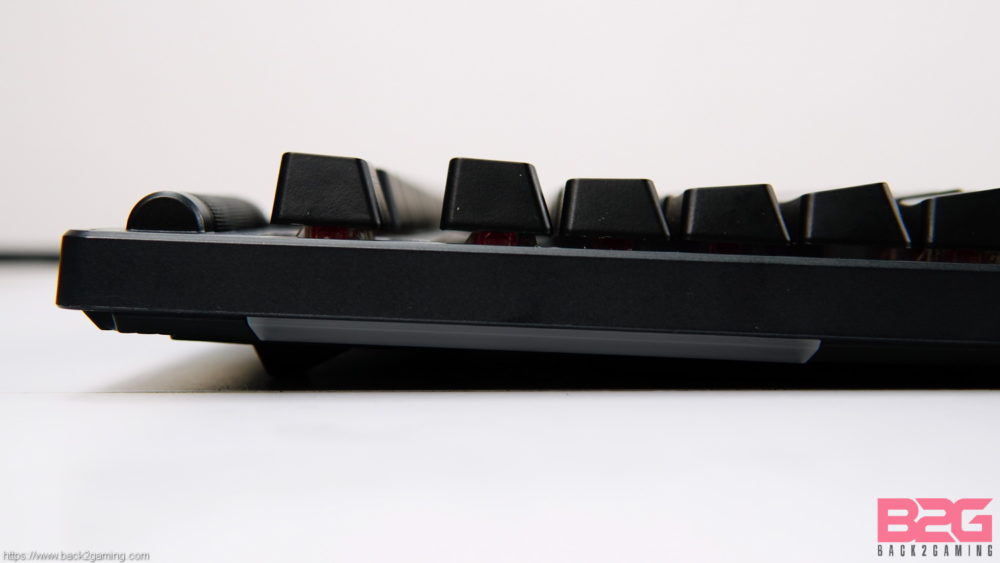
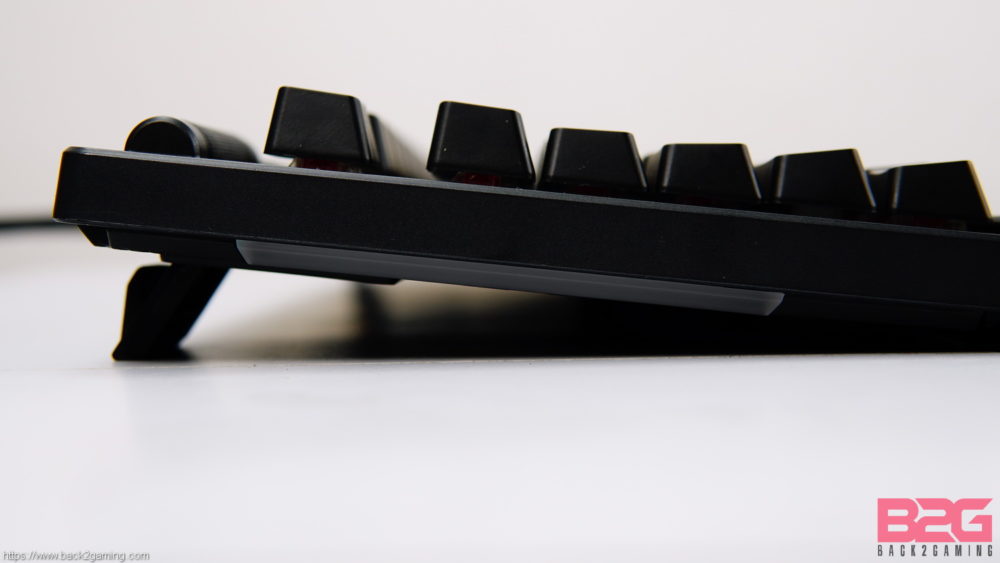
The kickstand doesn’t tilt the keyboard much when raised but for me who prefer to type with them raised, they’re actually perfect. I would prefer a bit more height since the extra keys are on the upper left along with the scroll wheel are a bit closer to the keys but given their size it might just be a matter of getting used to.
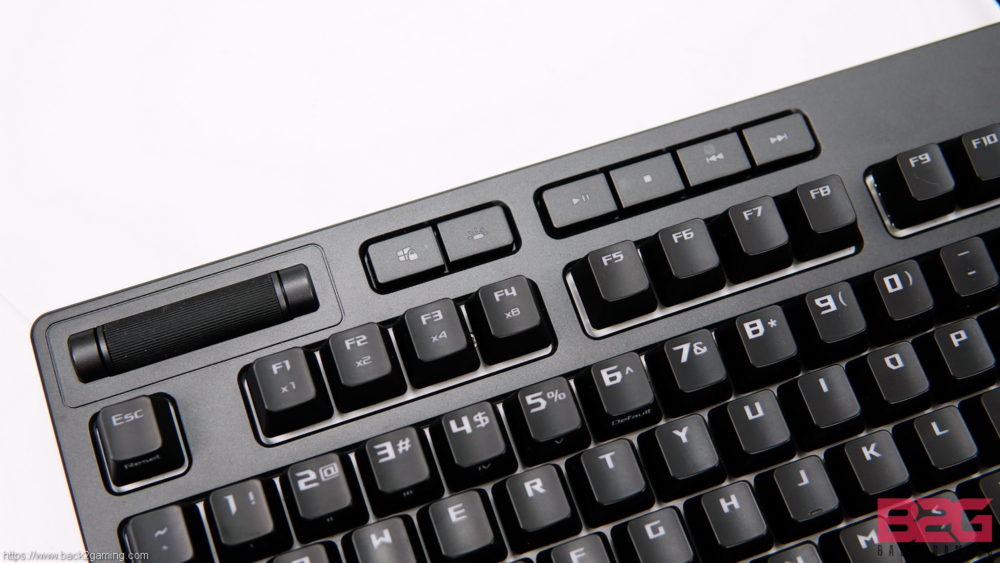
ASUS placed the media keys and wheel on the left side of the keyboard because they feel that most right-aligned wheels and keys require removing your hand on the mouse. Logical and I thought I might agree despite me still unconsciously swiping with the right hand on the right edge. If you’ve never had a volume wheel on your keyboard before, you might get used to it easily but for me, it’s a real challenge and it might take a while to see if ASUS’ claim holds true for us righties.
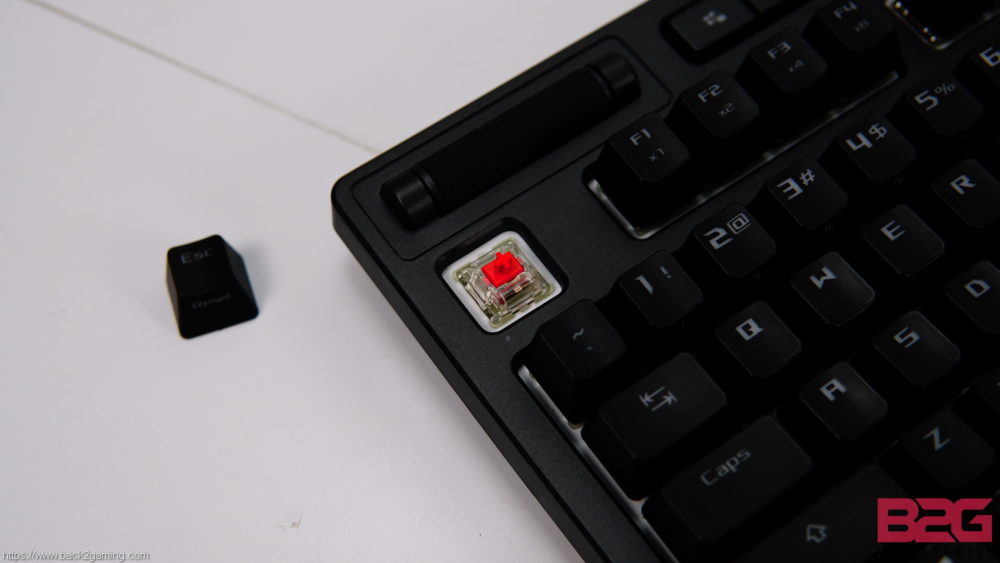
ASUS uses Cherry MX switches on Flare. Switch options are the standard Blue, Brown, Black and in this review, we have the Red switch. This is all up to personal choice but if you’ve never used a mechanical keyboard before, I highly suggest going with Blue switches. They’re the easiest switches to get a feel of what the mechanical keyboard experience provided. It’s an expensive experiment but most gaming stores will have testers for switches so do take time to research first on what would fit you the best.
https://www.instagram.com/p/Bk2PoxbBLcB/?taken-by=b2g.bossmac
Lighting on the ROG Strix Flare is good. The base plate is done in white so light is brighter than most keyboards. The effect themselves are quite common with Color Cycle, Wave, Ripple etc. being the ones available. I do feel some effects feel a bit laggy than one would like given that transition on Color Cycle seem to be smooth but effects like Ripple look choppy. The edge lighting are a nice accent piece but aside from aesthetics, they’re barely noticeable. The light badge is a nice touch and a bit of customization makes it a bit more endearing to the user if he/she chooses to invest in making a custom one.
Software – ROG Armoury
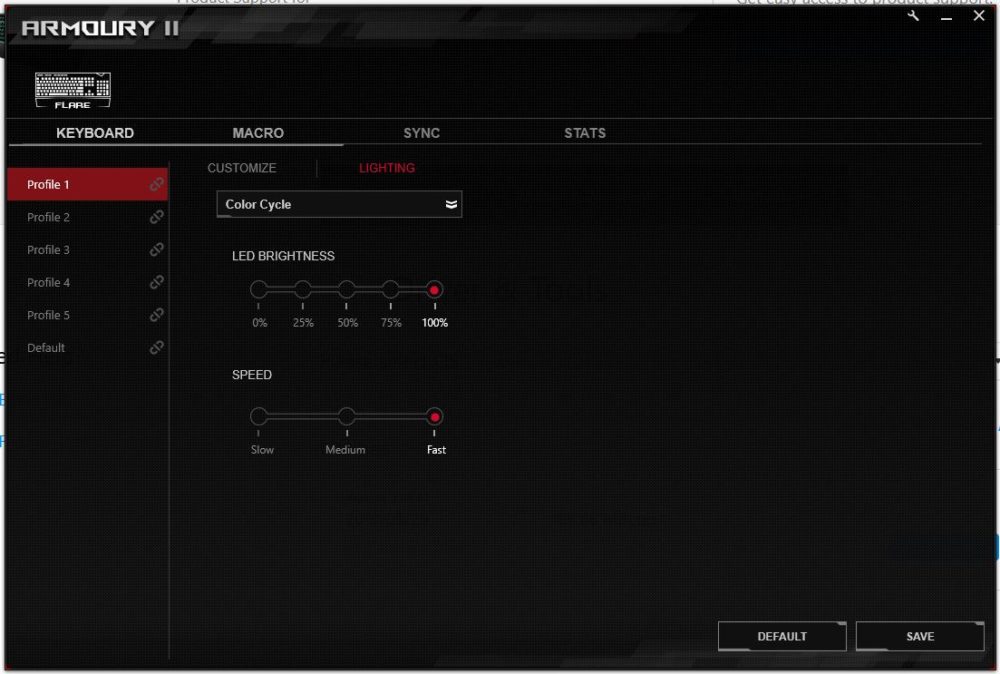
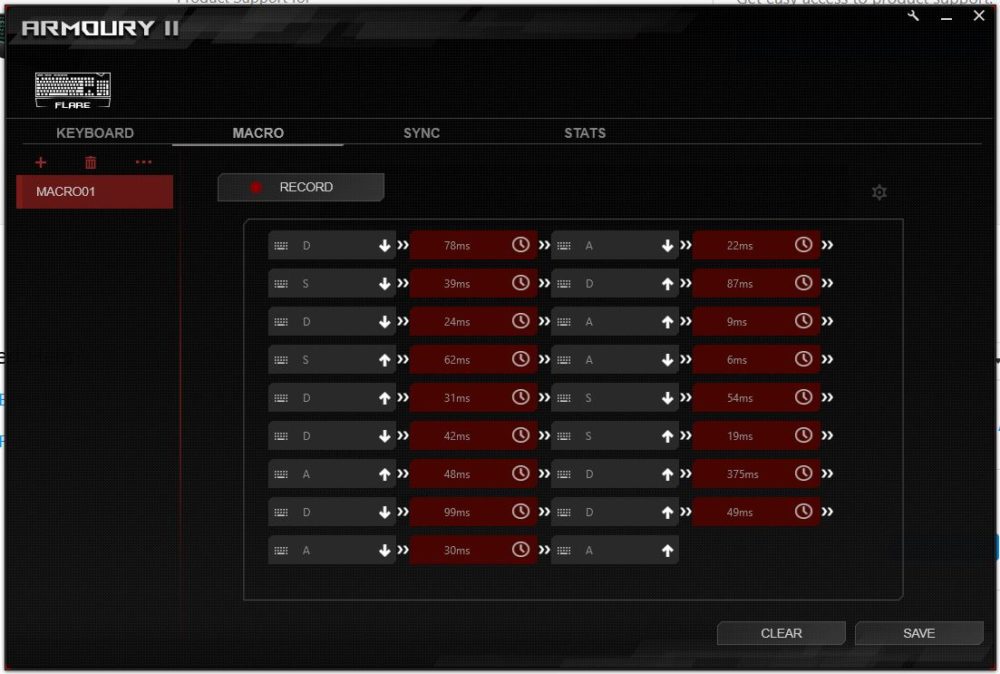
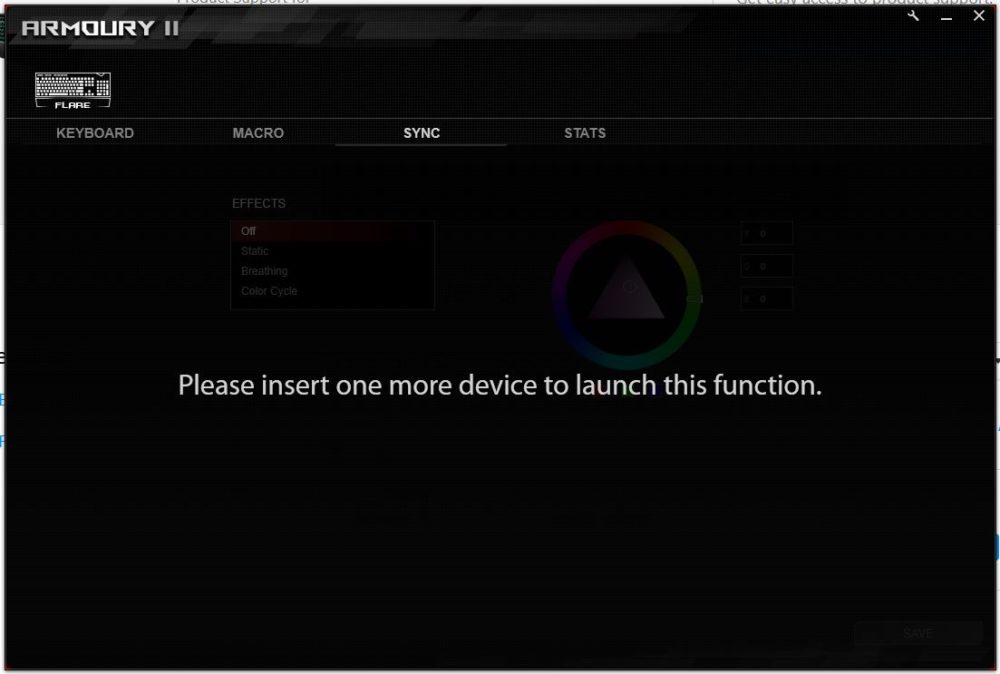
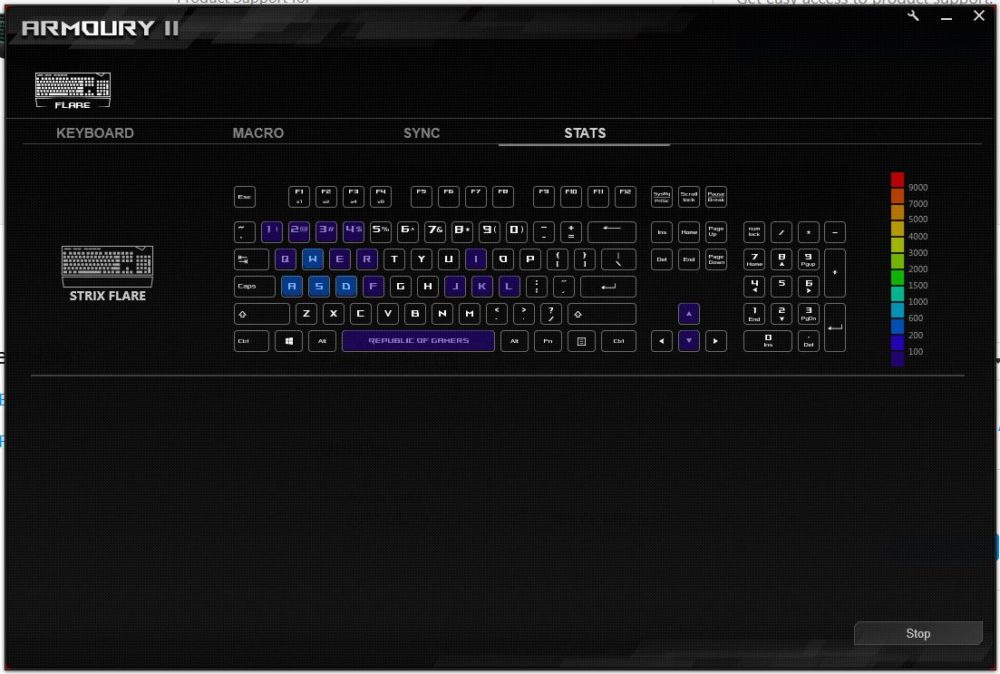
ROG uses their Armory app for their peripherals in the case of the Flare, its got some decent controls built-in already which Armory expands on. We have the main tab which allows us to configure bindings on the keyboard. We also have options of disabling Alt+Tab and Alt+F4 when gaming mode is activated. In this panel there’s also control for the lighting effects. The next tab is the macro control panel where we have access to Macro recording. The Flare has a built-in on-the-fly macro record button and it will also show-up here. The next tab is the sync options where you can sync multiple, compatible ROG devices. Last up we have the Stats tab where you can monitor your keypress hotzones, to determine which keys you heavily use. Its not a new feature, some companies have implemented the same before and ASUS does not introduce anything new to this feature. In actual use, unless you really dig down in your gameplay performance, this is more of a novelty and to some extent, to know how much of a beating your keys are getting.
User Experience & Conclusion
Let’s get the most important part out of the way: price. At USD179 or Php9410 MSRP, you can see street prices actually a bit lower but still, this is a premium price for a keyboard. So, what are we getting? If you’re strictly a gamer, you will most likely appreciate this keyboard more which is more or less who ASUS is targeting. Keyboard enthusiasts will probably put their money on something else especially for features they don’t need.
Performance-wise, the keyboard holds up well to daily use. As always, we use the keyboard we’re reviewing to type the actual review for our typing experience and as we mentioned, switches are a matter of personal taste. I would more prefer to type with Blue switches but since we have the Red’s, it does make me switch to a softer typing style. Its worth noting the large fonts used on this keyboard, it does light fairly well and shows off the RGB much better than most keyboards in this segment. In terms of gaming, there’s really nothing functional I found special about the keyboard although the experience itself was top notch. My daily drivers are a Corsair K95 Platinum and a Motospeed CK104, both contrasting keyboards in terms of feature but the ROG Strix Flare manages to bridge something between them that I do like. I enjoy the fact that I actually like the ROG Strix Flare better without the wrist rest thanks to the minimal slack on the bottom edge. The media keys and volume wheel feel awkward at first and I do admit it will take time for me to get used to it as I still subconsciously fiddle with the right hand and while ASUS’ idea was novel, most righties will feel the precision of their dominant hand still feel more comfortable when tuning the volume of the scroll wheel.
Quality-wise, this is where the ROG Strix Flare dominates. While its hard plastic exterior may be a bit underwhelming to those used to metal, the finish itself is a premium, matte coating which is a lovely touch. The interiors though is rock-solid, with a metal baseplate done in white to reflect the lights better. The mold itself is great and doesn’t look gaudy. ASUS could’ve done away with the USB port as most gamers will dedicate wiring their mouse to their PCs. Its a nice feature to have but having a stiff, braided cable just doesn’t sit well in most instances where you want a cleaner desk and its quite a stiff cable indeed.
Overall the ASUS ROG Strix Flare mechanical keyboard offers a premium, gaming option to fans of ROG and want to invest in a peripheral addition to their collection. Feature-wise there’s nothing revolutionary here but the quality alone can justify the price if you are looking to make a long-term investment or if you’re a really intense gamer, something that can live up to your intense usage. ASUS does have a decent warranty process and its peripherals are backed with a 1-year warranty. Should the Flare conk out on you, ASUS will most likely end up sending you a new one after verifying status. Depending on your region, I suggest contacting your local ASUS office for details.
A bit of nitpick, ASUS needs to really integrate their software for all their products by now. As we’re seeing syncing functionality across the board, having to install more than 1 software is a really confusing task and many users will most likely opt to just plugging in a keyboard and forget about the driver. Should they be using an ASUS motherboard, the AURA software should be enough to cover the lighting part but a unified software similar to Corsair’s iCUE but also support their motherboards would be a great thing to have.
The ROG Strix Flare is an excellent choice if you’re looking to surround yourself with ROG products but at a premium price, it’s hard to entice the majority of gamers to invest in a keyboard that offers mostly just great build quality. It’s an excellent proposition for someone who wants something long-term thus reserving this keyboard to the upper end of the market. Barring the price, it’s excellent build does give itself a huge advantage over its likeliest competitor, the K70 and K95 from Corsair. While all of these products offer great features and functionality, I would be more confident carrying an ROG Flare in a fight than the Corsair’s due to its rigid build.
If you’re looking for a well-built, well-rounded keyboard, the ROG Strix Flare is something to consider. It’s built like a champ to take a beating and offers a great typing experience.
ASUS backs the ROG Strix Flare mechanical keyboard with a 1-year warranty. We give it our B2G Silver Award!