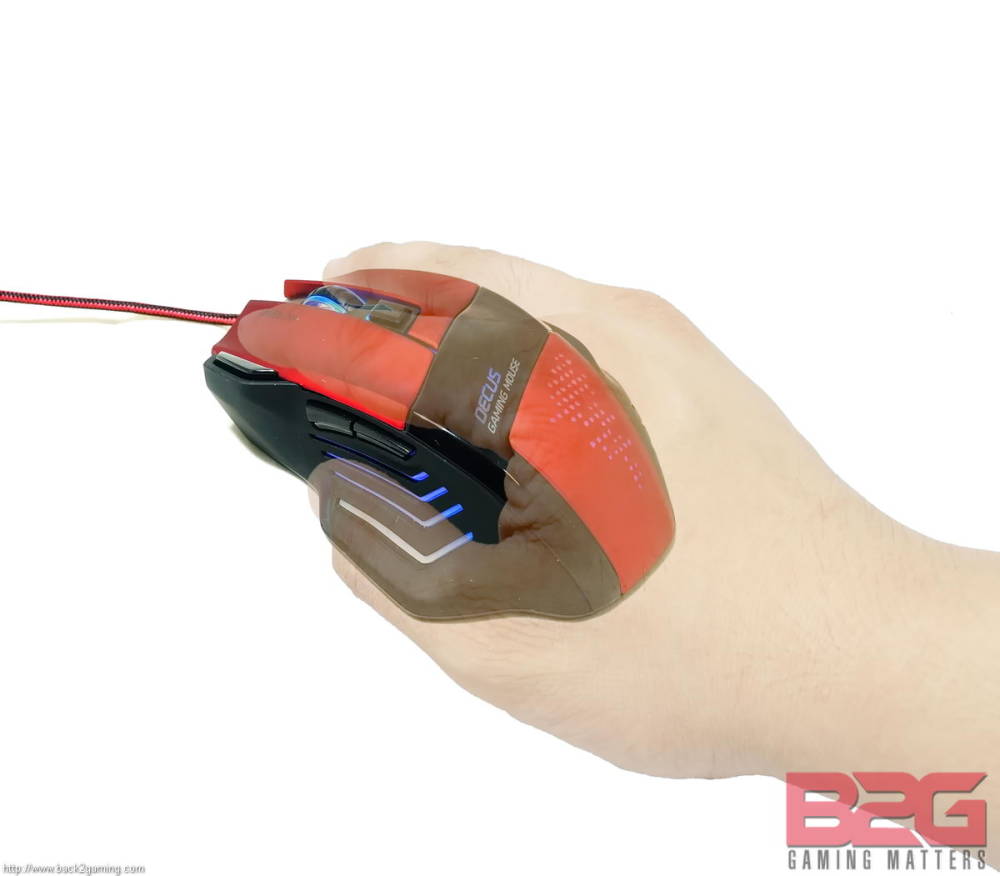


Close Menu
  • PC Hardware
    • Graphics Cards
    • Laptops
    • Storage
    • CPU & Motherboards
    • Memory
    • Cases
    • Cooling
  • Games
    • PC
    • Playstation
    • Nintendo Switch
    • Mobile
  • Guides
    • PC Build Guides
  • Tech
    • Smartphones
  • Hobby & Entertainment
    • Anime & Manga
    • Toys & Collectibles
    • Lifestyle
    • Gaming
      • Esports
    • Movies & Series
  • About Back2Gaming
  • Advertise on B2G
  • Contact Us
Facebook X (Twitter) Instagram
  • Contact Us
  • Advertise on B2G
  • About B2G
    • Privacy Policy
  • More
    • Review Directory
    • News
Facebook X (Twitter) Instagram
Wednesday, November 12th, 2025
Back2GamingBack2Gaming
  • PC Hardware
    1. Graphics Cards
    2. Laptops
    3. Storage
    4. CPU & Motherboards
    5. Memory
    6. Cases
    7. Cooling
    8. View All

    ASUS PRIME RX 9060 XT 16GB OC Graphics Card Review

    September 30, 2025

    COLORFUL Shows Off iGame DUO SSD Graphics Card Featuring Two M.2 Slots

    July 12, 2025

    GeForce RTX 5060 Launches with DLSS 4, Neural Rendering, and Blackwell Architecture at $299

    May 27, 2025

    GeForce RTX 50 Graphics for Laptops Aims to Improve Battery-only Gaming With These Features

    April 29, 2025

    Lenovo Legion Pro 5i (2025) Gaming Laptop Review

    November 11, 2025

    GeForce RTX 50 Graphics for Laptops Aims to Improve Battery-only Gaming With These Features

    April 29, 2025

    ASUS Zenbook S14 (UX5406SA) 14″ Laptop Review

    November 28, 2024

    Intel Core (14th-gen) Mobile Processor Review

    July 18, 2024

    ADATA XPG MARS 980 Blade M.2 NVMe SSD Review

    October 3, 2025

    TEAMGROUP T-FORCE GA PRO PCIe Gen5 NVMe M.2 SSD Review

    September 27, 2025

    Kingston FURY Renegade G5 M.2 NVMe SSD Review

    August 12, 2025

    Transcend MTE255S M.2 PCIe Gen4 SSD Review

    July 30, 2025

    GIGABYTE B850M FORCE WIFI6E AM5 Motherboard Review

    October 30, 2025

    COLORFUL CVN X870 ARK FROZEN V14 AM5 Motherboard Review

    May 12, 2025

    Intel Expands Arrow Lake-S Line-Up with Non-K SKUs, Debuts Arrow Lake-H/HX Processors at CES 2025

    January 9, 2025

    ASUS ROG CROSSHAIR X870E HERO AM5 Motherboard Review

    December 23, 2024

    COLORFUL iGame Shadow II DDR5 Memory Kit Review

    October 31, 2025

    ADATA XPG LANCER RGB DDR5-6400 CL32 Memory Kit Review

    October 3, 2025

    AGI UD858 TURBOJET RGB DDR5 Memory Kit Review

    May 30, 2025

    G.SKILL Trident Z5 CK DDR5 CUDIMM Memory Kit Review

    December 31, 2024

    Corsair FRAME 4000D Modular Mid-Tower Chassis Review

    March 6, 2025

    Corsair 6500X Dual Chamber Mid-Tower Case Review

    November 3, 2024

    APNX C1 Mid-Tower Case Review

    September 2, 2024

    Corsair 2500X microATX Case Review

    May 1, 2024

    Corsair iCUE LINK LX120-R RGB Reverse PWM Fans Review

    March 6, 2025

    Corsair NAUTILUS RS ARGB AIO Liquid CPU Cooler Review

    January 21, 2025

    Corsair iCUE LINK TITAN RX 240 AIO Liquid CPU Cooler Review

    October 18, 2024

    Arctic Liquid Freezer III 360 A-RGB AIO Liquid CPU Cooler Review

    September 2, 2024

    Lenovo Legion Pro 5i (2025) Gaming Laptop Review

    November 11, 2025

    FSP VITA GM 1000W ATX3.1 Power Supply Review

    October 31, 2025

    COLORFUL iGame Shadow II DDR5 Memory Kit Review

    October 31, 2025

    GIGABYTE B850M FORCE WIFI6E AM5 Motherboard Review

    October 30, 2025
  • Games
    • PC
    • Playstation
    • Nintendo Switch
    • Mobile
  • Guides
    • PC Build Guides
  • Tech
    • Smartphones
  • Hobby & Entertainment
    • Anime & Manga
    • Toys & Collectibles
    • Lifestyle
    • Gaming
      • Esports
    • Movies & Series
Back2GamingBack2Gaming
Home » Keyboards & Mice » SPEEDLINK Decus Gaming Mouse Review
Keyboards & Mice

SPEEDLINK Decus Gaming Mouse Review

PauloBy PauloApril 12, 20153 Comments5 Mins Read
Share Facebook Twitter Reddit Pinterest WhatsApp LinkedIn Copy Link Email
Speedlink Decus Gaming Mouse Review

SPEEDLINK is a computer peripherals and gaming accessories manufacturer that is stationed in Europe. It has enjoyed a lot of success in the industry since its inception in 1998. Today, SPEEDLINK continues to provide quality products across 30 countries in Europe, with almost 10 million sound systems and 15 million game controllers, showing SPEEDLINK’s might and influence in the computer and gaming peripherals market. It also shows how well SPEEDLINK can adapt to the fast paced nature of the market.

Speedlink-Logo

SPEEDLINK’s products are the results of its people willingness to try and experiment with different concepts and designs which results in unique and effective products not just for the hardcore gamers, but for the casual computer user as well. Today, SPEEDLINK has graciously allowed us to review the Decus Gaming Mouse.

Features

  • Professional gaming mouse
  • Ultimate in ergonomics
  • Fully customisable functions and look
  • Stunning laser precision
  • Ultra-precise laser sensor with adjustable resolution from 400 to 5.000dpi
  • On/off switchable LED illumination with 6 breathtaking colours
  • 7 programmable buttons incl. dpi switch and rapid-fire button
  • Powerful macro editor
  • 5 profiles with separate button, sensor and colour configurations
  • Internal profile memory (128kb)
  • Auto-loading game profiles
  • USB polling rate configurable up to 1000Hz (ultrapolling)
  • Ergonomic design with grippy scroll wheel and finger indents
  • Rubberised finish
  • Flexible USB cable with hard-wearing sheath (1.8m)

Packaging
Speedlink Decus Gaming Mouse Review

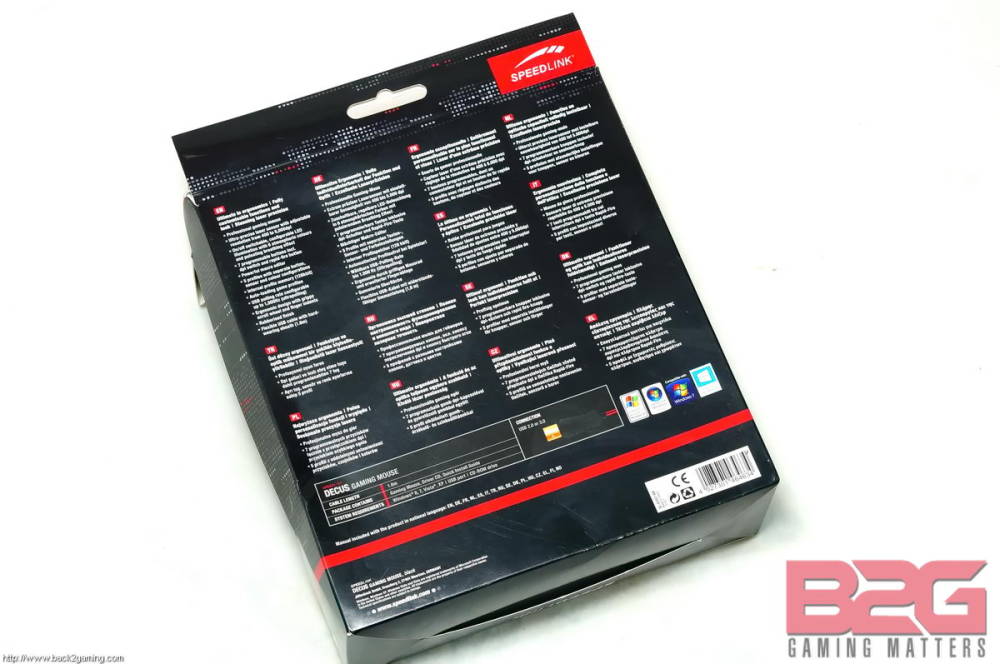
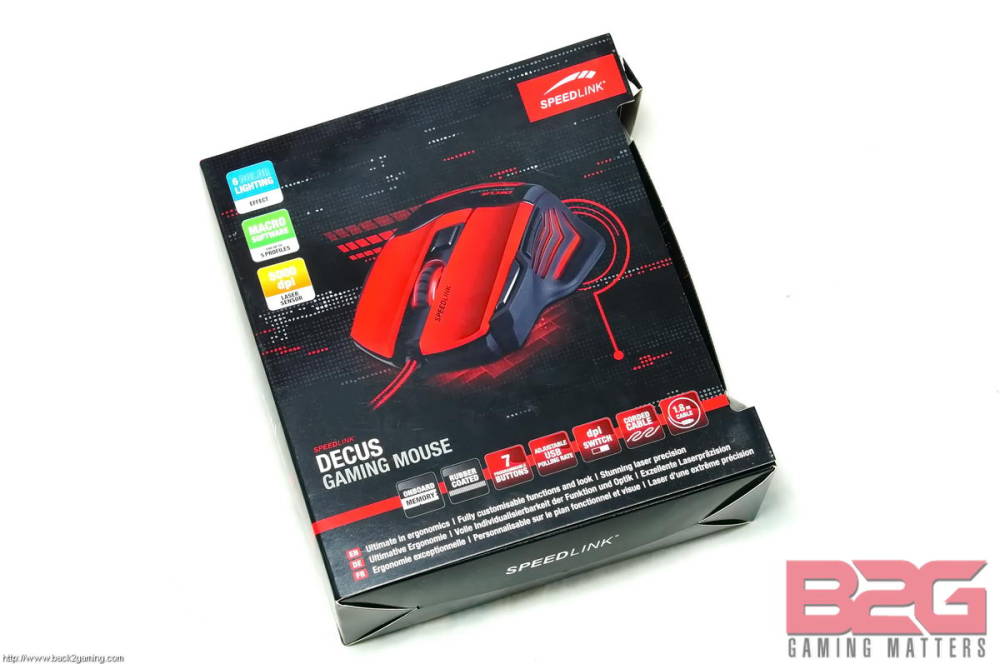
The front of the box contains an image of the Decus and at the back are more detailed features of the mouse and marketing hype for the Decus.
Speedlink Decus Gaming Mouse Review

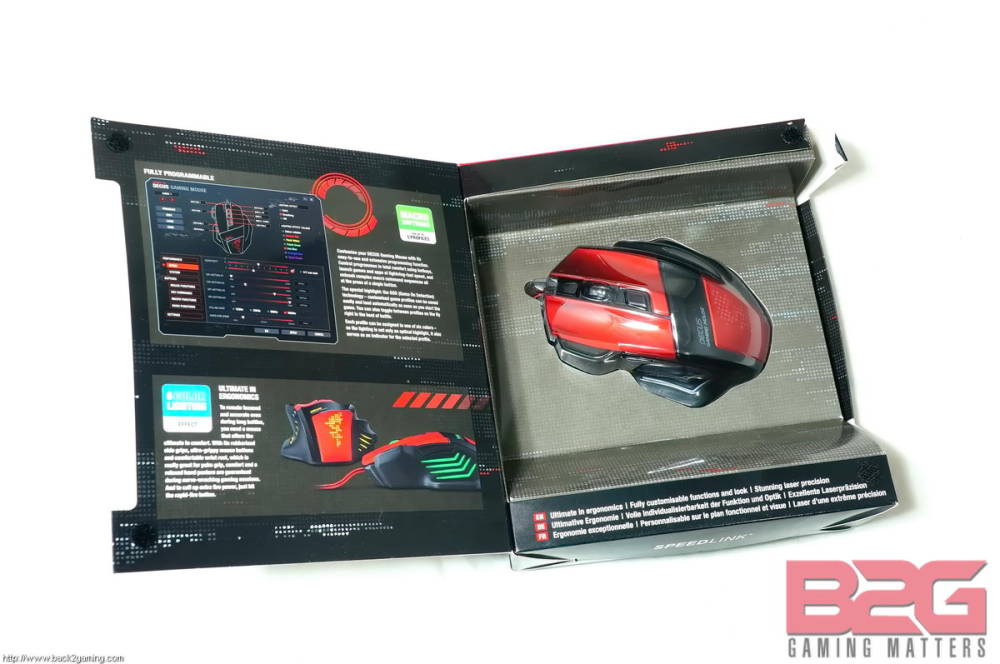
When the front of the box is flipped open, you’ll get to see a preview of the Decus mouse covered by protective see through plastic. At the left are more features of the Decus.
Speedlink Decus Gaming Mouse Review

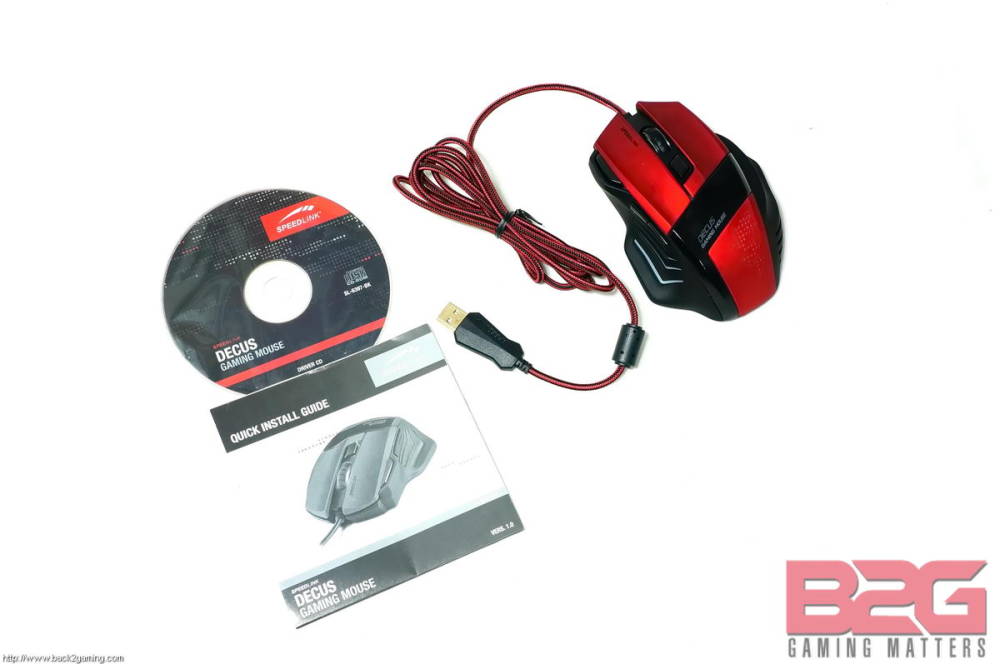
When the packaging is opened, the following can be seen: The Decus Gaming Mouse, the Macro Software Driver and the manual for the Decus.

Decus Gaming Mouse
Speedlink Decus Gaming Mouse Review

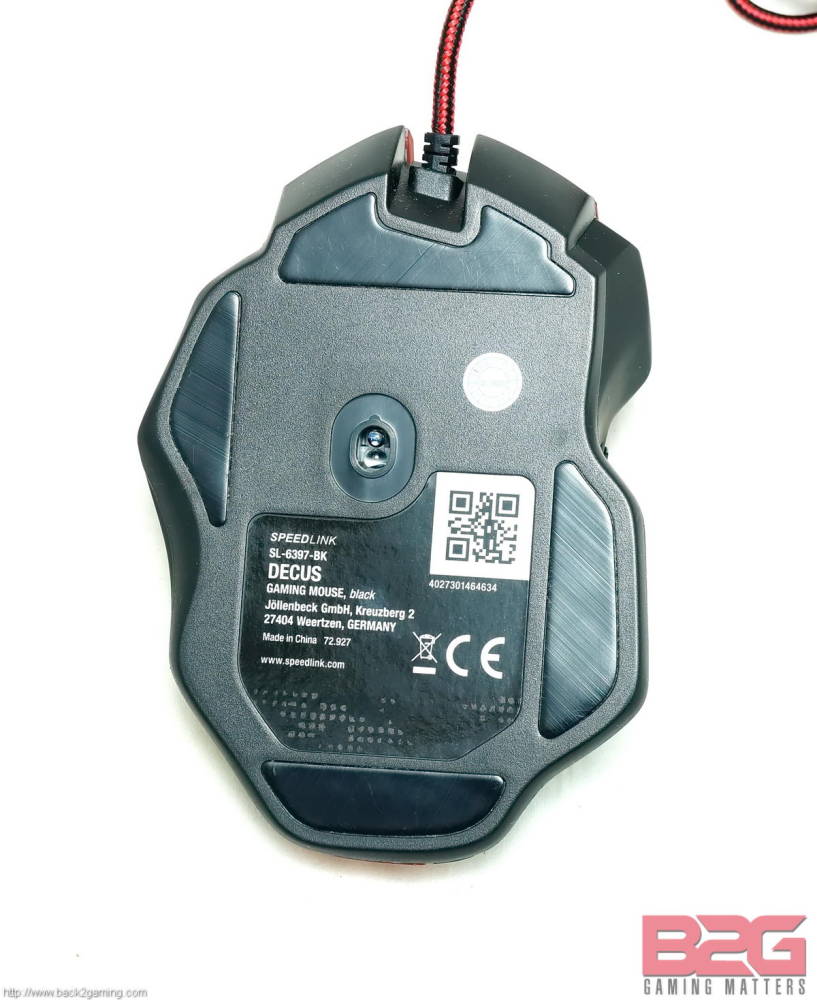
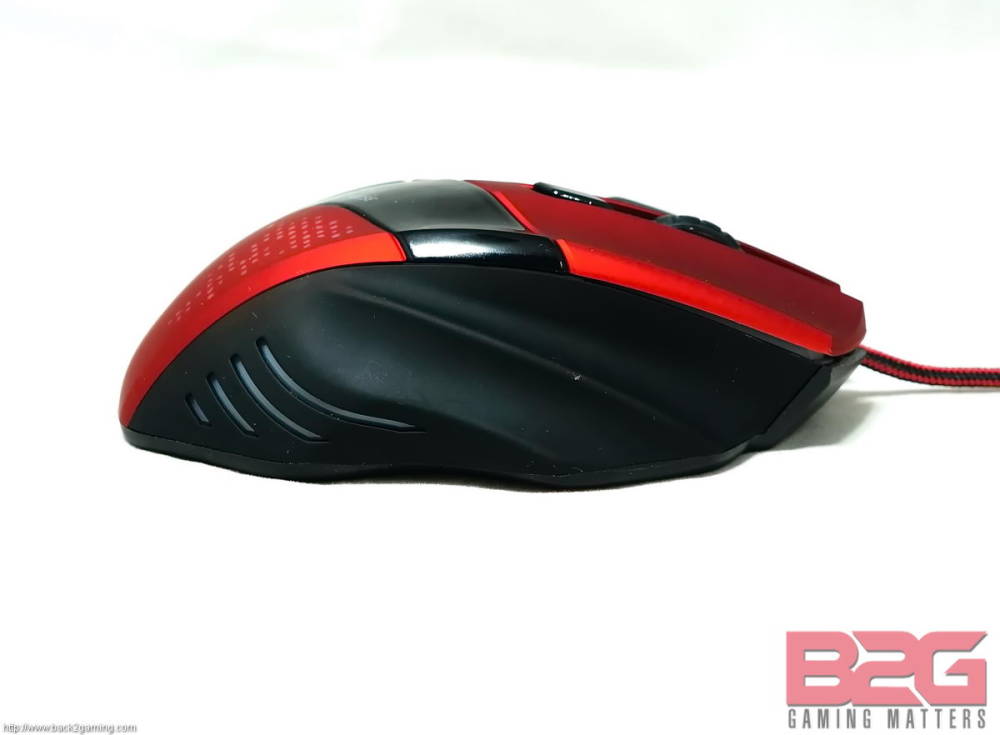
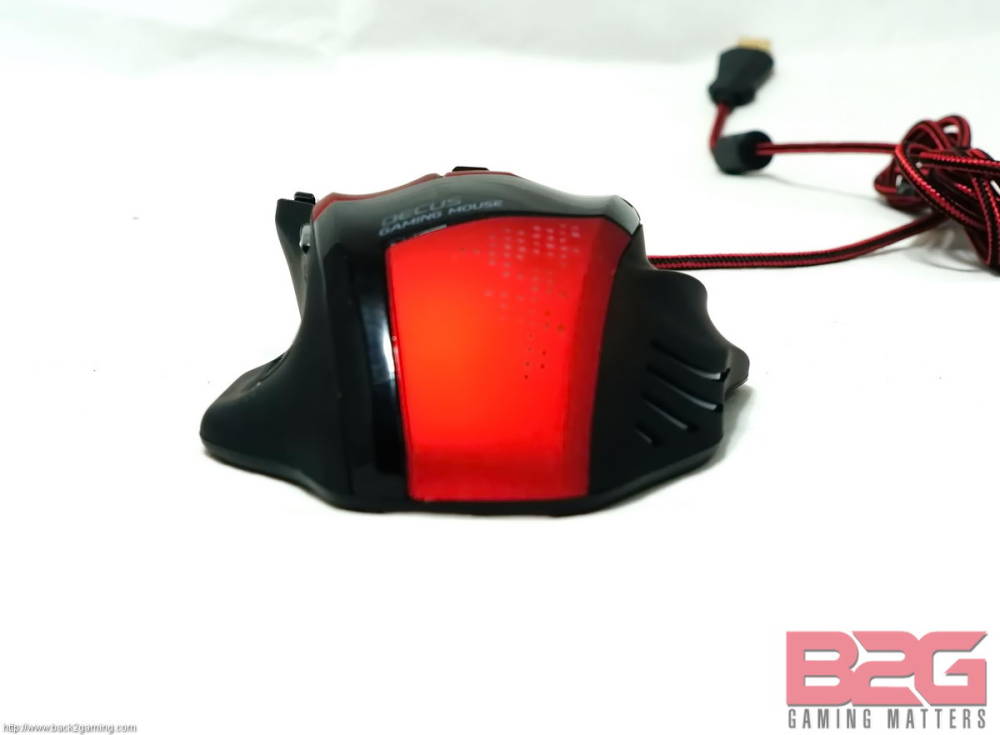
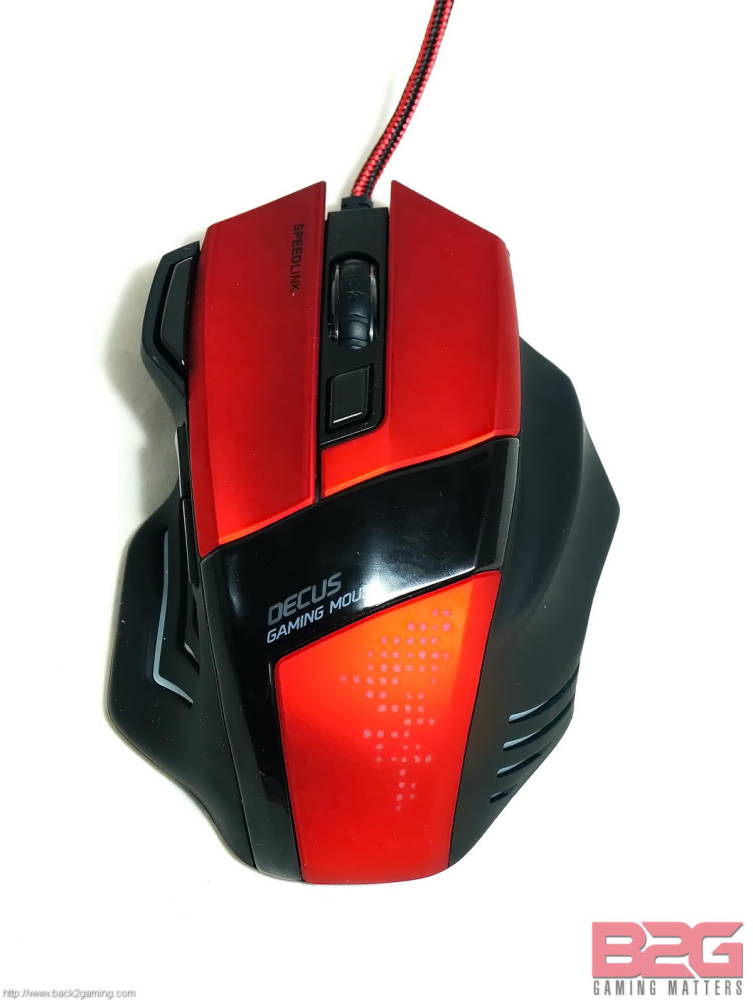
The body of the Decus is fairly average with the heel and top portion covered by a matte red grip. The middle of the heel part of the Decus has a portion that lights up according to the profile that you used. The middle part of the mouse is coated with glossy black paint that extends downward until the left side base of the heel. One good feature of the Decus is the curved design of the left button. This enables the index finger to rest easy and avoid being strained, kinda like a viper coiled but ready to strike at any time.In the middle of the Decus lies the mouse wheel and a small button that controls the profile activation of the Decus.
Speedlink Decus Gaming Mouse Review

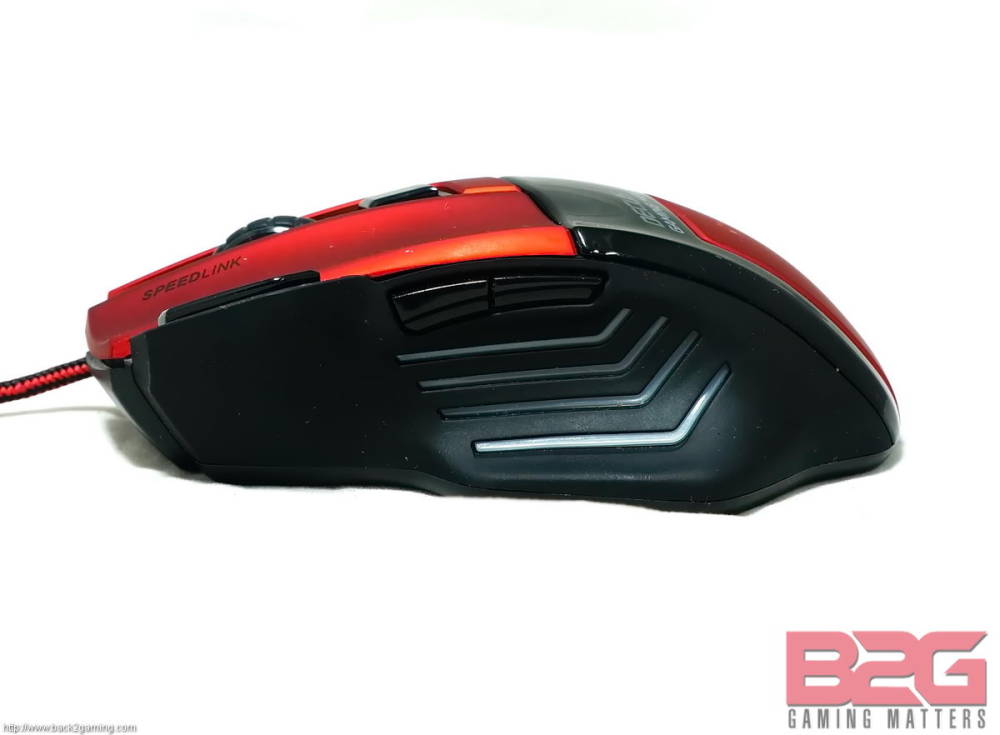
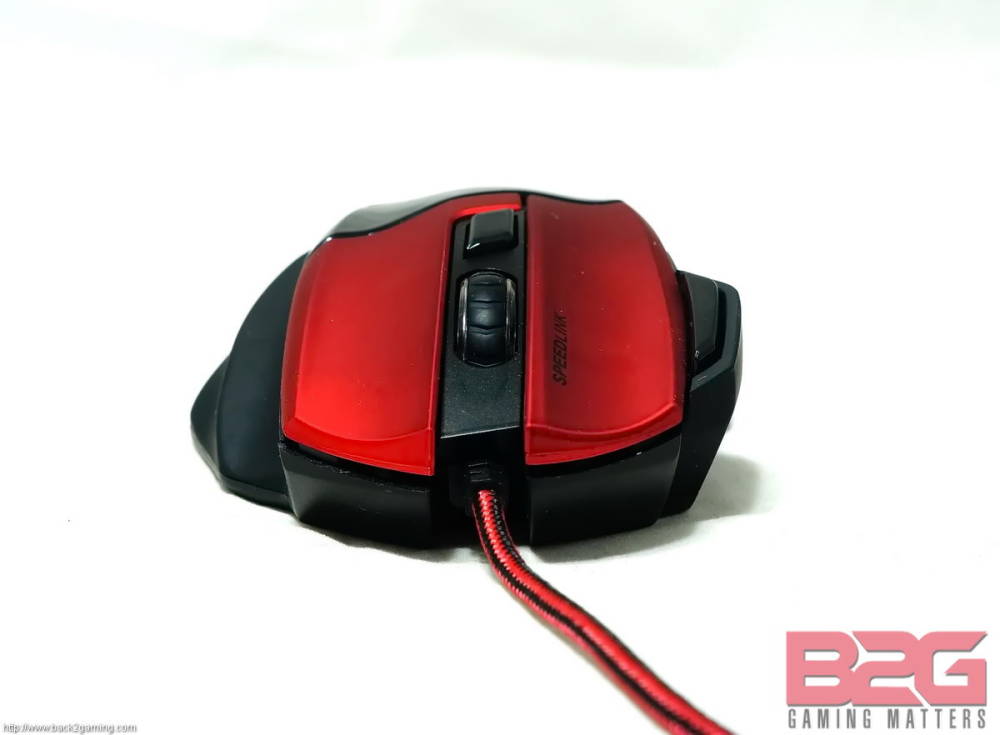
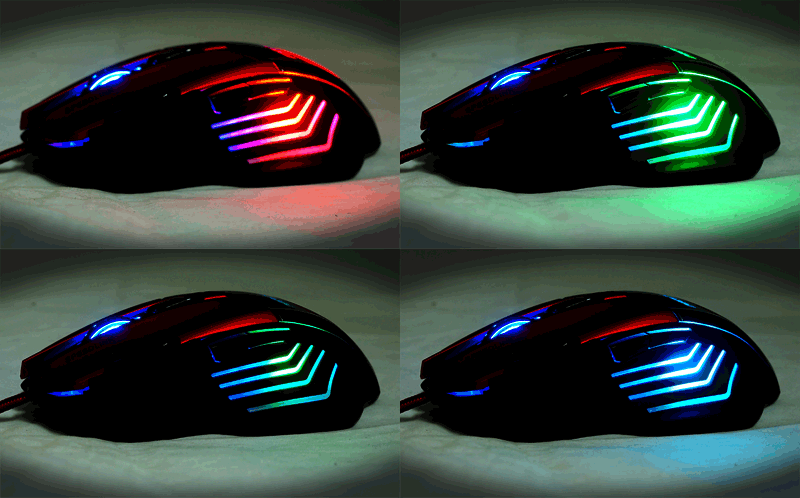
The left side of the Decus is designed to allow the whole part of your thumb plus a portion of your palm for that extra boost in comfort. Combine that with the two creases for the ring and little finger on the right side of the mouse and you have a design that makes it easier for the use to get a great grip on the mouse. In both sides of the Decus, there are small spaces with LED lighting that activates when the Decus is connected to your unit. The LED lighting has two layers, one is the background blue lighting that serves as an indication that the Decus is live and the other is the secondary LED lighting that can be customized by using the Macro Software included in the package. Though it would have been a bit better if they just stuck to one lighting style because a certain combination of colors mixed with the blue background seemed to look messy.
Speedlink Decus Gaming Mouse Review

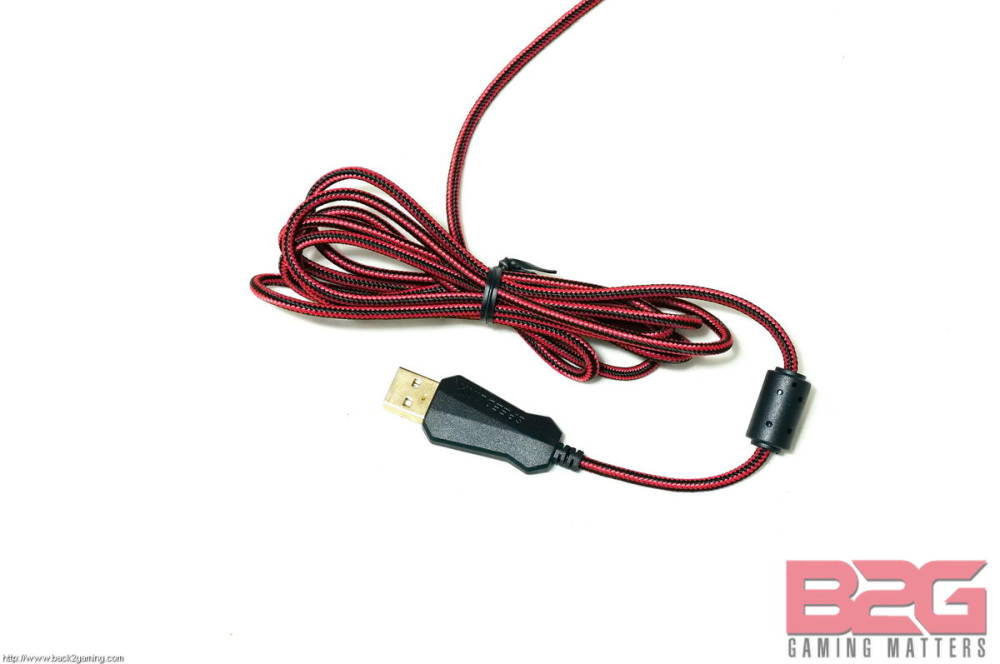
The cables of the Decus are thin and braided to prevent the tangling of wires with a length of 1.8m. At the end of the cable is the USB connector.
Decus

User Experience and Conclusion

Speedlink Decus Gaming Mouse Review

To measure the capabilities of the Decus, we tested it on two games that require precision and a ton of mouse movement, League of Legends and OSU!. While playing League of Legends, I was able to maneuver my character and hit as well as dodge skillshots easily while using the Decus. Using the software, I was able to set the functions for the mouse button to my wards, making ward hopping a very easy task for me, which would have been tricky had I not used this feature.

When playing OSU! I was able to adapt to songs having varying tempo, going from precise and slow mouse movements to fast and unpredictable movement, thanks to the ability to change DPI in an instant. A very important and effective tool that has a lot of uses and enables the user to make decisions on the fly.

And the best part about the Decus is that after I spent almost 6 hours playing and interchanging between both games, I never felt soreness or stiffness with my hand. The ergonomic design of the Decus helped me to get a good grip of it while allowing my fingers to rest easy. Sweaty palms were never an issue with the mouse as it was cool and allowed some space for it.

Overall, The Decus is not only an excellent gaming mouse that stands out because of its size and design, but hides a lot good intangibles that you’ll feel when you first use it. It has a lot of curves and creases that you would think is all show, but actually enhances your grip of the Decus and allows itself to be controlled by the user with out any hitches. Combined with the excellent software and modest price tag, the Decus is one mouse that sure to be popular with any user on looking for a great mouse. We here at Back2Gaming give the Speedlink Decus our B2G Gold  and B2G Recommended Award.

B2G_Gold

 B2G_Recommended


gaming mouse gaming peripherals review speedlink
Follow on Facebook Follow on X (Twitter)
Share. Facebook Twitter Reddit LinkedIn Pinterest WhatsApp Copy Link Email
Previous ArticleSPEEDLINK PRIME Z-DW Gaming Mouse Review
Next Article Batman: Arkham Knight Limited Edition Playstation4 Announced for June 23
Paulo
  • Website

Programmer, Gamer and everything in between.

Related Posts

Reviews 12 Mins Read

Lenovo Legion Pro 5i (2025) Gaming Laptop Review

November 11, 20251
Reviews 6 Mins Read

FSP VITA GM 1000W ATX3.1 Power Supply Review

October 31, 20253
Reviews 6 Mins Read

COLORFUL iGame Shadow II DDR5 Memory Kit Review

October 31, 20256

3 Comments

  1. Sam Callanta on April 12, 2015 6:10 pm

    it looks like Dragonwar Thor o.O

    Reply
  2. Gino Paolo Cruz on April 12, 2015 6:11 pm

    Looking good.

    Reply
  3. Joshua Malonzo on April 15, 2015 9:09 pm

    Is that a rebrand of the Dragonwar Thor?

    Reply
Leave A Reply Cancel Reply

Stay updated!
  • Facebook
  • Twitter
  • Instagram
  • YouTube
FSP VITA GM Power Supplies: The Force Comes With You! Learn more here.
Hubbyte Toy Store - The Largest Online Toy Store in th Philippines!
Latest Reviews

Lenovo Legion Pro 5i (2025) Gaming Laptop Review

8.7
1

FSP VITA GM 1000W ATX3.1 Power Supply Review

8.8
2

COLORFUL iGame Shadow II DDR5 Memory Kit Review

9
3

GIGABYTE B850M FORCE WIFI6E AM5 Motherboard Review

8.7
4

Battlefield 6 PC Performance Review

8.9
5
Today's Exchange Rate

Exchange Rate USD: Wed, 12 Nov.

Connect with us!
  • Facebook
  • Twitter
  • Instagram
  • YouTube
About B2G
About B2G

The only dedicated PC gaming hardware site in the Philippines. I cover PC gaming hardware news and reviews as well as report on games and technology adjacent to the field.

Back2Gaming is a B2G Marketing Services brand.

Email: [email protected]

Facebook X (Twitter) Instagram YouTube
Latest Reviews
8.7

Lenovo Legion Pro 5i (2025) Gaming Laptop Review

8.8

FSP VITA GM 1000W ATX3.1 Power Supply Review

9

COLORFUL iGame Shadow II DDR5 Memory Kit Review

8.7

GIGABYTE B850M FORCE WIFI6E AM5 Motherboard Review

Recent Comments
  • Abdur Rehman Afridi on Ookla Unveils Speedtest Pulse: Network Validation and Troubleshooting Tool
  • Back2Gaming on Ookla Unveils Speedtest Pulse: Network Validation and Troubleshooting Tool
  • Back2Gaming on Ookla Unveils Speedtest Pulse: Network Validation and Troubleshooting Tool
  • Seth Francis Capili on Ookla Unveils Speedtest Pulse: Network Validation and Troubleshooting Tool
  • Back2Gaming on Ookla Unveils Speedtest Pulse: Network Validation and Troubleshooting Tool
Reigning. Defending. Undisputed. Back2Gaming.com
© 2025 ThemeSphere. Designed by ThemeSphere.
  • Contact Us
  • Latest News
  • Reviews Directory
  • Advertise on B2G
  • About Back2Gaming

Type above and press Enter to search. Press Esc to cancel.