
ZOTAC RTX 3070 Twin Edge OC Graphics Card Review

ZOTAC GAMING RTX 3070 Twin Edge OC Graphics Card Review
BossMac Suba
By
BossMac Suba
Boss Mac Suba is the driving force behind Back2Gaming.com, a leading authority in PC gaming hardware and video game reviews. With over a decade of experience...
ZOTAC RTX 3070 Twin Edge OC Graphics Card Review
Final Thoughts
In a perfect world where the RTX 3070 is plentifully available, RTX 2080 Ti and RTX 2080 Super owners need not rush out and but the latest cards unless they really need but for a pure gaming perspective of someone coming off at GTX 980 Ti or GTX 1080 Ti or less, the RTX 3070 is a great upgrade thanks to its remarkable value. The ZOTAC RTX 3070 Twin Edge OC proves that performance can also fit in a tighter cooler making the card itself a very flexible option for those that currently on tighter cases but yet to make the jump to a larger one or vice versa.
Performance
9.5
Build Quality
9.6
Functionality
9.4
Value
9.5
Reader Rating90 Votes
5.1
Pros
Good value for performance
Very cool operation
Silent
Cons
Availability
Wider PCB can cause fitting issues
9.5
Rating

Introduction

My original NVIDIA RTX 3070 Founders Edition review concluded on a note that that review was intended as a preview of things to come. The Founders Edition, instead of being a first-wave partner release has now become a collectors item only available to NVIDIA retail channel. What it does give us is performance expectation on the partner cards that are releasing today as NVIDIA is now officially launching the GeForce RTX 3070.

The original promise for this card is that it is a contender to the RTX 2080 Ti, officially lifting the performance bar to a new level for a new generation. To those who are seeing the RTX 3070 reviews for the first time, I won’t spoil you. I’ve made a dedicated summary section as we for my RTX 3070 reviews to give a side-by-side view of the performance of the cards versus the Founders Edition.

But let’s not get ahead of ourselves, let’s introduce the cards that we’re debuting with the launch of the RTX 3070. In this review, we’ll take a look at the ZOTAC RTX 3070 Twin Edge.  ZOTAC has had it rough thanks to the careless assumptions of some influencers but NVIDIA has since corrected their supposed “stability issues” and to just get straight to it, this card does not have stability issues.
ZOTAC GAMING RTX 3070 Twin Edge OC Graphics Card Review

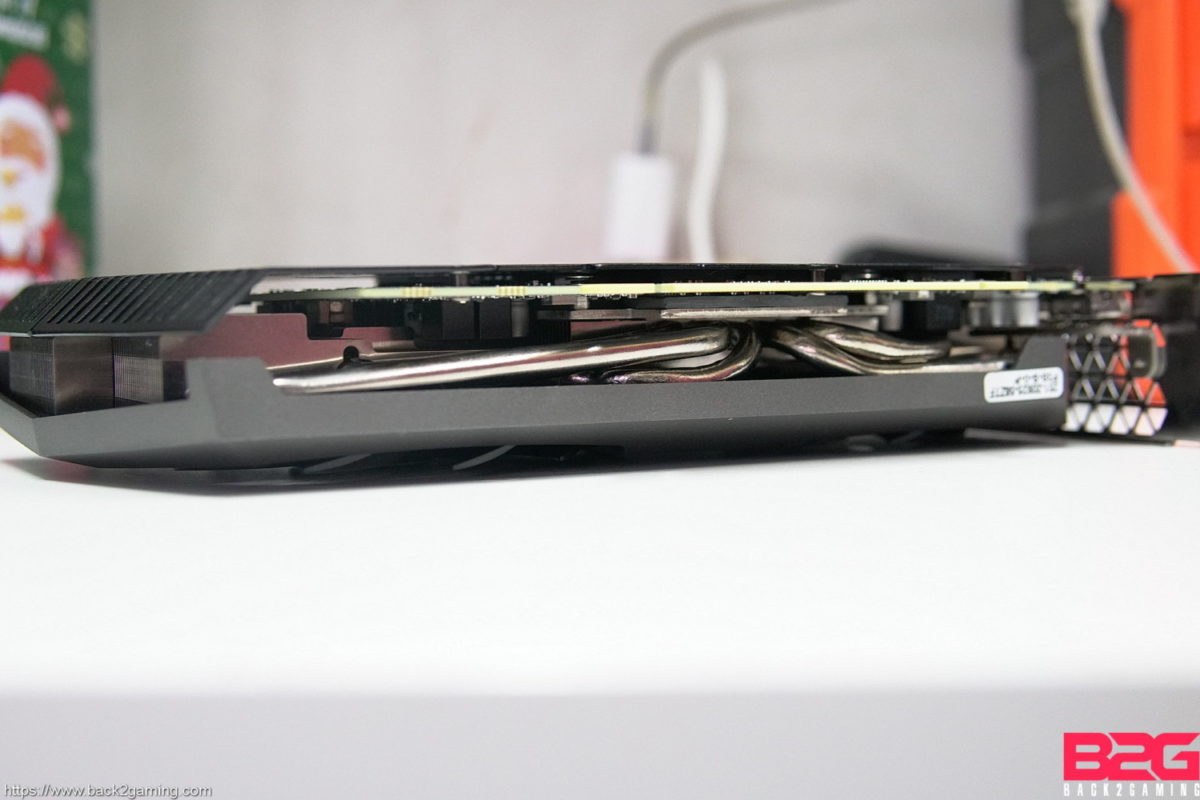
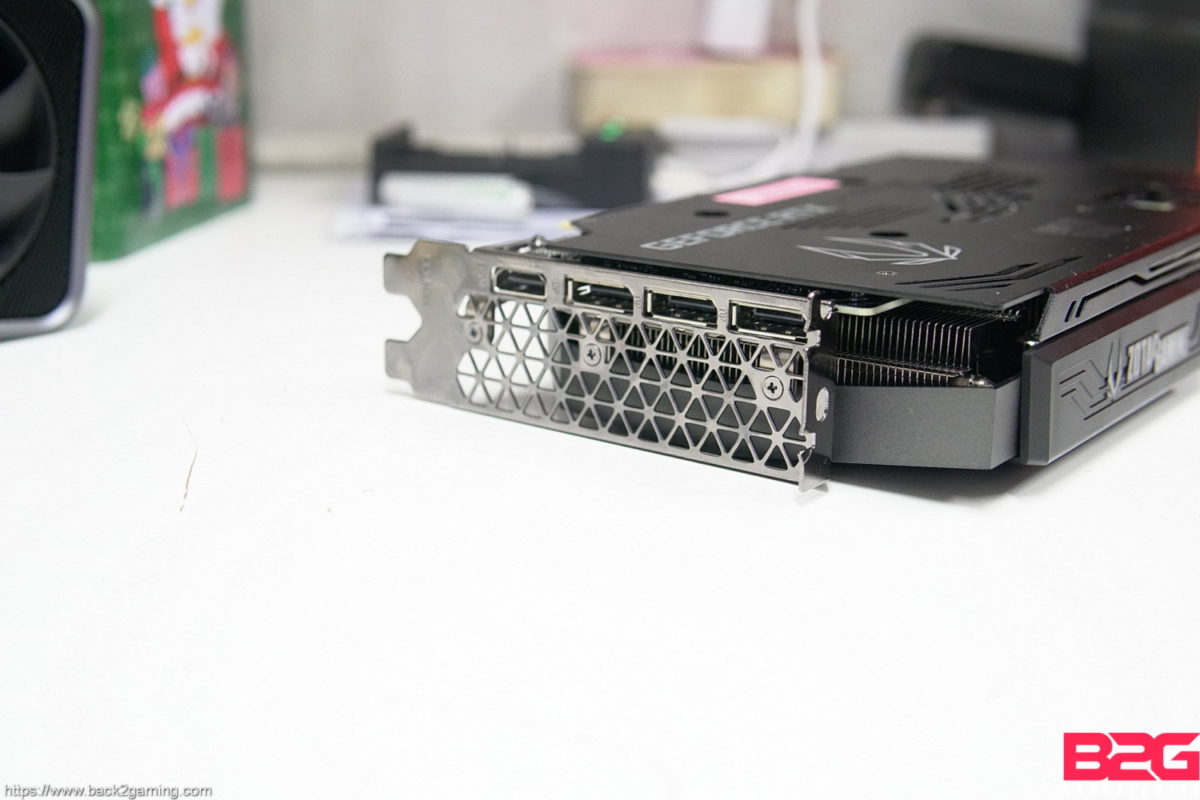
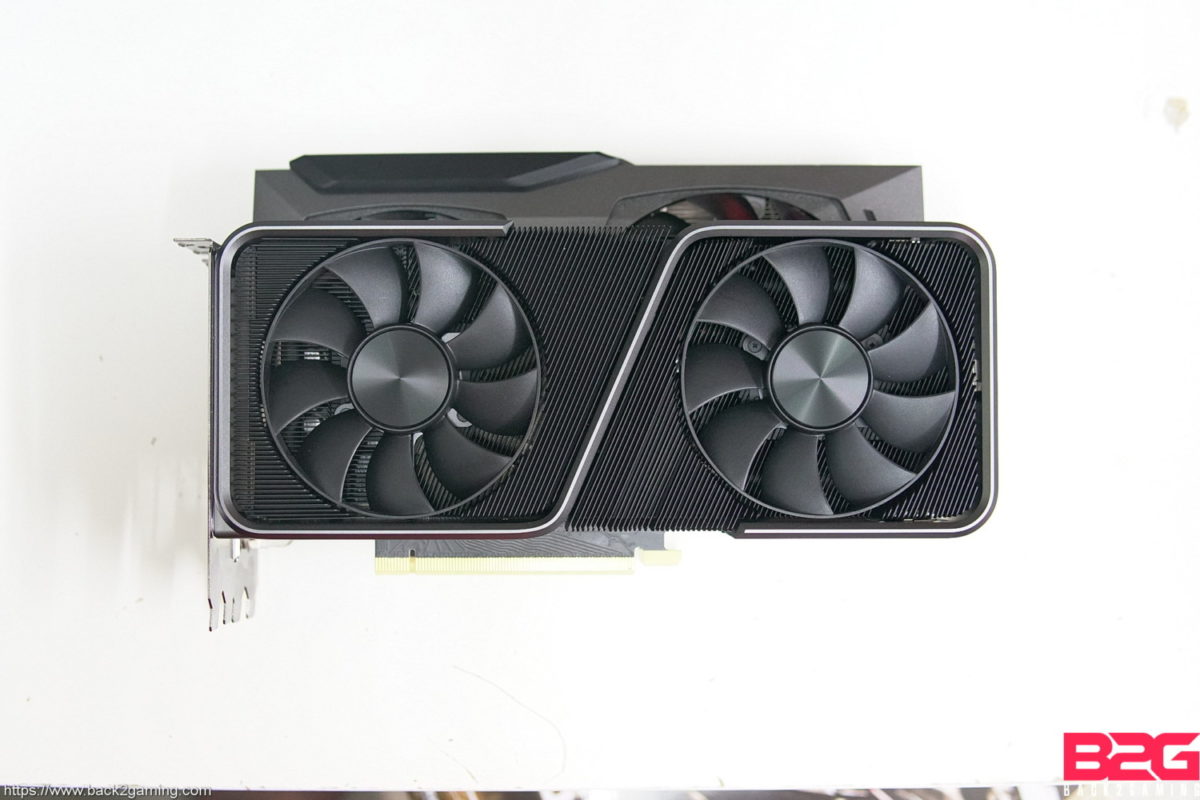
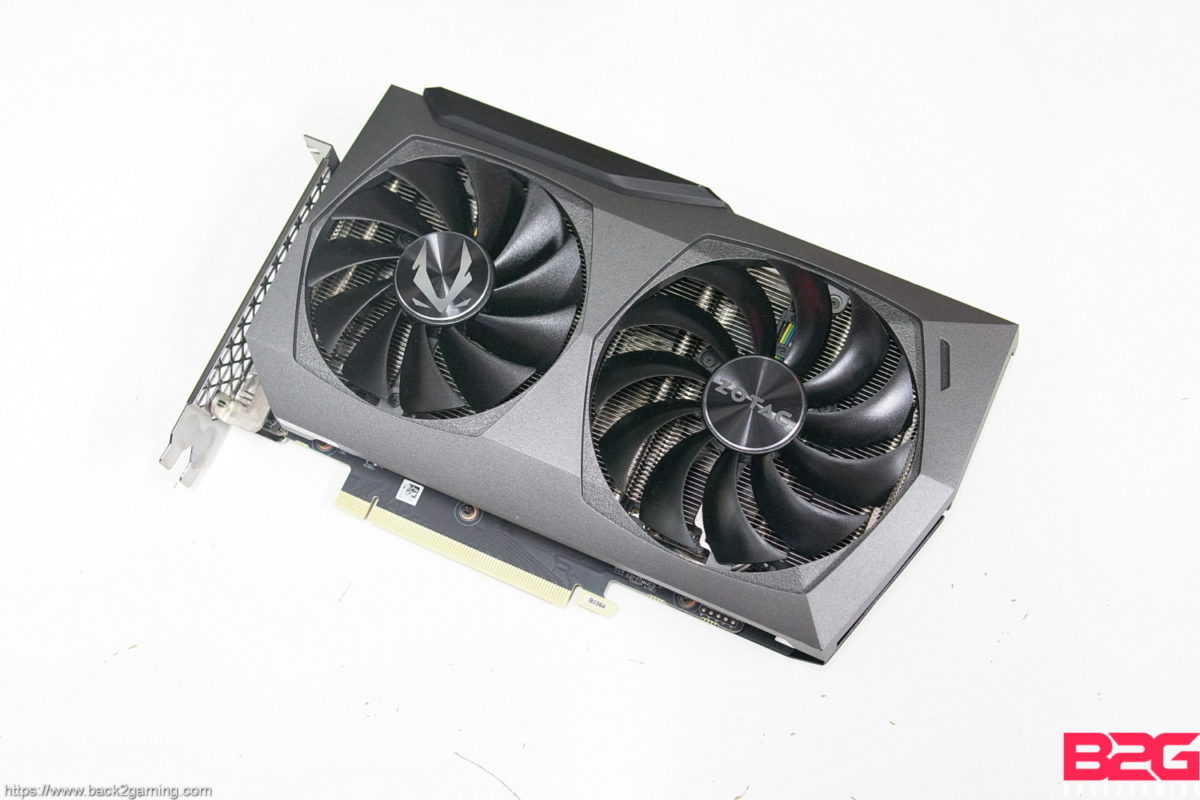
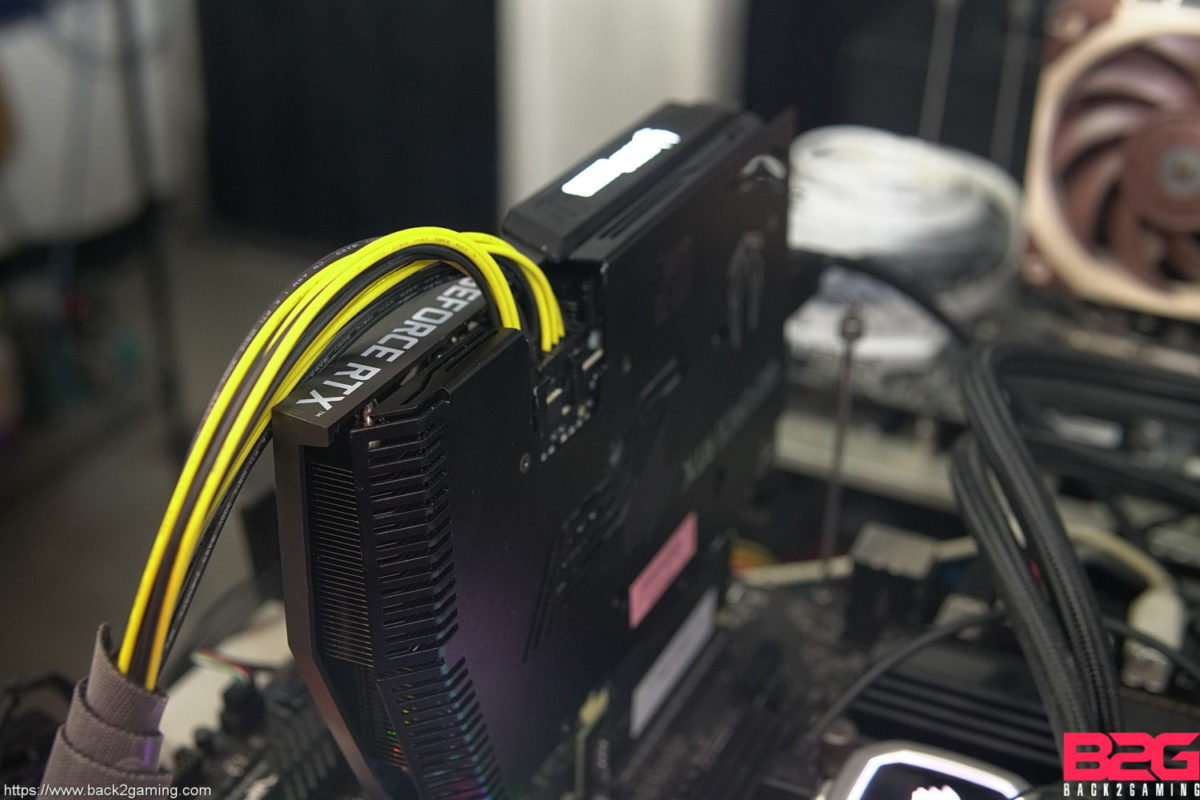
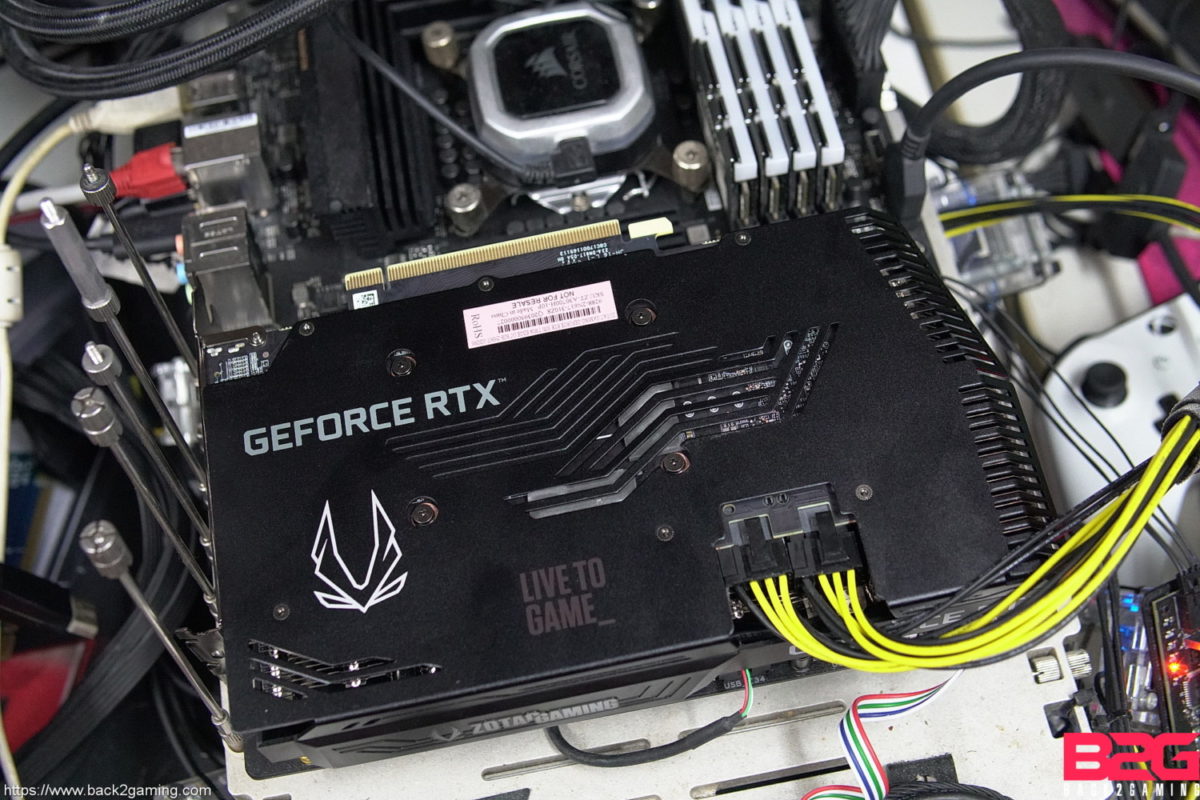
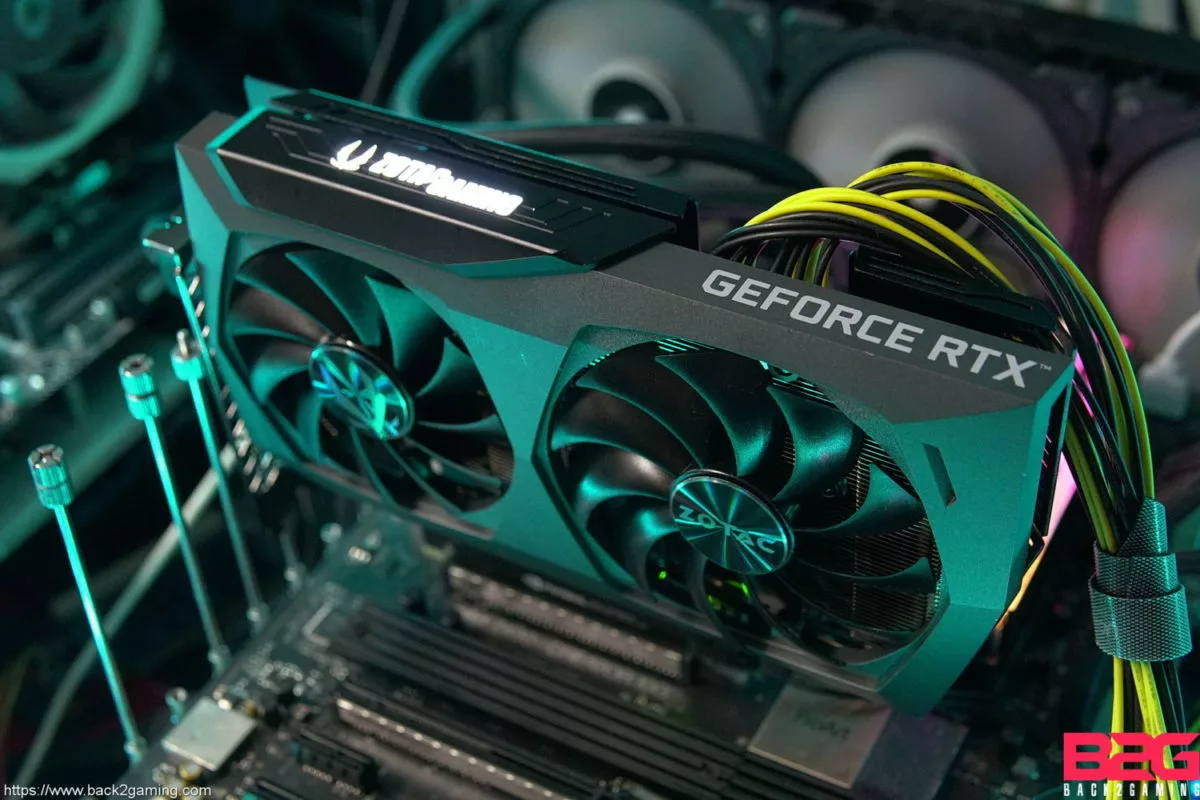
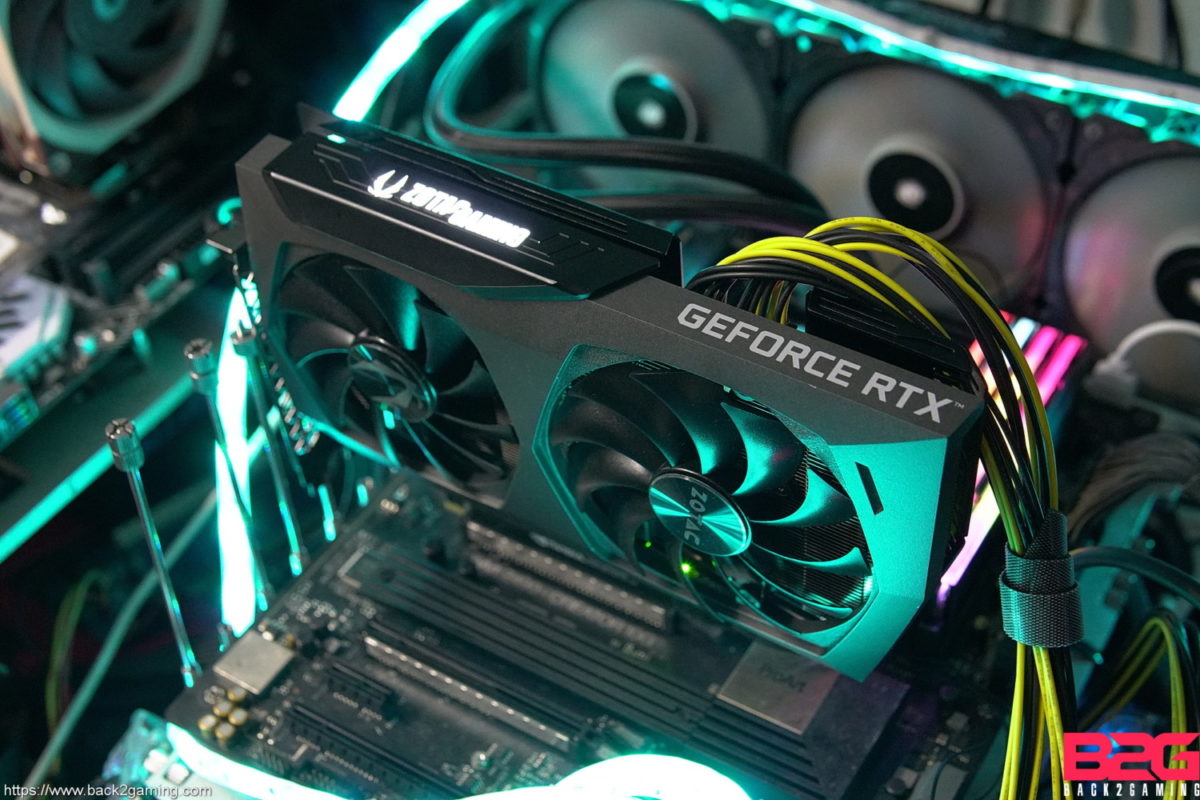
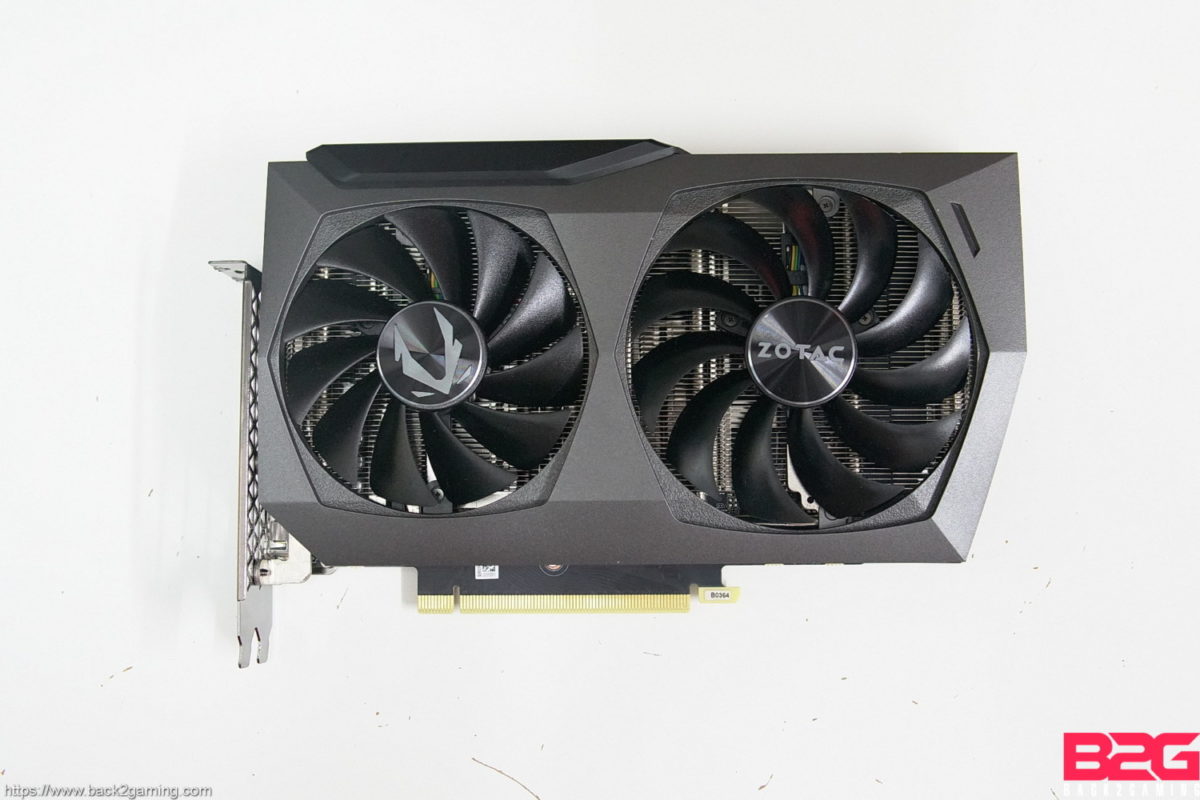
More on the card itself, the sample we have is ZOTAC’s Twin Edge OC model of the RTX 3070. This card is a custom PCB design that features a 2-slot cooler but to offset the reduced length, ZOTAC has made this card extra wide with a hair over an inch protruding from the PCIe bracket which you’ll see  more of in later photos. ZOTAC’s Twin Edge cooler, with its more  subdued design is obviously aimed at compact builder. While not necessarily for ITX, compact RTX 30 series cards have been elusive and the RTX 3070 could change that.  With the performance promise of the RTX 3070, the ZOTAC Twin Edge variation could bring 4K gaming more closer to compact build. Find out how the card performs and read on!

RTX 2080 Ti FERTX 3080 FEASUS TUF GAMING RTX 3070 OCZOTAC RTX 3070 TWIN EDGE OCRTX 3070 FE
ArchitectureTuringAmpereAmpereAmpereAmpere
CUDA Cores43528704588858885888
Boost frequency1635Mhz1710 MHz1815 Mhz1755 Mhz1725 MHz
Memory11GB GDDR610GB GDDR6X8GB GDDR68GB GDDR68GB GDDR6
Memory bus352-bit320-bit256-bit256-bit256-bit

Official Product Page

Closer Look – ZOTAC RTX 3070 TWIN EDGE OC
PCIe Gen3 vs. Gen4

NOTE: This is an excerpt from my NVIDIA RTX 3080 to confirm if PCI Gen4 has a performance impact on the new RTX 30 series cards. Quick answer is no. But read on for more details:

We’ll start this off with the most frequently asked question: do I need to have PCIe Gen4 to maximize the RTX 3080? We’ll answer that here. Given that PCI Express Gen4 is only present on AMD platforms, this test will answer two questions: 1) does Gen4 have an impact and 2) do we test with Intel or AMD?

Test Setup: Intel
ProcessorIntel Core i9-10900K
MotherboardASUS ProArt Z490 Creator 10G
RAMGskill TridentZ RGB DDR4-3600 32GB (8GB)x4 CL16
VGANVIDIA RTX 3080 Founders Edition
StoragePatriot Viper VPN4100 1TB
Power SupplySeasonic Platinum 1050w

Test Setup: AMD
ProcessorAMD Ryzen 9 3900X
MotherboardROG Crosshair VIII Formula
RAMGskill TridentZ RGB DDR4-3600 32GB (8GB)x4 CL16
VGANVIDIA RTX 3080 Founders Edition
StoragePatriot Viper VPN4100 1TB
Power SupplySeasonic P1000 Platinum 1000w

Here are our two test bench that we maintain for situations like this. I was already considering switching to AMD earlier this year but with Intel still holding on to their performance crown by a little bit, we stay for 1 more generation. Back to our test, our two systems will help us show show which system to use for this review.

For testing, we use the Final Fantasy XV benchmark. I find this benchmark more realistic than 3DMark Time Spy but speaking of 3DMark, here’s a quick summary of some tests done with 3DMark for our Gen3 vs Gen4 comparison:

This tests goes through the feature tests as well as the more intense benchmarks from the 3DMark suite. We have a 2080 Ti on the Intel system just for a quick comparison if we do get a massive jump. There is a PCI Express test in 3DMark and we can see have an improvement there, proving that gen4 is still indeed present but in actual GPU performance, Gen4 does not really impact everything as the Intel system proves the better system from pure synthetics.

Back to Final Fantasy XV, testing on the same system with Gen3 against Gen4 we get the benchmark results below:

In an AMD vs AMD setup, the difference can be accounted to standard deviation. Here’s some further charts for your reference:

The final set of charts shows us that we still get a minimal advantage on an Intel system which ultimately led me to decide to stick with our Intel system. This testing was done 3 days ago and thankfully results are favorable in my case as I would need to retest the entire lot we have.

Power Draw, Clock Speed and Temperature

We’ll switch things up and open with the power and temperature behavior of the graphics card first. We use Final Fantasy XV Benchmark to simulate a gaming workload but for those looking extreme loads, we do put our cards through Kombustor on first installation for stress testing to check for stability. For our reviews though, we use Final Fantasy XV to simulate a true gaming scenario. Power draw is captured inline via PCAT or Powenetics so no other components affects readings. Readings are taken from the average 15 min idle readings for both load and idle.

Let’s take a look at clock behavior versus temperature:

In the chart above we can follow the clock speed pattern as the card heats up during load. From the left we have the GPU clock as highlighted by the darker line and the lighter pink line is the temperature detailed on the left. Clocks climb to around 1980Mhz, that’s actually close to the boost clocks of the RTX 3080 if not pretty identical but the factory boost pushes us further than an FE 3070.

Thermal Images

The RTX 3080 showed us some of the best temps we’ve seen from a top card and that also gets passed down to the RTX 3070. With the RTX 3070, brands can get lazier with the tuning of the card and have a more silence-biased fan curve. The ZOTAC Twin Edge is a good example as it immediately stops its fan within a minute of dropping below 63*C. What’s more impressive is that its really easy to cool the RTX 3070 with heat dropping instantly even on high-stress loads, from 60*C to below 50*C in 5 seconds after the load is stopped.

Test Setup and Methodology

Processor: Intel Core i9 10900K
Memory: G.Skill TridentZ DDR4-3600 32GB
Storage: WD Blue SSD 1TB SATA
PSU: Seasonic Platinum 1050w
Cooling: Corsair H150i Pro 360mm AIO
Monitor: ROG PG27UQ 4K 144hz HDR1000
VGA: Listed

For a full-hardware workout, visit https://benchmarks.ul.com for our system warm-up and stress test of choice.

For benchmarking methodology please see our game benchmark method guide.

Test results are gathered and produced on CapFrameX. This makes it easier for use to get both line graph comparison and raw averages without extra tools. Simply the easiest tool for benchmarking andits available for everyone to use, free of charge. Check it out at capframex.com.

Since this is a GPU review, we benchmarked the area of the games that put heavy load on the GPU.

All our test runs are repeatable, click the links below for area and details. Read our benchmarking methodology.

  • DOTA2 – Kiev Major Grand Finals Game 5: OG vs Virtus.Pro (54:05 – 55:05)
  • Counter-Strike: Global Offensive: FPS Benchmark Workshop Map
  • The Witcher 3 – Woesong Bridge
  • Grand Theft Auto V – Palomino Highlands
  • Rainbow Six: Siege – Benchmark Mode
  • Shadow of the Tomb Raider – Kuwaq Yaqu
  • Call of Duty Modern Warfare 2019 – Fog of War
  • Monster Hunter World: Iceborne – Wildspire Waste
  • F1 2020 – Benchmark Mode

See our Youtube playlist for benchmark sequences.

Note: Some proprietary technologies of NVIDIA like PCSSHBAO+, and HairWorks work on AMD GPU’s BUT to maintain uniformity amongst GPUs, these have been turned OFF.

You can click on any of the benchmark charts enlarge. You can also move forward and backwards to quickly navigate through our charts via gallery view. For this test, only the out-of-box normal mode will be tested.

Kindly let me know if you spot an errors in the charts. I do my best to keep them error free but while test results are reliable and accurate, bringing them over to Excel and relying on formulas to generate the reports sometimes can cause mix-ups.

Counter-Strike: Global Offensive (CSGO)

Counter-Strike: Global Offensive, popularly known as CSGO, competes for Steam’s most popular game. It has found a resurgence in its popularity and has recently peaked in 2020 in the number of players that play the game. Based on Valve’s Source Engine, the game received major asset overhauls during the years since its inception nearly 10 years ago. Still, it’s a light game and can be played on fairly lighter systems but the competitive scene for CSGO has seen average players demand high FPS from their systems thus gaining favorable standing with GPU vendors just from the demand for higher FPS alone. CSGO is a game that can easily go past 500FPS on enthusiast systems on maximum settings. We’re including CSGO as requested by our community.

API: DirectX9 (default)
Maximum In-Game Settings
Texture Streaming Disabled
Vsync OFF

1920x10802560x14403840x2160

DOTA 2

Note: JUNE 2020 – DOTA2 has recently implemented a transition from DirectX9 to DirectX11 and new install of the game will prompt users to switch from DX9 to DX11. With that said, we are testing DOTA2 in DX11 from now on.

In contention for the most popular game on Steam and the biggest competition in eSports: DOTA 2 is powered by the Source 2 engine. The game is fairly light on low to medium settings but maxed out, with heavy action on screen especially during clashes, can really stress most systems. This is a game where frame times matter as responsiveness is very important in high-stakes competition. We’re looking at consistently low frametimes in this  game for the best experience

Our test uses actual game replay, using the segment from game 5 of the Kiev Major 2017 Grand Finals between OG and VP. The clash during the 54:05 to 55:05 of the game is a nice example of how much a system will get punished during intense team fights in DOTA2.

You can watch the replay of the actual game used in the benchmark here in Youtube or download the replay file here for your DOTA2 client: Game 3149572447. (save it to your DOTA2 replays folder)

API: DirectX11 (default)
Best-Looking slider setting (Ultra)
FPS_MAX 240
Vsync OFF

1920x10802560x14403840x2160

Rainbow Six: Siege

Nearly 4 years later and Rainbow Six: Siege has become a phenomenon after a lukewarm beginning. The massive shift in focus of the game sees it stepping into eSports territory and the excellent mix of gameplay mechanics, good design and a dedicated dev team has put R6: Siege in a position it couldn’t even picture during launch. Rainbow Six: Siege focuses heavily on tactical and creative gameplay and its vertical levels and highly destructible maps encourage players to be quick on their feet so the action is always going. Powered by Ubisoft’s own AnvilNext 2.0 engine which powers some of Ubi’s recent visual masterpieces, R6:Siege also feature excellent graphics and can get very taxing at high detail settings. The game also features an Ultra HD texture pack download for those that want higher resolution textures but will of course demand more from the system.

API: DirectX 11
Ultra Settings
Anti Aliasing: TAA
Ultra HD Texture pack not installed
Ambient Occlusion: SSBC
Vsync OFF

1920x10802560x14403840x2160

The Witcher 3: Wild Hunt

CD Projekt Red’s latest installment in the Witcher saga features one of the most graphically intense offering the company has to date. As Geralt of Rivia, slay monsters, beasts and men as you unravel the mysteries of your past. Vast worlds and lush sceneries make this game a visual feast and promises to make any system crawl at its highest settings. This game has found great resurgence in its playerbase thanks to the release of Netflix’ Witcher series.

API: DirectX 11
Frame Rate: Unlimited
Nvidia HairWorks: Off
Ultra Settings
Motion Blur: Off
Blur: Off
Anti-aliasing: On
Bloom: On
Sharpening: High
Ambient Occlusion: SSAO
Depth of Field: On
Chromatic Aberration: Off
Vignetting: On
Light Shafts: On
VSync OFF

1920x10802560x14403840x2160

Grand Theft Auto V

The fifth and most successful installment to date in the highly controversial Grand Theft Auto series brings a graphical overhaul to the PC version of GTA V which many have lauded as a superior approach in porting a console game to PC. Featuring large areas and detailing, GTA V is a highly challenging application in terms of scene complexity.

Our benchmark uses a run from Palomina Highlands running through a lush area to a remote road all the way to a neighborhood in our car to simulate multiple scene changes.

API: DirectX 11
FXAA Off
MSAA 4x
TXAA Off
Very High settings
Anisotropic Filtering: 16x
Motion Blur disabled
Advanced Graphics enabled
Vsync OFF

1920x10802560x14403840x2160

Shadow of the Tomb Raider

Shadow of the Tomb Raider is the latest installment in the reboot run of the classic Tomb Raider franchise. The game follows the story set forth by the previous game which Shadow of the Tomb Raider short follows after. Technology-wise, the game uses the Foundation engine updated to meet the demand of developer Eidos Montreal to push the engine to its limits. The game supports DirectX 12 and is one of the launch titles to support RTX technology namely DLSS which launched a couple of months post-launch.

API: DirectX 12
Graphics Settings Preset: Highest
Texture Quality: Ultra
Texture Filtering: 8x Anisotropic
Anti-Aliasing: TAA
DLSS: OFF
Raytraced Shadow: OFF
Vsync OFF

1920x10802560x14403840x2160

Call of Duty Modern Warfare (2019)

Call of Duty Modern Warfare is a reboot of the original Call of Duty 4: Modern Warfare storyline, set in a different world where you, along with Captain Price have to stop the world from going to war. Call of Duty Modern Warfare reignites the franchise by introducing full crossplay support where Xbox and PS4 players can play together with PC players. On PC, the game features a new engine pushing photorealism for COD far beyond what their older engine is capable of. The new engine also introduces raytracing and the AI is designed to perceive light as well. With a revitalized multiplayer arena, the game will require fast frame rates.

API: DirectX 12
Render Resolution: 100%
Texture Resolution: High
Texture Filter Anisotropic: High
Particle Quality: High
Tessellation: All
Shadow Map Resolution: Extra
Particle Lighting: Ultra
DirectX Raytracing: OFF
Ambient Occlusion: Both
Anti-Aliasing: Filmic SMAA T2X
World Motion Blur: Off
Vsync: OFF
Shaders Installed before benchmarks*

1920x10802560x14403840x2160

Monster Hunter World: Iceborne

Easily Capcom’s most successful game to date. Available in both consoles and PC, Monster Hunter World ranks in Steam’s top played games for the platform. The 2020 Iceborne update for PC brings the game to new PC frontier, introducing DirectX 12 support. The game features rich graphical detail settings and an Ultra HD texture pack for highend gamers. MHW’s features fast-paced action with traditional RPG farings and has captured a new market thanks to the transition from portable.

Our benchmark for this game uses an expedition track in the Wildspire Waste Southwest Camp (Area 1) and finishes in the Rathian nest at Area 12 in the caves. This run gives us runs from barren area, to watery area with lush vegetation to a cave which replicates the varied nature of exploration and monster combat in MHW.

API: DirectX 12
Graphical Settings: Manual (customized from High)
All variable settings set to High
Image Quality: High
Anti-Aliasing: TAA
Max LOD Level: No Limit
Volume Rendering Quality: High
Motion Blur: Off
DLSS and AMD FidelityFX: OFF

1920x10802560x14403840x2160

F1 2020

The latest iteration of the F1 series from CodeMasters features support for DirectX 12 as well as more photorealistic graphics than ever. Now heavily featured in the official F1 esports scene, much attention has been given in the development of this game particularly for added realism.

API: DirectX 12
Settings: Ultra High
Vsync: OFF

1920x10802560x14403840x2160

Average FPS Summary

To provide a more focused comparison of the different RTX 3070 cards we have for review, I made this chart to show the difference of the cards on average performance. With the card performing roughly the same, a vertical chart establishes a sense of dominance over succeeding cards and I feel that’s unfair in situations like this where the difference of the cards are measured in mere decimals and standard deviation.

Conclusion

Its actually commonplace for cards to perform at the same level especially if their variations of a single model. For the ZOTAC RTX 3070 Twin Edge OC, it sits side by side-by-side with the supposed MVP of the 30-series, the TUF GAMING OC from ASUS. The cards perform the same so ultimately, that makes the decision making boil down to 3 things: aesthetics, fit and cooling.

The ZOTAC RTX 3070 Twin Edge OC features a dual-fan 100mm cooler that is not just effective in cooling but also very quiet. Ultimately, its the size and look that’s going to be the deciding factor for most users. With its shorter PCB length, it’s definitely an easy fit for most cases but its extra wide cooler makes it pop out and any case that can’t handle a 150mm cooling tower will definitely not handle this card. The reason is that the PCIe power cables makes this card protrude more so if you’re not fine tucking in cables towards to the back, you’re going to have the space to make those PCIe power cables flow. For ITX case owners, you’re going to have to be really familiar with your case on what dimensions it can fit since the length support may be fine but the width support will most likely be the problem. This will obviously be reduced by using a vertical riser. A bit of note though, I’m not trying to say this card is huge but the official photos are quite not conclusive to base size on due to the fact that its a twin-fan cooler and a shorter PCB, many could assume its a smaller card.

ZOTAC GAMING RTX 3070 Twin Edge OC Graphics Card Review

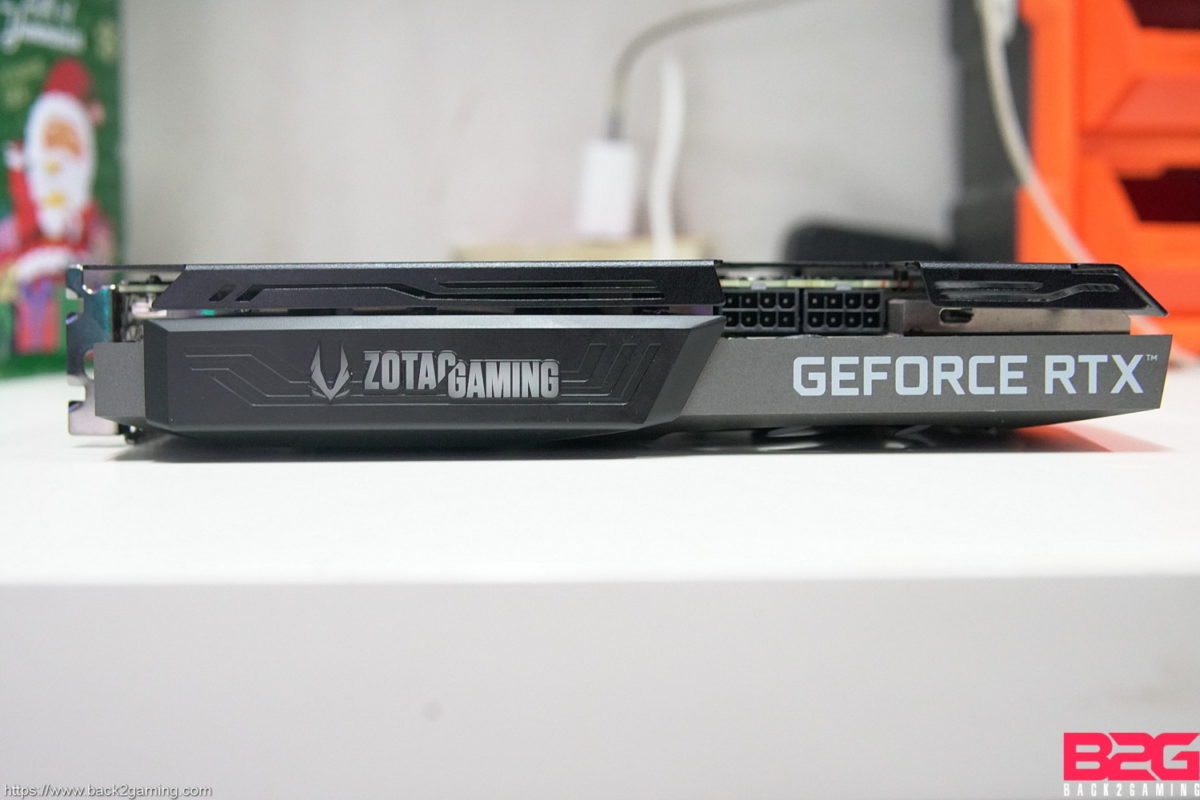
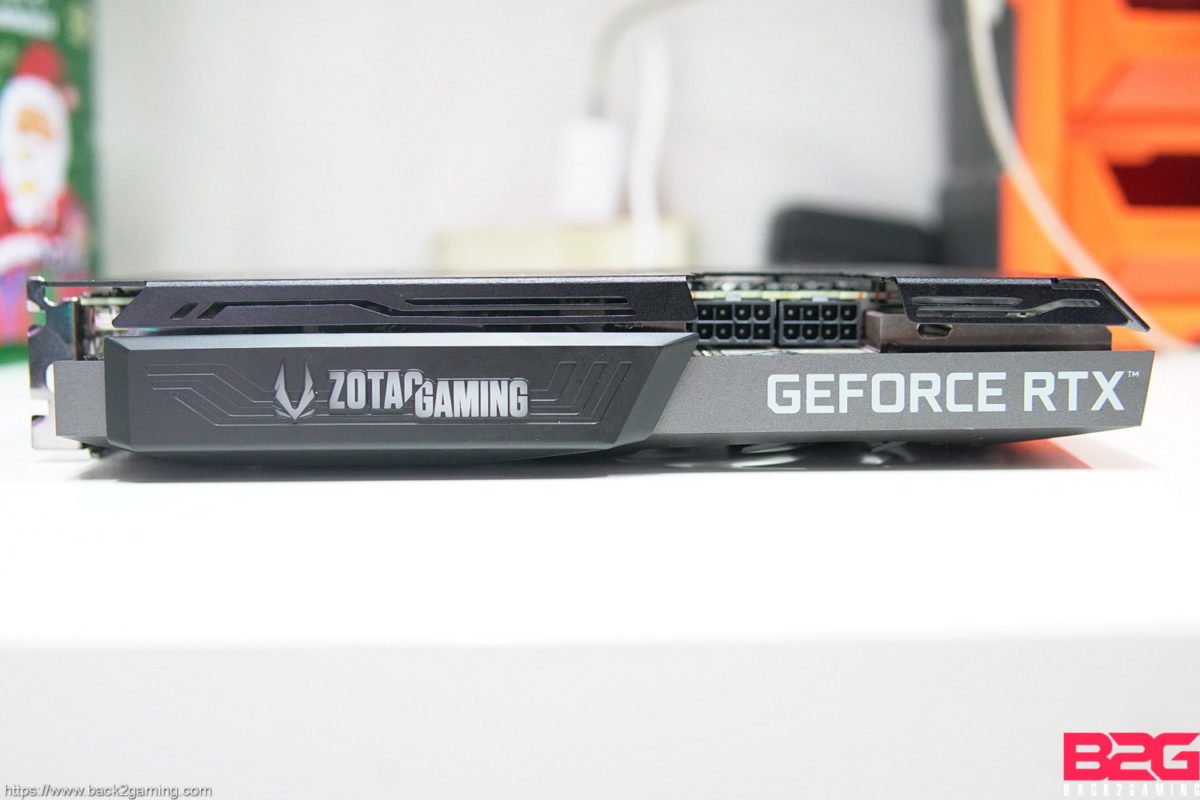
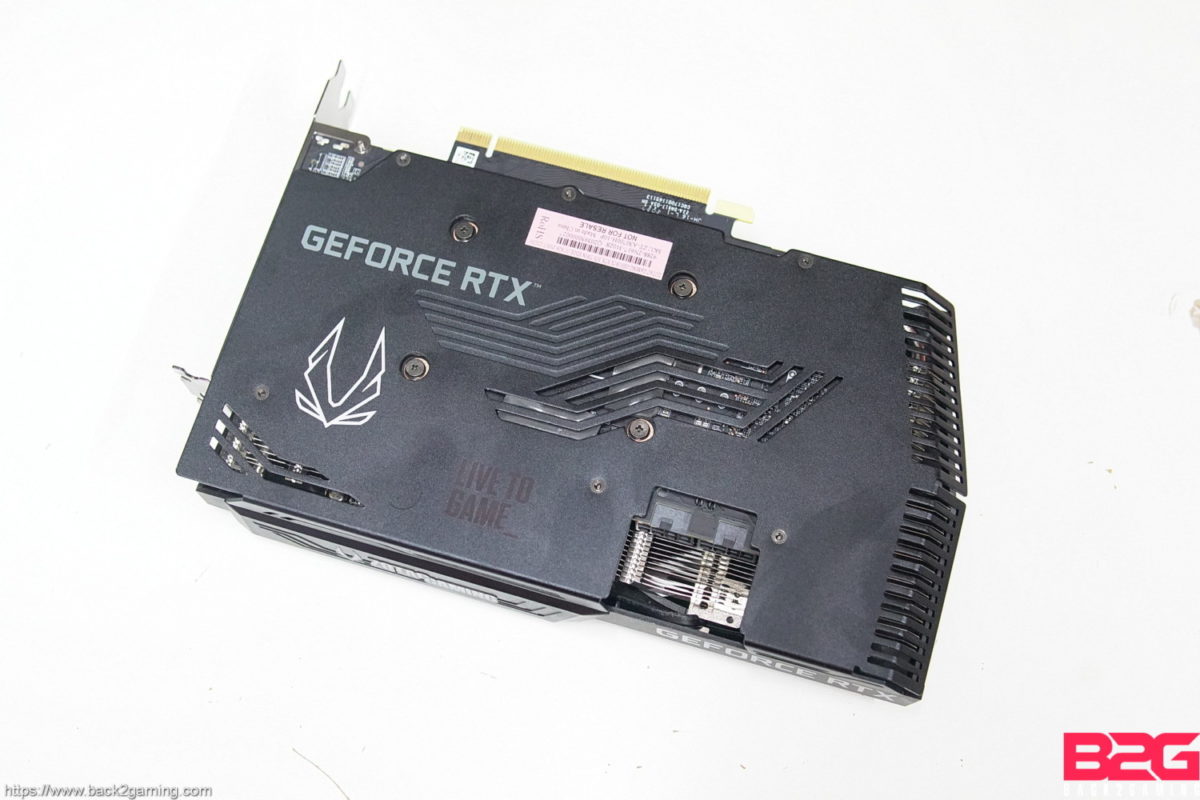
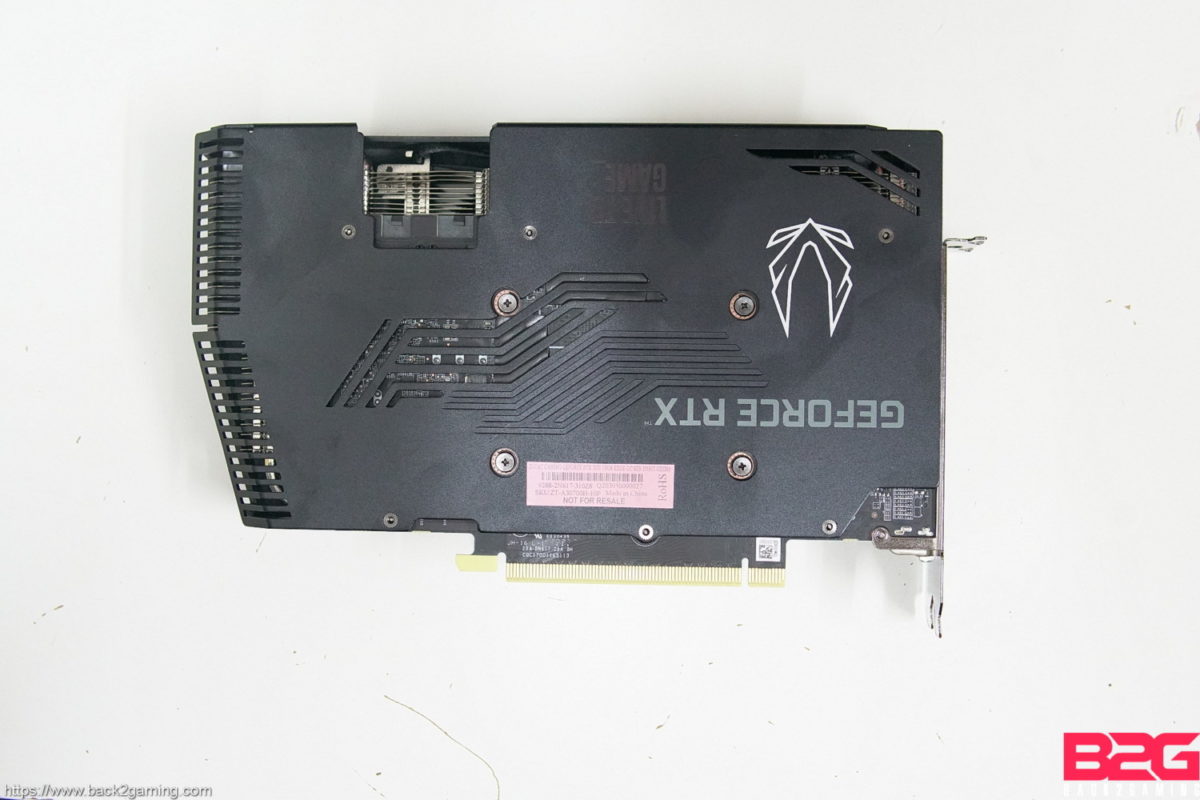
Talking about aesthetics, the ZOTAC RTX 3070 Twin Edge calls back to the olden GTX 1080 Ti AMP Edition design of ZOTAC: wider body with a slimmer cooler. It does get a blacker splash of paint and a more stylized backplate. There’s a light-up logo area which surprisingly does not have RGB.

ZOTAC GAMING RTX 3070 Twin Edge OC Graphics Card Review

Prices for the RTX 3070 start at $499 but we are still awaiting pricing details for the cards we have. The ZOTAC RTX 3070 Twin Edge OC, I expect, should be closer to the SRP range but with supply still a matter that affects pricing, I’ll save my analysis for that for now.

In a perfect world where the RTX 3070 is plentifully available, RTX 2080 Ti and RTX 2080 Super owners need not rush out and but the latest cards unless they really need but for a pure gaming perspective of someone coming off at GTX 980 Ti or GTX 1080 Ti or less, the RTX 3070 is a great upgrade thanks to its remarkable value. The ZOTAC RTX 3070 Twin Edge OC proves that performance can also fit in a tighter cooler making the card itself a very flexible option for those that currently on tighter cases but yet to make the jump to a larger one or vice versa.

ZOTAC backs the RTX 3070 TWIN EDGE OC with an extended 5-year warranty. We give it our B2G Gold Award!

ZOTAC RTX 3070 Twin Edge OC Graphics Card Review
Final Thoughts
In a perfect world where the RTX 3070 is plentifully available, RTX 2080 Ti and RTX 2080 Super owners need not rush out and but the latest cards unless they really need but for a pure gaming perspective of someone coming off at GTX 980 Ti or GTX 1080 Ti or less, the RTX 3070 is a great upgrade thanks to its remarkable value. The ZOTAC RTX 3070 Twin Edge OC proves that performance can also fit in a tighter cooler making the card itself a very flexible option for those that currently on tighter cases but yet to make the jump to a larger one or vice versa.
Performance
9.5
Build Quality
9.6
Functionality
9.4
Value
9.5
Reader Rating90 Votes
5.1
Pros
Good value for performance
Very cool operation
Silent
Cons
Availability
Wider PCB can cause fitting issues
9.5
Rating
Share This Article
Follow:
Boss Mac Suba is the driving force behind Back2Gaming.com, a leading authority in PC gaming hardware and video game reviews. With over a decade of experience in IT and more in doing reviews for things he love since 2002 from Jpop albums, anime series, games in the early days of the internet.Now he combines in-depth technical expertise with a no-nonsense approach to deliver data-driven, insightful content.Favorite quote: My favorite animal is the scapegoat."If it's not worth writing, it's not worth reading!" My stance on AI-generated writing and content
1 Comment

Leave a Reply

Your email address will not be published. Required fields are marked *