


If you’ve been dropping by here much, you’ll probably familiar with a ton of our Razer product reviews. And if you didn’t know already by now, Razer is an innovator in the PC gaming peripheral field. They have ingrained themselves in the fabric of gaming as a formidable force in the gaming industry and their products are a testament to their dedication. Recently, they’ve made a bold statement with the release of the Razer Blade and another fine addition to their high-end Elite class offering, the BlackWidow Ultimate Stealth Edition. Disregard that, I suck Razer’s schwaaa.
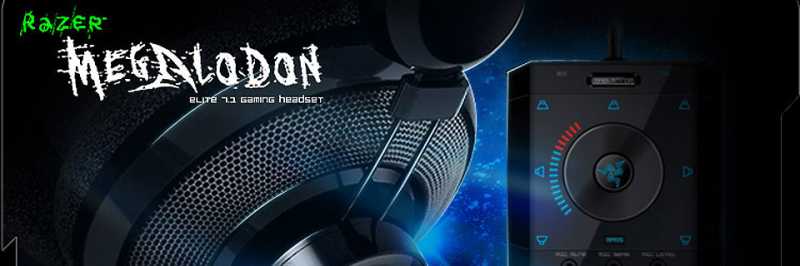
Also from their Elite line, we have the Razer Megalodon for review today. Boasting Razer’s Maelstrom engine, this headset promises to deliver rocking surround sound experience with only two drivers. With a tagline saying put sound in its place, we’re expecting big things so let’s get started and let’s make this showy!
Surround sound might not be a big deal for the majority of people but some games offer total immersion in a realistic environment using surround sound. Extreme gamers who seek absolute realism employ multi-monitor and surround sound setup to totally engage themselves in the game. And this costs a lot. And not everyone can have that space. A headset would be a good compromise.
In this review we move right into surround territory putting the Megalodon into a gaming and movie marathon test to gauge its surround capability. So let’s get rocking and here’s a quick spec on this beast:
Tech Specs
Headphones
- Frequency Response: 20 – 20,000 Hz
- Impedance: 32Ω at 1kHz
- Sensitivity (@1kHz, 1V/Pa): 102 dB ± 4dB at 1 kHz
- Max. Input Power: 200 mW
- Drivers: 40 mm, with neodymium magnets
Microphone
- Frequency Response: 50 – 16,000 Hz
- Sensitivity (-37 dB ± 4dB @1kHz, 1V/Pa): Variable (user adjustable)
- Signal-to-Noise Ratio: 50 dB
- Pick-up pattern: Unidirectional
Audio Processing Unit
- Master volume, center speaker, front speakers, side speakers, rear speakers, bass level, mic sensitivity, mic leveling, mic mute, Razer Maelstrom on/off, active/standby toggle, reset – this really interests me… that’s a lot of sound feature
- Cable: 3.3 meters, Braided Fiber Sheath
- Connector: Gold-plated USB
PACKAGING
[singlepic id=3188 w=320 h=240 float=center]CLOSER LOOK
[singlepic id=3198 w=320 h=240 float=center]The Megalodon’s carry case is one tough cookie ensuring protection for your beast headset.
[singlepic id=3199 w=320 h=240 float=center] [singlepic id=3200 w=320 h=240 float=center]CLOSER LOOK – Maelstrom Engine
PERFORMANCE, COMFORT, FUNCTIONALITY
I won’t touch much on music for this round as the Megalodon’s main selling point is its surround sound ability. So test it out, we bring out a bevy of games and some movies to see if that Maelstrom engine can really fool me into believe I’m surrounded by sound.
Gaming
From RTS, driving, to FPS we took the Megalodon through its phases to see if it really does put sound in its place. Starting things off with Crysis 2, it was evident that the Megalodon is a bass cannon. Turning up all the channels 3 red notches up and the volume at reasonable levels we really got astounded at how clear the Megalodon delivers. Moving on to Portal 2, we get to experience how amazing the positional audio of the Megalodon really is. Cave Johnson and his engineers would’ve really loved this headset as its pure science. And you can hear Mr. Johnson’s announcement as if they were really coming from that single speaker all the way up the room and GlaDOS in front of you cracking jokes. Closing things off with Black Ops, we now experience the precision of the Maelstrom as we wade through enemy lines picking off stragglers left and right. The Megalodon fully creates the illusion of realism by delivering pinpoint audio right where they should be. And all these are from just 2 drivers… that maelstrom device sure is a beast.
I’ve pretty much accepted the fact the recent Gundam video releases are of high-quality and masterful surround audio creation hence my insistence on using them as benchmarks for audio testing. A nice run with Gundam 00 and Gundam Unicorn yielded excellent results. Weapons fire, fast moving objects jet streams, clashing metal, everything was delivered beyond my expectation easily ousting my bias for a previously reviewed headset as my favorite movie headphone. Again positional audio was of top-quality with perfect immersion in the illusion of a complete soundsphere.
All these tests above utilized the 7.1 setup of the Megalodon, so we switch to 2.1 mode to see how it handles stereo music. We play a nice round of playlists and like a Carcharias on steroids, the Megalodon delivers booming bass without the pops and cracks even at maximum volume. Differing genres might need fiddling around the levels especially the bass but all throughout you’ll find yourself having a great musical experience with the Megalodon. As for the microphone, testing it out in Skype we got positive comments from people at the other line and using the mic controls, we had finer control of how the mic handled. Noise-free and clear were a common descriptive by parties involved in this testing.
I’ve practically used the Megalodon for a good 18 hours throughout a day of testing, with something around 3-4 hours in one sitting. And discomfort does not set in for me with the Megalodon. Hunger or that much needed trip to the bathroom that makes me leave my chair but the Megalodon’s light weight coupled with the excellent soft cushion on the earcups and headband make for a really comfortable experience. But just like the Carcharias, the feel of the cushion on the skin might not be that appealing to most. If this is the case, Razer offers leatherette cushions for a reasonable price. Would’ve love it better if they included it outright.
CONCLUSION
I’m a very hard to please man when it comes to audio and I’d be honest I was pretty skeptical about Razer’s approach at a surround headset with only 2 drivers. But after a good run with the Megalodon, I’m easily convinced this is a headset that is really well up there in the top of the headset food chain.
First, you have a great surround sound headset that provides clear audio be it surround or stereo. The accurate and realistic positional audio dips the player closer to the game world with a large soundsphere that when utilized, even adds to a player’s skill set. Music and movies also come out like how they should be: loud and clear.
Evident in Razer’s audio line utilizing the same design, the Megalodon is well built. A solid but flexible frame guarantees long life while the soft cushion lining and earcups guarantees long sessions without strain. Something absent in its brother is the light-up Razer logo on the earcups, adding much swag.
So like any hardware, it comes down to the question of is it worth it? Let’s take into consideration what we’re getting: a surround sound headset with a built-in audio device. A similarly capable internal audio device would easily run you a good Php4,000 and the Carcharias for Php3,700. The Megalodon retails for Php6,900 locally and even with your Carcharias and midrange gaming soundcard, you won’t be having that nice surround feature. That said, you’re getting yourself a bargain with the Megalodon.
Bottom-line is that you’re getting a solid package with the Megalodon and we find it easy to recommend it to everyone especially gamers who want more audio immersion in their games. The solid carry case also is a nice bonus.

7 Comments
You do understand that it’s just a simulated 7.1 and not the real 7.1 surround output.
One thing that i’d like to note about you guys reviewing Razer Products is that it’s too biased. I don’t know if you guys really know your stuff or what not but previews articles seem to indicate you don’t.
Also if the game does not support a 7.1, how would you emulate the rest of the surroundings? 7.1 setup uses different angles/directions in order to house the human ear’s feel of what is should hear as normal as it can be.
I guess I should’ve just slashed the opening remark, its putting off a lot of people. XD
And yes we’re aware of this product’s virtual output.
Stereo games are the same as any other stereo sources, hence the 2.1 mode of the Megalodon. Basically what the Maelstrom engine does is catch the multi-channel signals transforms them to perceivable surround, and sends them to both drivers. Logitech’s G35 uses Dolby tech which basically does the same thing.
One thing that i’d like to note about you guys reviewing Razer Products is that it’s too biased. I don’t know if you guys really know your stuff or what not but previews articles seem to indicate you don’t.
People would always see what they want to see, if you actually cared to READ the whole article first before you generalized us then I would really consider our reviewing style by then. So till then this point is ignored (well after this statement at least).
I’m not an audiophile so the second argument is something I won’t contest (I’ll leave that up to mac). 😀
I bought this headset and it’s terrible, whenever I use Skype people can hear my games sound. The mic is just pathetic as it picks up every noise you can possibly imagine.
I set my sensitivity to 0 and put down the recording volume, downloaded the firmware update but still people get frustrated when we play games online and they hear their own voices and my games audio.
Buy anything but this headset. Go read up on razers support website, people have been complaining over the mic issues for ages but nothing’s been done to fix it.
0/10
I read up on the Megalodon before I reviewed it and I was aware of the mic issues, testing it out myself I found it either very sensitive or sound leakage was just too high. I found using 3 bars on the sensitivity and playing around the mic level from low to mid got me the best results.
I’m still not counting out the possibility that the Megalodons out there indeed has some issues, but from a customer’s standpoint I understand that if the product doesn’t work as advertised out of the box, it’s really disappointing.
I read up on the Megalodon before I reviewed it and I was aware of the mic issues, testing it out myself I found it either very sensitive or sound leakage was just too high. I found using 3 bars on the sensitivity and playing around the mic level from low to mid got me the best results.
I’m still not counting out the possibility that the Megalodons out there indeed has some issues, but from a customer’s standpoint I understand that if the product doesn’t work as advertised out of the box, it’s really disappointing.
I bought this headset and it’s terrible, whenever I use Skype people can hear my games sound. The mic is just pathetic as it picks up every noise you can possibly imagine.
I set my sensitivity to 0 and put down the recording volume, downloaded the firmware update but still people get frustrated when we play games online and they hear their own voices and my games audio.
Buy anything but this headset. Go read up on razers support website, people have been complaining over the mic issues for ages but nothing’s been done to fix it.
0/10